12 min read
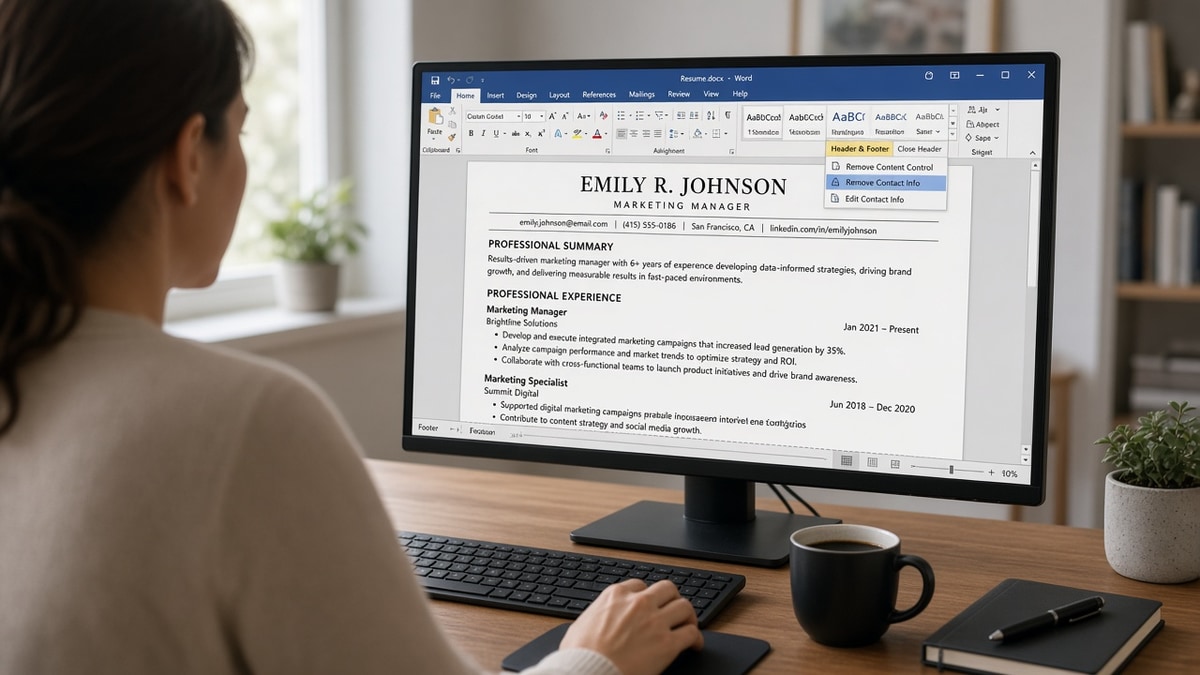
You put phone and email in the Word header because every template does. The PDF looks sharp. The Greenhouse preview shows your name and jobs but blank contact fields. Headers and footers in resumes are risky for ATS when they hold anything you need parsed. Body placement is the safe default.
This isn't about hiding contact from recruiters. They still see it on the attachment. It's about whether the extractor copies header regions into the candidate profile recruiters filter on. Often it doesn't. That's why headers and footers in resumes are risky for ATS even when they look professional on PDF.
Check your resume for free after you move contact into the body. You're confirming extraction warnings are gone, not redesigning the whole file. Five steps below, two edge cases, mistakes I see weekly, and before/after pairs you can copy tonight.
Job searching is hard enough without silent parser drops. This won't fix applying underqualified. It stops recruiters from passing you over because the system thinks you didn't leave a phone number.
Quick Wins
- Cut contact from Word header/footer. Paste under your name in the body.
- Paste PDF into Notepad. Phone and email must appear before Experience.
- Read portal preview. Blank contact means blank recruiter filters.
What ATS parsers do with resume headers and footers
Most corporate ATS tools extract the main document body first. Header and footer regions in Word and Google Docs often sit outside the flow parsers treat as primary content. Some systems skip them entirely. Others append them out of order at the end of the text blob.
Safe in headers/footers: nothing you need searchable. Optional page numbers on page two plus are usually low risk.
Risky in headers/footers: phone, email, LinkedIn URL, city, clearance lines, and keyword lines you hoped would count toward match.
Text boxes drawn to look like headers behave like headers even when they're in the body margin. Floating shapes are worse. Delete the shape and type contact on normal lines.
Read ATS friendly resume header what to put in the US for what belongs in the visible top block once you leave Word header mode. This page is the procedure to get it there.
Edge case: academic CVs with running headers on every page. For US corporate ATS applies, simplify to a two-page max corporate format with contact on page one body. Edge case two: lawyers and consultants with confidentiality footer. Move any required line into the body or drop it for ATS versions.
Google Docs users: disable "Different first page header" when it only holds contact. Put contact in the first body paragraph instead. Docs exports headers into the same risky regions Word does.
PDF printers sometimes bake headers into an image layer. If paste test fails, return to the editable DOCX source. Never scan a printout as your application file.
LaTeX resume users: contact in a fancy header command often drops on ATS export. Use a simple article class layout with contact in the first center block, not fancyhdr contact lines only.
Overleaf templates with multi-line address in margin: same risk as Word. Compile to PDF, paste test, move margin address into body if contact vanishes.
Five steps to make headers and footers ATS-safe
Run in order. Don't export until step four passes Notepad paste.
Step 1: Clear the Word header region
Double-click the top margin. Select all. Cut phone, email, portfolio links, and decorative lines. Leave the header empty. Close header edit mode.
Before: Header contains name, phone, email in three columns.
After: Header region blank. Name and contact waiting on clipboard for step two.
Step 2: Paste contact under the name in the body
Line one: full name. Line two: city and state or Remote. Line three: phone and email separated by a middle dot or pipe. Line four: LinkedIn or GitHub if relevant. Then a blank line before EXPERIENCE.
Use plain characters. No mailto icons. Hyperlinks are fine if they survive paste test as URL text.
Before: Name in body only. Phone in header.
After: All contact lines stacked under name before first section header.
Keep the block compact. Four lines max before Experience. Recruiters skim; parsers extract. Both need the same visible block at the top of page one.
Step 3: Clear footer and text boxes
Open footer. Remove contact repeats and keyword lines. Delete text boxes that mimic a sidebar header. If a template won't delete the box, rebuild the file in a blank Word doc and paste plain text only.
Step 4: Notepad paste test
Save DOCX. Export PDF if required. Select all, copy, paste into Notepad. Your phone digits and email should appear before the word Experience. Employers should follow in order.
Before: Notepad paste starts with Experience. Contact missing.
After: Notepad paste shows Jane Doe, Austin TX, 512-555-0100, [email protected], then Experience block.
Step 5: Upload and read preview
Attach to Workday, Greenhouse, or Lever. Scroll parsed preview. Confirm contact fields populated. If blank, you're not done. Re-export from the cleaned DOCX, not from an old PDF cache.
Copy-paste contact block for the body:
YOUR FULL NAME
City, ST (or Remote)
phone · [email protected] · linkedin.com/in/you

EXPERIENCE
Company Name
Job Title
Mon YYYY to Present
Edge case: Google Docs resume. Use File then Page setup to avoid header templates. Put contact in the first normal paragraph. Edge case two: Mac Pages export to Word before ATS upload if the portal is picky about DOCX from Pages.
Workday and iCIMS previews are especially sensitive to missing contact in parsed profiles because recruiters run phone screens from the profile card before opening PDF. Blank phone there is a dead stop even when attachment looks fine.
Remote-only candidates: put Remote next to city or alone on the contact line in the body. Do not put Remote only in a footer band that drops on export.
Header and footer traps that still look fine on PDF
The pattern: beautiful top band, empty contact field in ATS, slow silence.
Putting the name only in the header on page one while body starts with Summary. Parser may never tie name to summary tokens correctly.
Repeating phone in header, footer, and body with different formats. Recruiters merge duplicates manually when they have time. You don't want to rely on that.
I've screened profiles where email lived in a footer and the recruiter filter for location ran on an empty city field because city was in the same footer block that dropped.
Using "see header for contact" in the body. Parsers do not follow instructions. Type the contact again on plain lines.
Parking security clearance only in the footer on defense resumes. Move clearance to the body under contact if the posting requires it.
Designed PDF resumes from Canva with a top banner. The banner is effectively a header. Rebuild in Word for ATS applies and keep the Canva version for networking PDFs if you want both.
See how resume design can cost you interviews for column and banner issues beyond headers alone.
Watermarks and "Confidential" diagonals in headers look serious and parse terribly. Drop them for ATS files.
Multiple phone numbers in header for US and international lines. Pick one primary line in the body. Add secondary in a single comma phrase if needed.
Photo in header area: parsers ignore images. Humans in some markets expect photos. For US corporate ATS, skip photos in the application file unless the employer explicitly asks.
Section titles in all caps inside header bands. Move EXPERIENCE and EDUCATION to body lines. Parsers key off those strings in the main flow.
Verify contact extraction before portal upload
Run the export through a checker with the job description. Missing contact warnings should clear after step two.
Run a free ATS check on the file you'll attach. Then score your job match once layout is flat so you're not tuning keywords on a file that still hides email in a footer.
If the role wants a cover letter, generate a cover letter with the same contact lines as the resume body so names and phones match across documents.
Make headers and footers empty, contact visible in the body
Open your resume in Word tonight. Clear header and footer. Paste contact under your name. Run Notepad paste. Re-export. Upload once preview shows phone and email.
Headers and footers in resumes are safe only when they're empty or hold page numbers you don't need parsed. Everything recruiters might filter on belongs in the body on page one.
Keep a networking PDF with design if you like. Send the flat ATS version to portals. Two files, two purposes, zero mystery rejections from missing contact in the profile.
When a friend asks if headers are "allowed," tell them allowed and parsed are different questions. Allowed on paper isn't the bar. Extraction is.
Save two versions in your job search folder: Resume-ATS.docx flat body contact, Resume-Network.pdf designed for coffee chats. Upload only the ATS version to portals.
Re-check header/footer after every template tweak. One accidental double-click into header mode before export can put email back in the drop zone.
Batch five applications only after one file passes preview with contact visible. Broken headers multiplied across companies feel like a market rejection when it's a layout bug.
If a recruiter emails asking for phone because the profile is blank, send the fixed DOCX same day. Don't argue about whether headers should work. Fix and re-upload.
Veterans and federal converts: DD-214 details belong in body Education or Additional section, not footer stamps. Clearance and MOS keywords still need plain text lines parsers read.
Nurses and clinical roles using hospital template headers: move license number and compact status to body under contact if the posting requires license filters. Clinical ATS behaves like corporate ATS on header drops.
Copy-paste nightly routine: open DOCX, glance header/footer panes, confirm empty, confirm body contact, export, Notepad paste, one portal upload with preview check. Five minutes beats a week of wondering why nobody called back.
International candidates with two address lines: put US city if applying to US roles in the body contact block. Do not rely on home country address in footer for geo filters.
Career services templates from universities often ship with logo headers. Strip the logo band for ATS applies. Keep logo version for career fair printouts if your school requires branding on paper.
Headers and footers in resumes are safe or risky for ATS based on one test: does Notepad paste show contact before Experience? If yes, you're probably fine. If no, fix before the next apply.
Sales and account executive resumes with logo headers from CRM exports: strip logos for ATS, keep metrics bullets in body. Phone in header is the most common miss for AE profiles I see in Workday.
Teaching and adjunct CVs with department letterhead: create a one-page corporate-format version without letterhead for ATS portals. Keep letterhead PDF for department records only.
Freelancers with LLC name in header: put legal name on line one and LLC or DBA on line two in the body if needed. Do not hide your reachable phone in an LLC banner the parser skips.
Executive resumes with board listings in footer: move board lines into a body section with dates. Footer board lists vanish from search while looking prestigious on print.
Copy-paste header/footer audit before bed:
[ ] Word header region empty
[ ] Word footer region empty (or page numbers only)
[ ] Contact under name in body on page one
[ ] No text boxes holding phone or email
[ ] Notepad paste shows contact before Experience
[ ] Portal preview shows phone or email populated
Share this audit with a friend who's applying this week. Most people discover header drops only after weeks of silence. Five minutes of body contact placement prevents a month of false negatives in ATS filters you never see.
Run the checklist on every export, not only the first one. Empty header regions are free insurance. If your template fights you, rebuild once in a blank Word doc. The ten minutes pays back on the first application that would have dropped your phone number silently.
Read more
Frequently asked questions
For humans printing a page, yes. For ATS parsing, header contact often drops. Put phone, email, and city on plain lines directly under your name in the document body. Leave the Word header and footer empty before export. Recruiters still see contact on screen; parsers see it in extraction.
Footers carry the same risk. Page numbers alone usually survive. Contact lines, confidentiality notices, and skill keywords parked in the footer often vanish from the parsed profile. Move anything you need searchable into the body on page one.
Colored bars often sit in header regions parsers skip or read last. The bar looks professional on PDF and empty in Greenhouse preview. Flatten design into the body: name, contact, then Experience. Boring wins over branded header bands for applications.
A simple name repeat in the body margin is safer than a Word header on page two only. If you use Word headers for multi-page files, keep them minimal and duplicate critical contact on page one body. Never put email only in a page-two header.
Paste the PDF into Notepad or TextEdit plain mode. If phone and email appear under your name at the top, parsers likely got them. If contact is missing but body text copied, move contact out of header/footer and re-export. Re-upload until portal preview shows phone or email.