12 min read
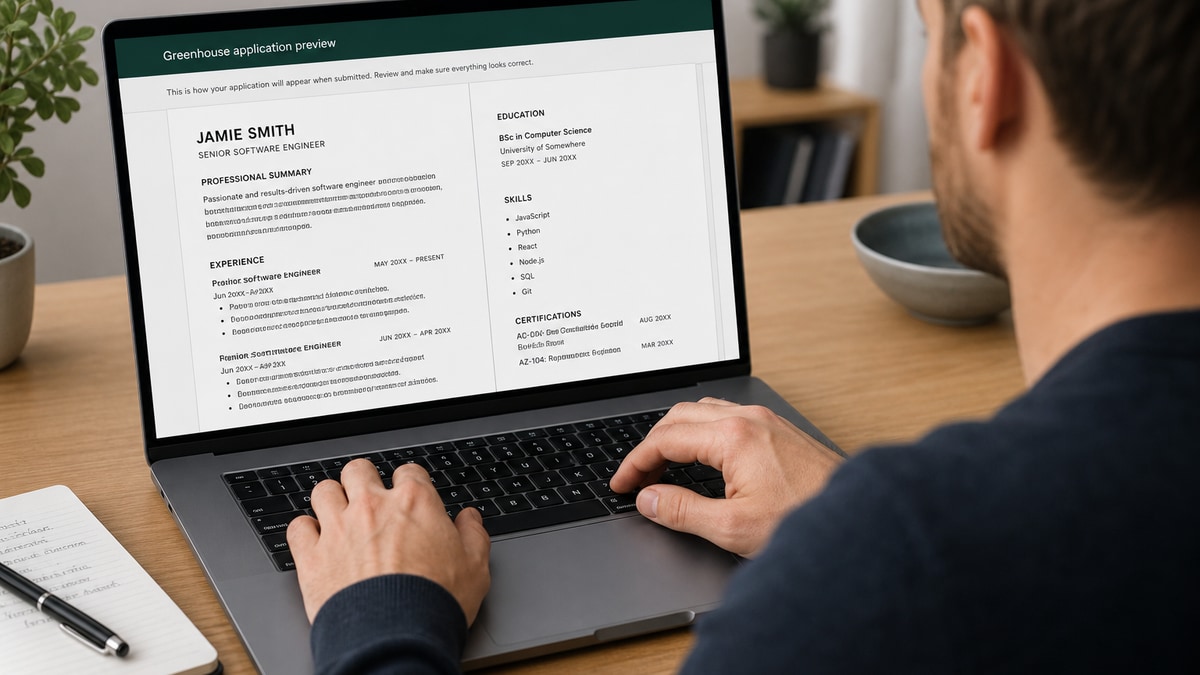
Your UK IT CV looks clean. Two columns, AWS and Kubernetes icons in the margin, a tech stack table under each role. You upload to Greenhouse for a London platform role and the parsed preview shows your Terraform bullet under the wrong employer and your mobile number missing a digit. That's not a skills gap. That's layout. And you can fix it tonight with a plain export.
Greenhouse ATS resume optimization UK IT teams expect starts with import order, not keyword stuffing. Check your resume for free on the file you'll upload, then compare the before/after pairs below to your current layout. Don't assume the attachment view matches what recruiters search in the database.
You're about to see what strong UK IT CVs look like after a Greenhouse-safe pass: formatting fixes, bullet rewrites across roles, and a copy-paste checklist before you hit submit on another fintech or scale-up req.
Quick Wins
- Collapse two-column CV to one column before Greenhouse upload.
- Move stack and metrics into bullets, not tables or icon rows.
- Replace logo skill strips with comma-separated tool names.
- Open Greenhouse parsed preview and fix employer fields before submit.
What Greenhouse actually reads on a UK IT CV
Greenhouse extracts text and maps it to employer, title, dates, education, and body fields. It does not preserve your column balance or Figma spacing. UK IT CVs often stress visual structure because engineering taste shows in the role. Parsers punish that same structure when symbols and sidebars read out of order.
The standard your file is judged against in the database is linear text. Recruiters may open your PDF attachment, but search, filters, and knockouts run on parsed strings. If Kubernetes detached from EKS because of a column break, keyword rank drops even when the PDF looks fine to you.
Screening reality: I've seen Greenhouse attach a latency-reduction bullet to the wrong consultancy name because the CV used a sidebar for metrics. The candidate looked like they invented numbers.
British spelling and date formats (DD/MM/YYYY) usually parse if typed consistently. Mixing US month-first dates in one role and UK dates in another confuses timeline sorts. Pick one format per file and stick to it.
Read Greenhouse UK CV parsing errors for cross-industry layout rules; this page focuses on IT-specific bullets, contract lines, and stack formatting.
UK IT candidates often list languages and cloud platforms separately from outcomes. Greenhouse reads one stream. Combine tool and result in the bullet: "Migrated payment service to AWS EKS" not two sidebar icons for AWS and Kubernetes with no sentence tying them together.
Contract and permanent paths need clear employer names. Various clients without agency or end client parses as unemployment gaps. Put the agency or client in the employer field and stack details in the bullet when NDAs allow.
Public sector and NHS digital roles still use Greenhouse at scale-ups hiring platform engineers. Metrics may be uptime, ticket volume, or citizen-facing throughput rather than revenue. Use honest units: incidents resolved, SLA percentage, deployments per week.
Security and compliance CVs should name controls explicitly: ISO 27001 audit prep, SOC 2 evidence collection, IAM policy reviews. Greenhouse search may not map your acronym until a human reads it, but spelled-out terms survive parsing better than badge graphics.
Graduate and bootcamp CVs should list projects with repo links as typed URLs, not QR codes. Parsers ignore QR blocks. One project bullet with stack and outcome beats a full page of screenshots that rasterize in PDF export.
Greenhouse ATS resume optimization UK IT: before/after pairs
Pair 1: Layout (two-column to single)
Before: Left sidebar with contact icons, AWS/Azure/GCP logos, and GitHub QR; right column with experience.
After: Single column: name and contact as plain text lines, skills as one comma line, experience below with standard bullets.
Pair 2: Backend software engineer
Before: "Worked on microservices and APIs."
After: "Built Node.js REST APIs on AWS ECS handling 2.4M daily requests; cut p95 latency from 380ms to 140ms by adding Redis cache layer and query indexes in PostgreSQL."
Pair 3: DevOps / platform engineer
Before: Tech stack table with Terraform, Jenkins, Docker in three columns under each role.
After: "Owned Terraform modules for 40+ AWS accounts; migrated Jenkins pipelines to GitHub Actions, cutting release cycle from 5 days to same-day deploys for 12 product squads."
Pair 4: Data engineer
Before: Skills row with Snowflake logo, dbt logo, and Airflow icon only.
After: "Built dbt models on Snowflake for finance mart; reduced nightly Airflow DAG runtime from 4.2 hours to 95 minutes by partitioning fact tables and fixing upstream schema drift."
Pair 5: IT support / service desk lead
Before: "Provided IT support to staff."
After: "Led 6-person service desk for 850 Mac and Windows users; cleared ticket backlog from 420 open to under 60 in 8 weeks using ServiceNow routing rules and KB articles."
Pair 6: Cybersecurity analyst
Before: "Monitored security alerts."
After: "Triaged Splunk SIEM alerts for FTSE 250 client; cut false-positive rate 34% by tuning correlation rules and documenting runbooks for SOC handoffs."
Pair 7: Solutions architect (contract)
Before: Client logos in a grid with no dates or employer name.
After: "Solutions Architect (Contract), Acme Consulting for retail bank client, Jan 2024 to Sep 2024 · Designed event-driven integration on Azure Service Bus; documented 18 architecture decision records for audit."
Header and contact before/after
Before: Name with decorative underline, phone icon, email icon, GitHub icon only.
After: Name on line one; Mobile: full UK number; Email: full address; github.com/handle on its own line.
Copy-paste Greenhouse export checklist
"One column; no text boxes; standard bullets; British spelling; DD/MM/YYYY dates; stack and metrics inside bullets; cloud and language names in sentences; no photos; PDF from Word; upload; open parsed preview; fix employers; submit."
Pair 8: Frontend developer
Before: "Built React apps for clients."
After: "Delivered React and TypeScript checkout flow for e-commerce client; improved Lighthouse performance score from 58 to 91 by code-splitting routes and optimising Core Web Vitals."
Pair 9: SRE / reliability engineer
Before: "Improved system reliability."
After: "Raised monthly uptime from 99.2% to 99.95% on payment platform by adding Prometheus alerting, runbooks in Confluence, and blameless postmortems for P1 incidents."
Pair 10: Product owner with technical background
Before: "Managed backlog and stakeholders."
After: "Owned Jira backlog for mobile banking squad of 14 engineers; shipped contactless limit feature in 11 weeks with 98% on-time sprint commitment across three releases."
Contract block before/after
Before: "IT contractor" with no dates and icon list of technologies.
After: "Senior Java Developer (Contract), FinTech Client via XYZ Recruitment, Mar 2023 to Dec 2023" with dated bullets per engagement and stack in text.
Education and certs for UK IT
AWS Solutions Architect, Azure Administrator, and CompTIA credentials belong in an Education or Certifications heading with full names spelled out. Badge images in the margin strip like skill icons. Text survives.
Computer science degrees should list dissertation or final project only when relevant to the req. Otherwise one line with classification is enough parser-friendly space for more experience bullets.
Remote UK roles on Greenhouse still parse the same. Location line should match what you select in the application form. Mismatched city fields confuse recruiters sorting by geography.
Edge case: overlapping contract dates from parallel gigs need separate employer lines with clear Month Year ranges. Stacking two clients in one header without dates makes Greenhouse timeline sort unreliable.
Edge case: security clearance lines belong as plain text under a heading, not in a shaded text box. Parsers often skip boxed content and drop clearance level from searchable fields.
What weak UK IT CVs share on Greenhouse
GitHub link as the only proof. Parsers do not crawl your repos. Put outcomes in the file. Link GitHub in addition, not instead.
Buzzword profile with no stack names. Passionate technologist without Python, Java, or cloud platform names scores low on match and tells recruiters little.
Mixing contract and permanent without dates. Agency-heavy careers need clear month ranges so Greenhouse timeline sort works.
Colour-heavy headings that fail print and parse. Light grey text on white disappears in some PDF engines and OCR passes.
Listing GDPR as a skill without context. Say what you did: data retention policy rollout, DPIA support, pseudonymisation in staging environments.
Uploading the US resume version to UK reqs. Spelling and location labels should match the posting market unless the role is global remote.
Cross-read why your resume never reaches a human after your formatting pass so you know where parsing fits in the full funnel.
Embedding Canva or Overleaf PDF exports. Text often rasterizes. Greenhouse sees an image, not searchable bullets.
QR codes in headers. Parsers ignore them; recruiters on desktop cannot scan from PDF easily. Use typed URLs.
Appendix pages of architecture diagrams. Save diagrams for interview decks. CV file should stay text-first.
Listing every language you touched once. Twelve tech logos in a strip parses as noise. Four tools with delivery outcomes in bullets beats twenty icons.
Ignoring Greenhouse application custom questions. Parsed CV plus short answers should tell the same stack story. Mismatch raises flags in human review.
Using US date format on UK CV. Pick DD/MM/YYYY consistently so timeline sorts match recruiter expectations in Greenhouse lists.
Verify parsing, then match the posting
Run the plain PDF through a parser check, then paste the job description into a match tool. Formatting fixes come first; keyword overlap second. A readable file with weak overlap still loses. A keyword-stuffed file that parses wrong loses faster.
Maintain a Greenhouse-specific master CV without columns. Fork per req by swapping bullet phrases for stack names from the ad. British spelling throughout.
When the posting asks for a portfolio or GitHub, paste the URL as text under a Projects heading. Do not replace experience bullets with see website lines parsers skip.
Score your job match on the Greenhouse posting. Generate a cover letter in plain text when the req allows, repeating two stack terms from the ad in full words, not logos.
Export once, preview always
Greenhouse ATS resume optimization UK IT hiring teams run on is a formatting problem before it is a branding problem. Plain column, stack in bullets, metrics in words, preview before submit.
Keep the designed CV for networking PDFs. Upload the parser-safe version every time you apply through Greenhouse. Your latency and uptime numbers only help when they stay glued to the employer name in the database view.
Engineering is a systems trade. Application files are a text trade. Win both by keeping two versions and using the right one at the right door.
After your first Greenhouse preview fix, save that export as greenhouse-it-master.pdf. Update bullets per req from that base, not from the LaTeX original. You will cut rework and stop reintroducing columns by habit.
UK tech hiring still rewards depth in interviews. Let the CV get you there with parse-safe proof. Walk through architecture choices when they ask how you think about trade-offs.
When a req asks for salary expectations in Greenhouse, answer in the form fields. Do not add pound symbols as icons in the CV header. Currency glyphs in contact rows break the same way phone icons do.
Schedule twenty minutes after each Greenhouse apply to log which CV version you uploaded and whether preview looked clean. Patterns emerge fast: one template, one fix, fewer silent rejections.
If you only fix one thing tonight, collapse the sidebar. UK IT CVs lose more Greenhouse matches to column order than to weak copy. Plain layout first, sharp bullets second, keyword pass third.
Read more
Frequently asked questions
Postings often say CV. Upload a two-page PDF with standard headings and British spelling. Greenhouse parses it like any US resume file. Canva or LaTeX templates with columns break more often than Word exports saved as PDF.
Avoid icon strips for cloud and language logos. Parsers read them as noise or skip them. Name tools inside bullets with outcomes: migrated 14 microservices to AWS EKS, cut deploy time from 45 minutes to 12.
Photos are common on UK CVs but US-owned tech firms using Greenhouse still run text parsers that choke on image-heavy layouts. Skip the photo for Greenhouse uploads unless the employer explicitly requires it.
List the end client or agency in the employer field with clear Month Year ranges. Write Contract or Inside IR35 in the title line when accurate. Vague Client confidential blocks without dates parse as gaps.
Email humans can get a designed PDF with a skills sidebar. Greenhouse should get a plain single-column export. Maintain two versions when your branded CV uses columns, tables, or tech icons.