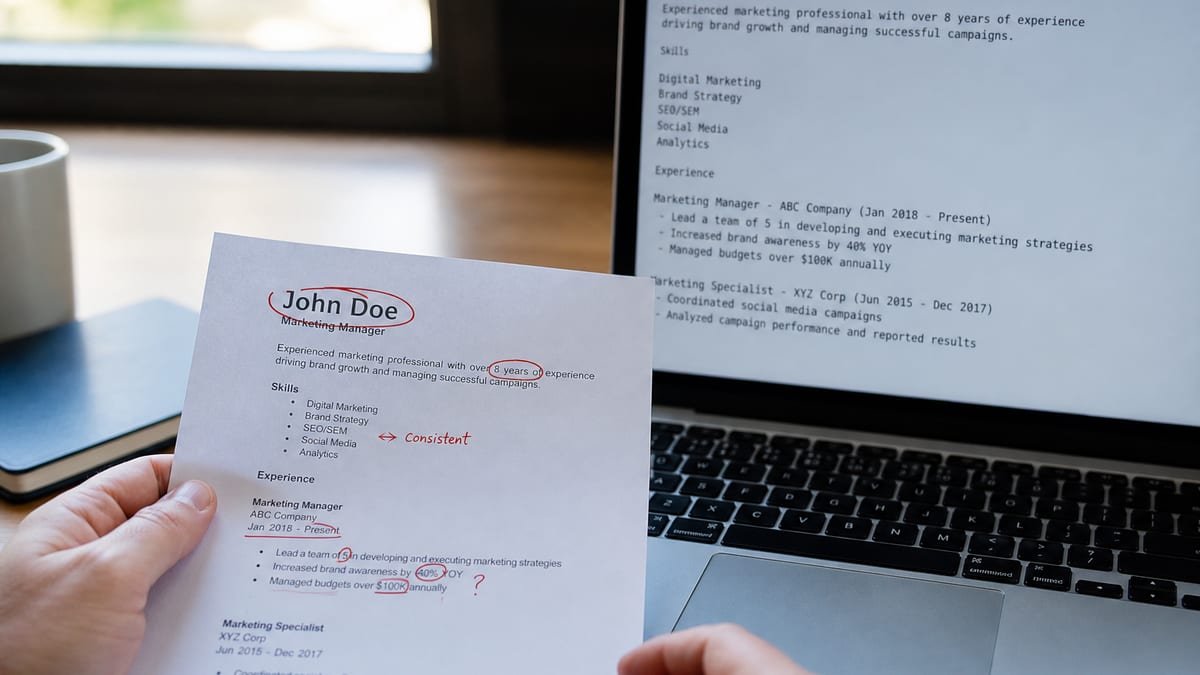
Nearly every parsing failure comes from one of three things: text the system cannot reach, text it reads in the wrong order, or text that is not text at all. Contact details in a header, a two-column layout, and an image-based PDF cause more lost applications than every other formatting choice combined.
This is a diagnostic page rather than a general guide. Each pitfall below states what breaks, why it breaks, and the specific change that fixes it — ordered by how much damage it does, not by how often it gets mentioned online. Start with the thirty-second test, which will tell you in one step whether you have any of these problems at all.
Key Takeaways
- A 30-second copy-paste test that reveals every issue here
- Ten pitfalls ranked by real cost, each with a concrete fix
- The date-format bug that silently shrinks your experience
- Three widely repeated pitfalls that are actually myths
- What to do with Canva, Google Docs, and scanned files
The 30-second test that finds all of these
Start Here
Copy your resume into a plain text editor. What you see is approximately what a parser sees. If it reads correctly there, the rest of this page is optional.
- Open your resume file in whatever viewer you normally use.
- Select all and copy. Ctrl+A then Ctrl+C, or Cmd on a Mac.
- Paste into a plain text editor. Notepad, TextEdit in plain text mode, or any code editor. Not Word — it preserves formatting and hides the problem.
- Read it top to bottom. Is your name there? Is each job title on its own line with its employer and dates? Does the order match the page?
Three failure signatures tell you immediately what is wrong. Nothing pastes at all: your PDF is image-based and contains no text. Your name and phone are missing: they are in the header. Lines alternate between two unrelated topics: your columns are interleaving.
This test approximates extraction well but not perfectly, since each platform implements it slightly differently. For a closer look at what a real system builds from your file, run it through a free ATS resume check — it shows the extracted text section by section rather than only a score.
The ten pitfalls, ranked by cost
Key Takeaway
The top four can remove you from consideration outright. The bottom three are cosmetic and get far more attention online than they deserve.
| Pitfall | What breaks | Fix |
|---|---|---|
| 1. Image-based PDF | No extractable text at all | Export from the source, never scan |
| 2. Contact in the header | Name, phone, email come back blank | Move into the body as plain lines |
| 3. Two-column layout | Columns interleave into nonsense | Single column, full width |
| 4. Text inside images | Skills and badges invisible | Write everything as real text |
| 5. Inconsistent dates | Experience total computed wrong | One format everywhere: MM/YYYY |
| 6. Creative section headings | Sections never mapped | Experience, Education, Skills |
| 7. Tables and text boxes | Content read across, or dropped | Plain paragraphs and bullets |
| 8. Symbol bullets and icons | Odd characters injected into text | Standard round or square bullets |
| 9. Unusual fonts | Occasional embedding garble | Common fonts; verify after export |
| 10. Vague file name | Nothing technically — human cost | firstname-lastname-resume.pdf |
If you fix only the top five, you have removed essentially all of the parsing risk. The remaining five are worth doing and none of them will be the reason you did not get a call.
The four that actually cost interviews
Watch Out
Each of these produces a candidate record that looks incomplete or unqualified — not a rejection you can see, just an application that goes quiet.
Image-based PDFs
These come from scanning a printed resume, photographing it, or exporting from a design tool as a flattened image. The file looks perfect and contains zero characters. Every parser produces an empty record. Detect it instantly: if you cannot select a single word of text in the PDF viewer, neither can the system. Always export from the original document rather than reproducing a printed copy.
Contact details in the header
Word and Google Docs make it easy to put your name and contact block in the page header, and it looks tidy. Many parsers skip header and footer regions on principle, because they usually contain page numbers rather than content. The result is a candidate profile with no email address, which some systems reject as incomplete before a human sees it. Move it into the body — the first three lines of page one.
Two-column layouts
Extraction walks the page in reading order. Where a layout has two columns, that order can alternate: one line of your skills sidebar, one line of your work history, repeating down the page. The output is text that contains all your words in an order that means nothing. Some modern parsers handle simple two-column PDFs correctly, but you have no way to know which system a given employer runs, and the cost of being wrong is the whole application.
Inconsistent date formats
This is the quiet one. Workday builds your candidate profile from the flat text of your upload and infers total years of experience from your date ranges. If one entry says "Jan 2020 – Mar 2022" and the next says "2022-2024" and a third says "Summer 2019," the calculation can come out badly wrong. Requisitions that filter on minimum years then screen you out for having far less experience than you do. Greenhouse, Lever, iCIMS, and Taleo all build similar structured histories. Pick one format — MM/YYYY is safest — and use it on every single entry.
The middle four: worth fixing, rarely fatal
Rule of Thumb
These degrade the record rather than destroying it. A recruiter can usually still work out what you meant — but the automated search that would have surfaced you may not.
Text locked inside images
Certification badges, logo strips, and skill graphics are the usual culprits, and they are the reason a candidate with a current AWS credential can fail a search for it. The image is decorative to a parser and empty to a search index. Write the text version beside or instead of the graphic — every credential and every tool name as ordinary characters.
Creative section headings
Systems map headings to known sections by matching common labels. "Professional Experience" maps; "Where I Have Made a Dent" does not, and its contents may end up unclassified or attached to the previous section. Keep the headings conventional and spend your personality on the bullets, which is where a human is actually reading.
Tables and text boxes
Behavior varies by platform and by table complexity, which is exactly what makes them a bad bet. A simple two-column table of skills often survives; a nested table with merged cells can be read across rows, producing lines like "SQL Python 2019 Tableau 2021." Text boxes are worse, since some extractors ignore them entirely. Neither gives you anything that indentation and bullets do not.
Decorative bullet characters
Arrows, stars, checkmarks, and emoji sometimes extract as unexpected characters, leaving your bullets prefixed with a stray symbol in the parsed profile. It is cosmetic damage rather than lost data, but it makes the record look careless to whoever reads it. Standard round or square bullets avoid it completely.
Before and after: fixing the entries themselves
Quick Win
Parsers look for an employer, a title, and a date range in predictable proximity. These rewrites give them exactly that, without losing anything a human reader wants.
A job entry crammed onto one line
Before: Senior Analyst | Acme Corp | NYC | 2021-now | Reporting & forecasting
After: Senior Analyst · Acme Corp · New York, NY · 03/2021 – Present, with responsibilities moved into bullets below the line rather than piled onto it.
A skills sidebar with rating bars
Before: A left-hand column showing SQL, Python, and Tableau as five-dot proficiency graphics with no text labels beside them.
After: A full-width Skills line reading: SQL, Python, Tableau, dbt, Snowflake, Excel — plain text, comma separated, with the same tools also named inside experience bullets where they were used.
Creative section headings
Before: Where I've Made an Impact · My Toolkit · Learning Journey
After: Experience · Skills · Education — with the personality moved into the bullets, where a human will actually read it and no parser has to guess what the section contains.
See the extraction, not just a score. The useful output is the text itself — every title, employer, and date as the system read them. Free, no account, no scan limit.
Check your resume free →Three "pitfalls" that are actually myths
Myth Busting
A large share of ATS advice online describes systems as they worked fifteen years ago. Three claims in particular waste people's time.
Myth: PDFs are rejected by ATS. Text-based PDFs are handled fine by every mainstream platform, and have been for years. The advice comes from an era of much weaker extraction. Follow the posting if it names a format; otherwise PDF preserves your layout and is a reasonable default.
Myth: your resume must be one page or it gets filtered. No system counts pages and rejects on length. Two pages is normal past a few years of experience. The one-page convention is about a human reader's attention, which is a real consideration — but it is not a parsing rule and should not push you into a cramped two-column layout, which is a real risk.
Myth: there is a keyword density target. Presence and context are what matter; repeating a term eight times achieves nothing except making the page unpleasant to read. Density is borrowed from old web SEO and never applied here.
Edge cases: design tools, exports, and names
Pro Tip
Where your file came from matters as much as what is on it. Four origins produce predictable, specific problems.
Canva, Figma, and design tools
These produce beautiful files built from text boxes, which is the structure parsers handle worst. Some exports also rasterize elements into images. If you use one, choose the plainest single-column template available, avoid every icon, and run the copy-paste test on the export before you send it anywhere.
Google Docs and LaTeX exports
Google Docs exports cleanly as long as you have not used the header region or a table-based layout. LaTeX generally produces excellent text-based PDFs, with one common exception: some templates use custom fonts or ligature settings that garble on extraction — for example "fi" pairs vanishing from words. The copy-paste test catches this in seconds.
Names with accents or non-Latin scripts
Accented characters occasionally corrupt during extraction, turning a name into mojibake. Check yours specifically in the paste test. If it breaks, the pragmatic workaround is to also include an unaccented form somewhere in the document, so a recruiter searching either spelling finds you.
Long freelance or contract histories
Fifteen short engagements create fifteen date ranges, and a years-of-experience calculation across overlapping contracts often comes out low. Group related work under one consulting entry with a continuous date range and list clients inside the bullets. It parses more accurately and reads better.
Bottom line
Final Word
Run the paste test. Fix contact placement, columns, image-based files, and date consistency. That is roughly all of the parsing risk in about twenty minutes.
The reason these pitfalls persist is that they are invisible from your side. A resume that parses into fragments looks perfect on your screen and produces silence, which is indistinguishable from ordinary rejection. That is why the paste test is worth doing before you draw any conclusions about your experience or your targeting.
Do it now, on the file you have been sending. Most people discover either that everything is fine — which is genuinely useful to know — or that one specific thing has been quietly breaking every application for months.
Find the pitfall in your file in one minute
Upload and see the text an applicant tracking system extracts, section by section — titles, employers, dates, and skills. Free, no signup, no scan limit.
Run the Free ATS Resume CheckAlso useful: free resume builder · ATS-friendly format guide
Frequently asked questions
Open the PDF, select all, copy, and paste into a plain text editor. If the result reads top to bottom in the right order with every job title, employer, and date intact, parsers will handle it. If it arrives scrambled, out of order, or missing your contact details, you have found the problem in about thirty seconds.
Frequently, yes. Extraction reads a page in a linear order, and a two-column layout can interleave the columns line by line — your skills list ends up spliced into your work history as fragments. Some modern parsers handle simple two-column layouts, but you cannot tell which system an employer runs, so single column is the safe choice.
Follow the posting when it specifies one. Otherwise a text-based PDF is fine and preserves your layout everywhere. The genuine failure case is not PDF itself but an image-based PDF — one produced by scanning or exported as a picture — which contains no extractable text at all.
Almost always because it lives in the document header. Many parsers skip header and footer regions entirely, so your name, phone, and email are extracted as blank. Move contact details into the body of the first page, as ordinary text lines.
Sometimes, and unpredictably. A simple two-column table often survives; a nested table with merged cells frequently does not, and the contents may be read across rows instead of down columns. Since tables buy you nothing a tab stop cannot provide, the safest approach is to avoid them entirely.
Standard fonts are safe and unusual ones are a minor risk, not a major one — the real hazard is a font that fails to embed properly in the PDF, which can produce garbled extracted text. Stick to widely available fonts and check the copy-paste test after exporting, which catches embedding problems immediately.
It depends entirely on the template. Design tools default to layouts full of columns, text boxes, and icons, which are exactly the features that break extraction. If you use one, pick the plainest single-column template available and run the copy-paste test before you rely on it.
The expensive ones are structural: contact details in a header, columns that interleave, and image-based PDFs with no text. Those can remove you from consideration entirely. Font choice and one-page rules are largely cosmetic by comparison, and get far more attention than they deserve.