11 min read
Honest answer: most Canva resumes aren't ATS friendly until you strip the layout tricks that make them pretty. Canva's a design tool. Parsers don't see your sidebar, your icon row, or the invisible table holding dates in place. They read whatever text order the export hands them. If that order's wrong in Notepad, it's wrong in Workday. You don't need to panic-delete your file. You need to know which failure mode you have and whether fixing it in Canva costs more time than switching to a safer default.
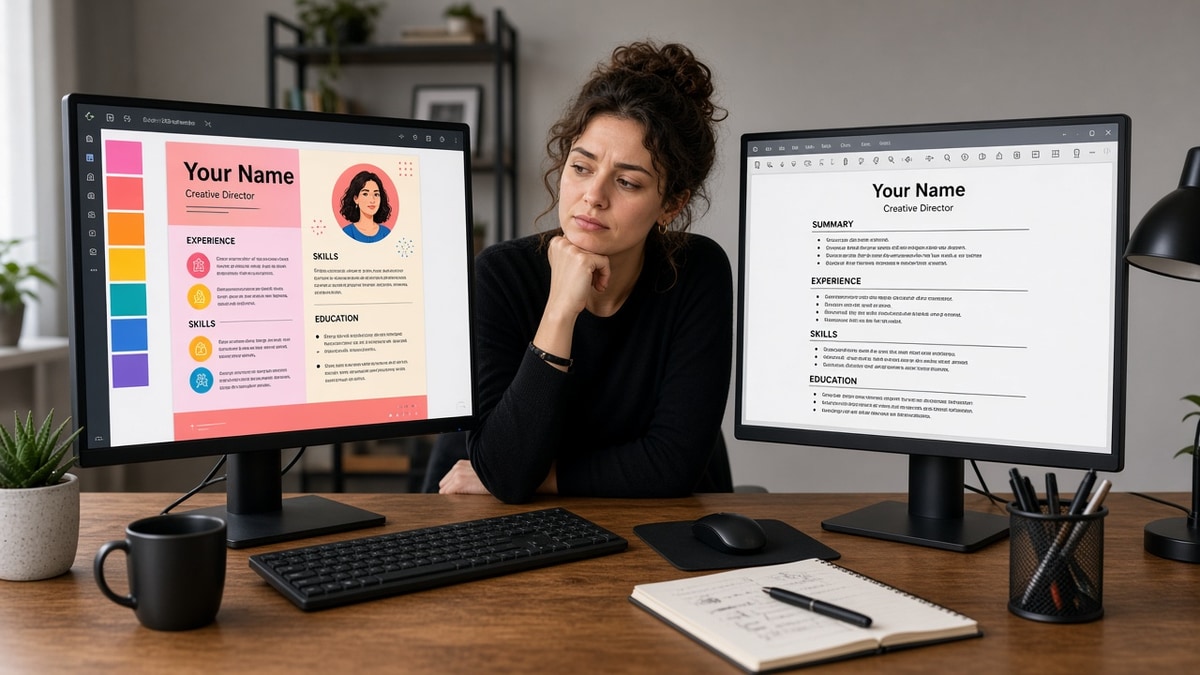
You've already spent an evening on fonts and spacing. The PDF looks sharp. Then you paste it into Notepad and your latest job title sits under a skills block from the left column. That's the symptom this page diagnoses. Before you upload again, check your resume for free with the posting pasted in. You're confirming the parser sees the same story you see on screen.
Job searching while you're between roles or employed is draining. A layout glitch should not make qualified work disappear in autofill. The sections below walk through the paste-test symptom, three causes recruiters see most, how to tell which one is yours, fixes for each, and safer paths when Canva keeps fighting you.
When the cover letter needs to match the same plain-text facts, use the cover letter generator so both files open on the same titles and dates before you hit submit on a portal.
Quick Wins
- Export PDF, paste one experience block into Notepad. Wrong order means wrong upload.
- Ctrl/Cmd+F your name inside the PDF. No hit means parsers may not find contact info.
- Collapse to one column before you tweak colors or icons.
- Keep a plain portal file and a design file with different filenames.
The symptom: your Canva resume looks fine but fails the paste test
The file renders beautifully in Preview. Margins line up. The skills column has color. You upload to a Workday link and the autofill preview shows your email in the education field and your internship under skills. Or you hear nothing for weeks while less qualified names move forward. The symptom is not "Canva is banned." The symptom is a visual layer parsers cannot reconstruct.
If Notepad paste order does not match what you see on screen, the ATS record is already wrong. Recruiters do not get a second pass to untangle your layout. They get a flat text dump with missing dates, merged columns, or contact lines that never indexed. You feel overqualified and under-visible at the same time.
I've screened stacks of these in Workday and Greenhouse, and the file that survives is boring on purpose: one column, typed headers, contact in the first lines of body text. The polished Canva version is fine when a human opens the attachment from a referral. It is a liability when a parser runs first.
Run the thirty-second paste test now. Export your Canva PDF. Highlight from your name through your most recent job. Paste into Notepad. Read top to bottom without scrolling back to the PDF. If you have to mentally reorder sentences, stop. Fix layout or switch tools before the next application.
Career switchers often build in Canva because the template feels more "professional" than a blank Word doc. The parser does not reward polish. It rewards predictable section order: contact, summary or headline, experience, education, skills. For how to reframe experience text during a pivot, see career change resume: what to change first .
New grads pick infographic layouts with skill bars because experience is thin. Bars do not parse as words. A plain bullet that names Python in the first eight words beats a five-star graphic every time.
Senior hires sometimes keep a two-column executive template from an old design pass. Dates locked in table cells parse before job titles in Taleo. The timeline looks authoritative on screen and scrambled in autofill.
Is a Canva resume ATS friendly? Three causes behind the paste-test fail
Most Canva failures fall into one of three buckets. Each needs a different fix. Diagnose before you rebuild from scratch or before you assume the template is fine because it says "ATS" in the title.
Cause 1: Invisible tables control spacing
Symptom: dates line up perfectly in the PDF but paste as a block of numbers before company names. Experience bullets jump above the header. Workday maps the first table row into "skills."
Before: Invisible grid aligns "Jan 2022 to Present" in the right margin while job title sits left. Paste order: dates, then title, then bullet from the row below.
After: Single line per role: Senior Analyst | Acme Corp | Jan 2022 to Present. Bullets directly underneath in one column.
Fix: delete table elements in Canva if the editor exposes them, or rebuild the experience block as plain stacked text. Put month-year on the same line as title and company. Re-export and re-paste after every alignment change.
Operations track example. Before: table row holds "Plant Manager" left and "2019 to 2024" right in separate cells. After: Plant Manager, Midwest Foods, 2019 to 2024 on one line; three bullets follow in reading order.
Cause 2: Text boxes and side columns break reading order
Symptom: contact info lives in a header box. Skills sit in a colored left rail. Parsers read the rail first, so keyword blocks merge with job bullets from the main column.
Before: Left sidebar lists Python, SQL, Tableau with icons. Right column holds experience. Paste reads Python SQL Tableau then jumps to a bullet mid-sentence from the right column.
After: Jane Doe, [email protected], (555) 123-4567, Austin TX as line one. Experience section with bullets. Skills line at bottom: Python, SQL, Tableau.
Fix: move every content block into one vertical flow. Replace icon labels with typed words: Phone, Email, LinkedIn. Collapse two columns to one even if the page runs to two sheets. Portals prefer length over layout risk.
Marketing track example. Before: Canva sidebar holds "HubSpot, GA4, Meta Ads" beside a thin experience column. After: HubSpot and GA4 appear in bullet two under the current role; skills footer repeats them for parser coverage only after bullets carry the proof.
Cause 3: Export turns text into an image layer
Symptom: you cannot click-drag to highlight a paragraph in the PDF. Search finds nothing. Greenhouse stores an empty profile or garbled OCR.
Before: "Flatten PDF" or print-to-PDF from Canva preview. File looks identical but text is rasterized.
After: Standard PDF export with selectable text. Ctrl/Cmd+F finds your name. Paste into Notepad returns full sentences.
Fix: re-export using Canva's normal PDF download, not a flattened print workflow. If text still will not select, copy content into Google Docs or Word, save as DOCX when the portal allows it, and upload that instead for one application.
How to tell which cause is yours
Open the exported PDF and run this sixty-second check before you change another font.
- Select all text in the PDF. If nothing highlights, you have Cause 3. Re-export first.
- Paste the selection into Notepad. If dates appear before titles, suspect Cause 1 tables.
- If skills or contact lines appear before your name, suspect Cause 2 columns or text boxes.
- Upload the same file to a free ATS scan with the job description. Missing contact or scrambled experience confirms the diagnosis.
Copy-paste block for a clean contact header (replace with your facts):
Alex Rivera
[email protected] | (512) 555-0142 | Austin, TX
linkedin.com/in/alexrivera

EXPERIENCE
Operations Analyst | Brightline Logistics | Mar 2021 to Present
- Cut dock-to-stock cycle time 18% by redesigning receiving checklists in SAP WM
Paste your Canva export into Notepad and compare line order to the block above. Contact first, one experience block, bullets attached to the role they belong to. Any reordering means the parser will misfile you too.
For deeper file-type tradeoffs when a portal accepts both PDF and DOCX, see PDF vs DOCX for ATS .
When a Canva fix still fails screening
You collapsed columns and re-exported. Autofill still maps wrong. These edge cases show up after the obvious layout fixes.
Edge case 1: Template label says ATS-friendly but keeps a sidebar. Marketing copy on Canva is not a parsing guarantee. If the thumbnail shows two zones of color, treat it as high risk unless paste order passes.
Edge case 2: You fixed icons but left a headshot. Photos do not parse and many US corporate teams discard files with pictures to reduce bias risk. Remove the circle crop for portal uploads even if it looks polished.
Edge case 3: Creative role, still a portal first. Design and marketing jobs still run through Greenhouse. A portfolio PDF and an ATS-safe application file should not be the same export. Agencies upload designer resumes into the same parsers as finance roles.
Edge case 4: You only test in one ATS. Workday autofill is stricter about columns than many Greenhouse instances. If you do not know the employer stack, assume Workday-level sensitivity and upload the plainest file.
If two paste tests in a row fail after layout edits, stop tuning Canva for that application. Rebuild once in a single-column builder, run the same tests, and move on. Time spent nudging text boxes rarely beats a clean re-entry.
When silence persists after format fixes, the blocker may be elsewhere on the file. Read why you're qualified but not getting interviews for screening signals beyond layout.
Safer defaults than fighting the Canva template
Honest answer on whether a Canva resume ATS friendly path is worth it: if paste order fails twice, switch tools for portal uploads. You can keep Canva for human-facing PDFs. You should not keep gambling autofill on a file that scrambles in Notepad.
Build your resume in a single-column layout with standard headers when you want parser-safe structure without auditing invisible tables after every edit. Enter the same titles and dates you had in Canva. Export PDF. Run the Notepad paste test once. Upload the export that passes.
Before each apply, run the ATS checker with the job description pasted in. You are checking that contact info, experience blocks, and must-have keywords appear in extracted text, not only on the visual page. A clean paste test plus a matched scan beats asking whether Canva is "allowed."
Word or Google Docs with a plain template remains a solid manual path when you want full control. Name portal files with role and company so you do not attach the design PDF from a referral email by mistake.
Two-file workflow recap: Canva or portfolio PDF for networking and direct human opens. Plain builder or DOCX export for Workday, Greenhouse, Lever, and iCIMS uploads. Sync facts across both; never sync layout risk.
What to do before your next upload
A Canva resume ATS friendly outcome is possible and uncommon. Pretty on screen is not the bar. Paste order in Notepad is. Export PDF, paste experience into plain text, fix tables and columns until the story reads top to bottom, then scan against the posting.
If layout keeps breaking after two honest fixes, rebuild in a parser-first builder for portal applications and keep Canva for humans who already know your name. Job searching is hard enough without a silent autofill failure hiding qualified work.
Filename two versions. Test once per edit. Submit the boring file to the portal and the designed file to the referral. That split is not extra work. It is how you stop losing screens to invisible tables.
- Paste test before every portal upload.
- One column beats two, even when the template says otherwise.
- Safer tools when Canva paste order will not stabilize.
Check your resume for free against the posting you are finishing tonight. When plain text matches the visual page, qualified experience finally reads the way you already worked.
Read more
Frequently asked questions
Usually no. Canva is a design tool first. Most templates use invisible tables, text boxes, or side columns to control spacing. The PDF looks clean on screen, but parsers read cells and boxes out of order. A plain single-column Canva export can work if you pick a minimal template, export selectable text, and pass the Notepad paste test. The default library is built for visual impact, not Workday or Greenhouse field mapping.
Export a standard PDF with selectable text. Open it, highlight a full experience block, and paste into Notepad or TextEdit. If job titles land after skills, contact info is missing, or bullets run together, the ATS will see the same mess. Run Ctrl/Cmd+F inside the PDF for your name and latest title. Then upload the file to an ATS checker with the job description pasted in.
Sometimes, if you start from a single-column template. Delete layout tables, move contact lines into the main text flow, replace icon rows with typed labels, and swap graphic section headers for plain text. Re-export and re-paste after every layout tweak. If two columns or stacked text boxes remain, rebuilding in a parser-first builder is faster than fighting the template.
Many candidates keep two files: a Canva PDF for networking handoffs where a human opens the attachment, and a plain single-column PDF or DOCX for portal uploads. Both should share the same titles, dates, and metrics. Filename the portal version FirstName-LastName-Resume.pdf so you do not upload the design file by habit.
A resume builder that defaults to single-column layouts and standard section headers removes the manual audit loop Canva requires. Word or Google Docs with a plain template is another low-risk path when you control spacing yourself. Whichever tool you use, the paste test and a free ATS scan against the posting beat trusting a template label.