12 min read
You've polished bullets, fixed margins, and exported a clean PDF. Then you upload resume_final_v3.pdf to a Workday req and wonder why the recruiter won't call back. The content might be fine. The filename tells them nothing about whose file they're opening in a folder with forty other attachments.
Check your resume for free with the posting pasted in. Parser issues usually show up in the body first, but a cryptic filename still slows recruiters who download batches from Greenhouse or Lever at the end of the day. You don't need a clever string. You need one they can find again when the hiring manager asks for your file by name.
Below you'll get the naming pattern I see pass without friction, six steps to rename tonight, before/after pairs for common messes, two edge cases for career changers and multi-role searches, and a copy-paste block for your downloads folder. Job searching is draining. This isn't a pep talk. It's a five-minute fix on the file you already built.
Quick Wins
- Rename to FirstName_LastName_Resume.pdf before every upload.
- Drop version tags like final, v2, and copy from the string.
- Use underscores instead of spaces if the portal feels old.
- Keep one master file per role title in a labeled folder on your desktop.
What the best resume file name signals before anyone opens your PDF
In Workday, Greenhouse, and Lever, your resume often appears as a downloadable attachment long before someone reads bullet one. The filename is the label on that attachment in email forwards, shared drives, and desktop download folders. When twelve files are named resume.pdf, the hiring manager opens the ones with recognizable names first.
The bar a professional resume file name should clear: your legal or preferred professional name, the word Resume, an optional role keyword when you run multiple tailored versions, no spaces or special characters that encode badly, and a standard extension the posting accepts.
ATS parsers mostly read the document body, not the filename. That does not make naming optional. Recruiters still search their downloads folder by name when they prep interview packets. A file called Michael_Torres_SeniorAnalyst_Resume.pdf is findable six weeks later. resume_updated.pdf is not.
Think of the filename as the spine label on a folder in a busy office. Coordinators forward attachments to hiring managers who never logged into the ATS. When the forwarded email contains four files named resume.pdf, someone opens the wrong one or gives up. Your name in the string is a courtesy that also protects you from version mix-ups on your own laptop.
Mobile uploads make this worse. Candidates apply from phones where the camera roll and downloads folder are full of IMG_4832.pdf exports. Renaming before attach takes ten seconds and prevents you from sending a grocery receipt nested next to your resume in the same list view.
I've screened stacks where the strongest candidate attached the right content under the wrong name and a coordinator re-uploaded an older draft because the folder was chaos. The best resume file name reduces that risk before anyone reads your summary line.
Read resume upload mistakes that instantly disqualify you when the portal rejects the file type itself. This page is only about the string above the extension.
Six steps to pick the best resume file name
Step 1: Start with FirstName_LastName
Use the name that matches your resume header and LinkedIn profile recruiters already cross-check. No nicknames unless that is how you are listed on the application form. Hyphens in double-barreled names stay as hyphens: Anne-Marie_Costa_Resume.pdf.
Before: resume.pdf
After: Daniel_Okafor_Resume.pdf
Step 2: Add the word Resume
Resume clarifies the document type when folders mix cover letters, portfolios, and transcripts. Cover letters get their own pattern: FirstName_LastName_CoverLetter_Company.pdf. Do not label both files resume.pdf.
Before: Daniel_Okafor.pdf
After: Daniel_Okafor_Resume.pdf
Step 3: Add a role keyword when you run multiple versions
If you are applying to product and program roles from the same search week, separate files prevent sending the wrong PDF. Keep the role short: PM, DataAnalyst, UXResearcher. Skip full req numbers in the filename.
Before: Daniel_Okafor_Resume_final.pdf
After: Daniel_Okafor_ProductManager_Resume.pdf
Step 4: Match the extension to the posting
PDF is the default for US corporate reqs when the portal allows it. DOCX when they ask for Word-native parsing. Change the extension in the filename when you change format. Daniel_Okafor_Resume.pdf and Daniel_Okafor_Resume.docx should be two deliberate exports, not accidental duplicates.
Some government and university portals still cap file size at 2MB. If your design-heavy PDF balloons past the limit, export a text-first version with the same filename pattern rather than reverting to resume.pdf. Size limits are a body problem, but the name should stay consistent across both exports so you know which upload went where.
Step 5: Strip version noise
Delete final, v2, new, and copy from the string. Track versions in a folder name or cloud path instead: JobSearch_2026/Product_Manager/Daniel_Okafor_ProductManager_Resume.pdf. Recruiters should never see how many drafts you wrote.
Before: Daniel_Okafor_Resume_FINAL_v2_REAL.pdf
After: Daniel_Okafor_ProductManager_Resume.pdf
Step 6: Preview the name in the upload dialog
Before you click submit in iCIMS or Taleo, read the attachment line. Some portals re-append timestamps. If the preview truncates, shorten the role keyword. Aim for under 60 characters total so mobile email clients do not cut your last name.
Copy-paste resume file name templates
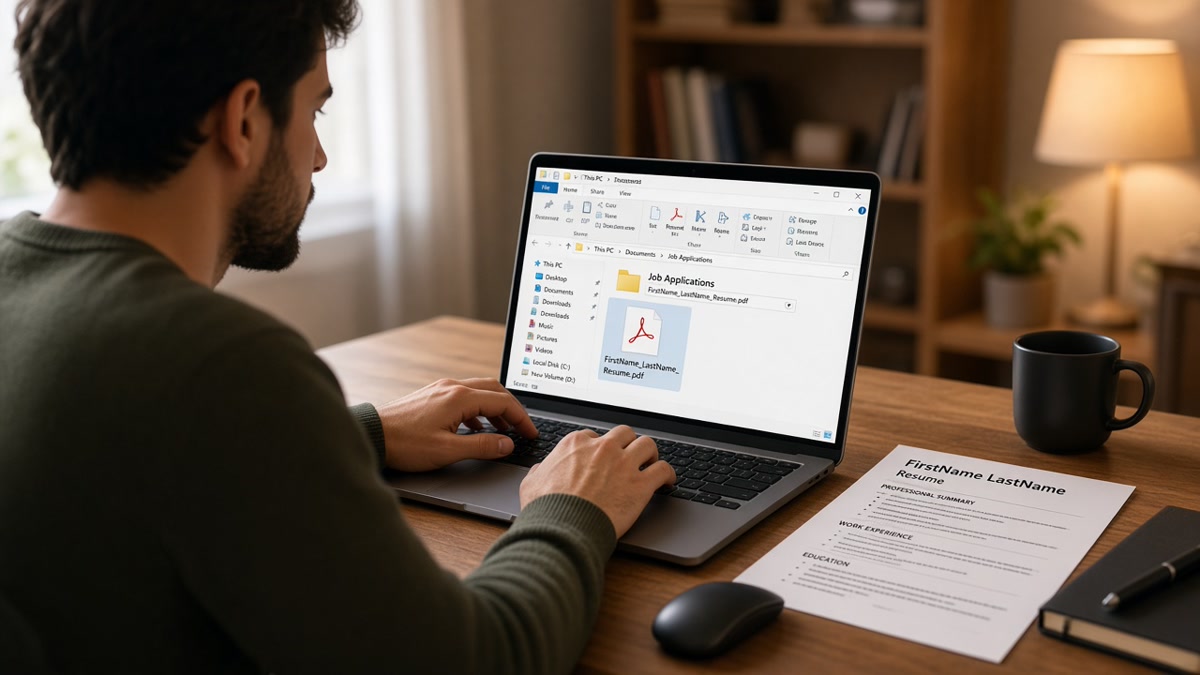
FirstName_LastName_Resume.pdf
FirstName_LastName_JobTitle_Resume.pdf
FirstName_LastName_Resume_CompanyAbbrev.pdf
FirstName_LastName_CoverLetter_Company.pdf
Example for a tailored product role: Elena_Vasquez_ProductManager_Resume.pdf. Example for a general upload when you only keep one master file: Elena_Vasquez_Resume.pdf.
Edge case: legal name vs preferred name on the application
Match the name on the Workday profile, even if your resume header uses a preferred first name with a legal name in smaller type. If the form says Christopher and you go by Chris on the resume, filename Christopher_Lee_Resume.pdf still aligns with HR records. Consistency beats cleverness.
Edge case: international characters and apostrophes
Accents and apostrophes sometimes break on older Windows paths. When you are unsure, romanize for the filename while keeping the correct spelling inside the PDF: Jose_Garcia_Resume.pdf with José in the header is common and acceptable. Test upload once to a personal email if the employer portal looks dated.
Before/after pair: cover letter naming
Cover letters get lost when every attachment is resume.pdf. Match the pattern so both files sort together in a recruiter's download folder.
Before: coverletter.pdf and resume_final.pdf attached to the same Greenhouse application.
After: Elena_Vasquez_CoverLetter_Acme.pdf and Elena_Vasquez_ProductManager_Resume.pdf in one email thread.
Before/after pair: portfolio or work sample add-ons
When the posting asks for a portfolio ZIP or writing sample, extend the same naming logic. Recruiters should never unzip mystery_file.zip to learn who sent it.
Before: portfolio.zip
After: Marcus_Bell_UXPortfolio_2026.zip with a readme inside that repeats Marcus_Bell_UXDesigner_Resume.pdf on the first line.
Folder workflow that prevents wrong-file uploads
Create one desktop folder per active search week. Inside it, subfolders per employer: Acme_ProductManager contains the tailored resume, cover letter, and a screenshot of the req ID. When you are about to upload, drag only from that subfolder. The habit stops you from attaching last Tuesday's draft because it was still named resume.pdf in Downloads.
If you use cloud storage, mirror the same structure in Google Drive or OneDrive. Shared links should use the professional filename as the link title when the platform allows it. A shared link labeled resume.pdf tells the recipient nothing when three candidates forward files the same afternoon.
Read resume formatting errors that break ATS parsing after you fix the filename. Naming and layout failures stack.
Filename patterns that slow recruiter screens
Generic resume.pdf on every application. You become invisible in download folders. Worse, you might overwrite your own file when saving from the browser and attach an old draft by mistake.
Version archaeology in the string. resume_final2_updated_USE_THIS.pdf signals disorganization before bullet one loads. Recruiters notice.
Special characters and hash marks. Files with #, %, &, or parentheses fail on some enterprise upload paths or display as encoded gibberish in Taleo notifications.
Personal data in the filename. Birth years, partial SSN patterns, or street numbers belong nowhere near an attachment name that gets forwarded.
Wrong document under a polished name. A perfect Elena_Vasquez_Resume.pdf means nothing if the PDF inside is still last month's version. Rename right before export from your master DOCX or builder file.
Spaces in high-friction portals. Jane Smith Resume.pdf often works. When uploads fail mysteriously, switch to Jane_Smith_Resume.pdf and retry before you panic about the body content.
Renaming without re-exporting. Changing the filename on disk while the PDF inside is stale creates a polished label on old content. Always save as from your master file immediately before upload so the timestamp and body match the name on the attachment line.
All-caps filenames. DANIEL_OKAFOR_RESUME.PDF reads like shouting in some email clients and breaks sort order on case-sensitive systems. Use standard capitalization in the name portion; let the extension stay lowercase .pdf unless the portal forces otherwise.
Check the body after you rename the file
A clean filename does not fix two-column layouts or missing keywords. After you rename, run the same PDF against the posting to confirm employer lines and skills still parse in plain text.
Run a free ATS check with the job description pasted. When the portal also asks for a letter, generate a cover letter with a matching FirstName_LastName_CoverLetter.pdf name so both attachments sort together.
Rename the file, then upload again
The best resume file name (and what to avoid) comes down to a readable pattern: your name, the word Resume, an optional short role tag, and an extension the posting accepts. No version drama. No mystery labels.
Export tonight, rename before the upload dialog opens, and keep one folder per role so you never attach the wrong PDF. Run a free ATS check on the body after the rename. When the req wants a letter, match the naming pattern on that file too.
This will not fix a resume that misses must-have skills. It does stop qualified candidates from looking sloppy in a download folder before anyone reads bullet one.
And if you are applying to five reqs tonight, resist the urge to reuse one generic attachment name across all five. Five tailored PDFs with five clear filenames are easier to audit than one resume.pdf you cannot tell apart after the third upload.
Read more
Frequently asked questions
Include the job title when you maintain separate tailored files per role, such as Priya_Nair_ProductManager_Resume.pdf and Priya_Nair_DataAnalyst_Resume.pdf. Add the company only when you want a quick visual match in your downloads folder, not because the ATS reads the company from the filename. Keep the string under 60 characters so email clients and portal previews do not truncate your name.
Follow the posting. When the portal accepts both, PDF preserves layout in Workday, Greenhouse, and Lever. When the employer asks for Word, export DOCX and name it FirstName_LastName_Resume.docx. Never upload a .pages or .odt file because parsers often reject them before a recruiter sees your content.
Spaces usually upload fine in 2026 portals, but underscores or hyphens are safer when files pass through older Taleo or iCIMS stacks that encode spaces into percent signs. Jane Smith Resume.pdf can become Jane%20Smith%20Resume.pdf in a download folder. Jane_Smith_Resume.pdf stays readable everywhere.
Avoid resume.pdf, document1.pdf, resume_final_v2.pdf, and filenames with special characters like #, %, or &. Those names tell recruiters nothing about whose file they opened and make version tracking messy when you apply to multiple roles the same week. They also increase the odds you attach the wrong draft.
No. Contact details belong inside the resume body and header, not in the filename that gets forwarded, downloaded, and stored in shared drives. A clean FirstName_LastName_Resume.pdf is enough for recruiters to match your application to your profile in the ATS.