11 min read
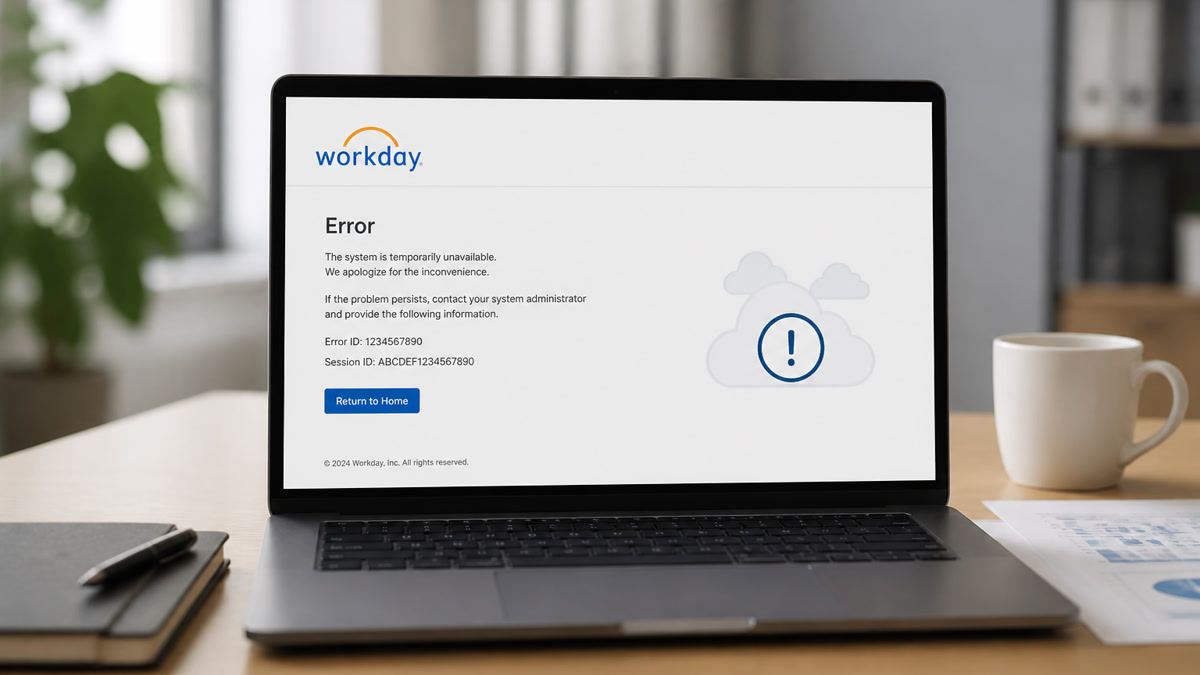
You've uploaded a clean PDF and hit submit on a corporate FP&A req. The confirmation email arrives, then nothing for weeks while peers with thinner close-cycle proof move forward. You're not imagining it. Workday may have imported a broken profile even though upload succeeded.
Check your resume for free with the posting pasted in, then open the portal preview if the employer shows parsed fields. You'll often see date rows scrambled before keyword scoring runs. ATS errors Workday US mid-level finance candidates hit most often aren't mysterious algorithms. They're date tables, certification lines in graphics, and headers that strip.
Below you'll see the symptom when Workday fails, three causes, how to tell which one is yours, and fixes you can run tonight. Job searching in finance is draining enough without a blank experience block hiding three years of variance reporting work you can't afford to lose on a formatting mistake. It won't fix itself on the second silent week.
Quick Wins
- Paste your PDF into Notepad and confirm employers and Month Year dates read in order.
- Move CPA or CFA lines out of headers and into a plain Certifications row with issue date.
- Delete invisible tables around dates; put title, company, and dates on one line in the body.
- Screenshot scrambled Workday preview fields before you rebuild and reupload once.
The symptom: upload succeeds, profile looks empty
A composite senior financial analyst whose PDF shows four employers and a CPA line, but whose Workday preview shows two blank experience rows and certifications missing, is the profile I see weekly. The candidate assumes keyword fit failed. Parsing failed first. Recruiters searching for close support or FP&A see an empty timeline and move on.
The pattern: ATS errors Workday US mid-level finance resumes collect around structured fields finance templates love: date grids, fiscal year tables, certification badges, and contact bars in headers. The human file looks professional. The imported candidate record is not professional. It is incomplete.
Silence after submit can also mean knockout questions on sponsorship, salary band, or CPA requirement answered wrong. This page focuses on parsing and certification placement. Read resume rejected by ATS when you need the full rejection stack beyond Workday layout alone.
Read Workday resume format 2026 for employer-wide layout rules that apply before finance-specific tweaks.
Three causes when Workday breaks finance resumes
Cause 1: Dates trapped in table cells
Many finance resume templates put company name in column one and Jan 2021 to Dec 2023 in column two. Workday reads across the row and can attach dates to the wrong employer or drop the cell entirely. Mid-level roles need clean three-to-six year timelines. A missing range reads like a gap during audit season hiring.
Before: Two-column table per job: left cell company and title, right cell 01/2021 – 12/2023.
After: Single line in body: Senior Financial Analyst, Northwind Manufacturing, Jan 2021 to Dec 2023, then bullets below.
Fix: Open Word, toggle gridlines on, delete table wrappers around dates. Re-export PDF. Paste into Notepad and read employers top to bottom before you reapply.
Cause 2: CPA and CFA lines parsers drop
Certification badges beside your name look sharp on paper. Workday often ignores text boxes, icon rows, and header graphics. I've opened profiles where CPA appeared on the PDF but the parsed Certifications field was blank, so the req filter on licensed CPA never matched even though the human resume showed the credential.
Before: CPA icon in header next to name; no plain Certifications section.
After: Certifications line in body: CPA, Illinois, issued May 2022; CFA Level II candidate, expected 2026.
Fix: One plain line per credential with issue month and state or body. Repeat CPA once in a bullet that shows licensed scope: signed off flux analysis for three legal entities during FY2024 close.
Cause 3: Section headers and footers finance templates hide
Templates label sections Professional Journey or Value Delivered instead of Work Experience. Workday maps standard headers to fields. Non-standard labels can dump content into unstructured text recruiters do not search. Contact info in footers disappears on some Workday configs, so phone and email never attach to your profile.
Before: Footer phone and email; section titled Career Highlights; skills in a shaded sidebar.
After: Contact block in body under name; headers Work Experience, Education, Skills, Certifications; single column 11-point Calibri or Arial.
Fix: Rename sections to Work Experience and Education exactly. Move contact into the main body. Read resume turns into gibberish after upload when preview text scrambles completely.
How to tell which cause is yours
Run three checks in order. Notepad paste: if dates and employers jumble, start with Cause 1. Portal preview with blank Certifications while PDF shows CPA: Cause 2. Missing phone in preview but visible in footer: Cause 3. You can have two at once. Fix layout and credentials before keyword tailoring.
Knockout rejection feels similar: instant email after submit when you answered no to CPA required while the credential was only in a graphic. Fix plain certification lines and application answers on the same pass.
Keep a simple tracker column: employer, preview status, fix applied, resubmit date. Finance hiring moves in close windows. You don't want to discover a blank Certifications field three weeks after the req posted because you skipped preview on the first upload.
Copy-paste rebuild checklist for finance Workday uploads
Copy-paste this before reapply: "Notepad test pass; Work Experience header; title company and Month Year dates on one line; CPA or CFA in plain Certifications row; contact in body not footer; single-column PDF; posting must-haves in bullet one with close or audit proof; portal preview screenshot saved; checker run with job description pasted."
Edge case: Big Four layout with deal tables
Advisory and audit templates sometimes use deal tables with client codes. Strip tables to bullets: "Supported SOX testing for three public filers; cleared 12 control deficiencies before Q3 2024 sign-off." Parsers read bullets more reliably than grid cells, and recruiters still see scope without client names you cannot share.
Edge case: hybrid corporate FP&A and CPA inactive status
If your CPA is inactive, say so on one honest line with status and year rather than hiding it in graphics. Write CPA inactive, Illinois, last active 2023, pursuing reinstatement 2026 when true. Knockout questions about active license need honest answers, not a badge that fails parsing and fails the form.
Fix bullets after parsing: mid-level finance keywords with proof
Once dates and certifications parse, mirror posting terms inside bullet one: variance analysis, flux, SOX, NetSuite, or Hyperion when you used them. A readable empty timeline fixes silence from parsing. Keywords in bullets fix silence from fit after humans can see your years of experience.
Before: Responsible for monthly reporting and ad hoc analysis.
After: Owned monthly variance analysis and flux commentary for $180M P&L; cut close deck prep from 2 days to 6 hours by standardizing Hyperion pulls in FY2025.
Controller-track reqs weight consolidation and technical accounting language. Treasury-heavy reqs weight cash forecasting and debt covenant reporting. Swap bullet one to match the family of role on your screen, not a single master file you send everywhere without changing the first line.
Save fixed exports in a folder named workday-finance with company and date in each filename. Reapply with the version that already passed Notepad and preview, not the table template you uploaded on day one because it looked polished on screen.
What finance files still break in Workday
Reuploading the same table template daily. Spam does not repair parsing. Change the file first, then submit once.
Scanned PDF exports from design tools. Image PDFs show zero selectable text in Notepad. Rebuild in Word or Google Docs.
Mixing 01/2022 and January 2022 across jobs. Pick Month Year and use it on every line. Mixed formats confuse date parsers during busy close hiring windows.
Stuffing SOX and GAAP into Skills after layout fails. Keywords do not restore blank experience rows. Parsing first, tailoring second.
Ignoring portal preview. If Workday shows parsed fields, read each employer block before final submit. Screenshot blanks for your records.
Charts instead of close metrics. Pie charts for savings percentages are invisible to parsers. Write the number in a bullet: reduced overtime accrual errors 18% across four entities in Q2 2025.
Functional resume format for career pivots. Skills-first layouts without reverse-chronological dates confuse Workday field mapping. Use a short summary plus dated roles even when you're repositioning from audit to FP&A.
Salary and sponsorship answers skipped on reapply. A fixed PDF does not help when the form still filters on location or work authorization. Review knockout answers before second submit.
Verify finance parsing before you reapply
Upload your rebuilt file and the posting to HireFlow's free ATS resume checker and confirm employers, dates, and certification terms parse before keyword gaps.
When the req asks for a letter explaining CPA status or close-cycle scope, generate a cover letter that repeats the same plain certification language and bullet-one metric from your resume. Mismatched credential wording between files confuses recruiters even when parsing passes.
Fix dates and CPA lines before keywords
ATS errors Workday US mid-level finance resumes collect around date tables and certification lines parsers drop, not around missing buzzwords alone. Rebuild single-column layout, plain credential rows, and inline Month Year dates. Then tailor bullet one with close or audit proof from the posting.
Screenshot your last broken preview, fix the file tonight, and run a free check before you upload again. One verified submit beats five identical table templates recruiters never see as complete profiles.
This will not fix applying to CPA-mandatory reqs without an active license. It stops qualified analysts from losing because Workday imported a blank timeline while the PDF on your desk looked hire-ready.
Read more
Frequently asked questions
Workday often reads table rows left to right. When start and end dates sit in a right-hand cell instead of inline with the job title, the importer can attach dates to the wrong employer or leave experience blocks blank. Finance resumes use month-end close windows and fiscal years, so a missing date range makes three years of FP&A look like a gap. Rebuild with Month Year dates on the same line as title and company in plain body text.
Put CPA, CFA, or CMA on its own Certifications line with issue month and state or body, not inside a two-column header graphic. Workday frequently drops text trapped in text boxes or icon rows. A single line reading CPA, Illinois, issued May 2022 in the main body parses more reliably than a badge layout next to your name. If the posting requires CPA, repeat the exact phrase once in a bullet that shows licensed work scope.
It depends on the employer's Workday setup. Banking and insurance portals often parse DOCX more cleanly when tables were in the original Word file. Tech-forward finance employers usually accept a text-selectable single-column PDF. When unsure, export both, paste each into Notepad, and submit the version where employer names and fiscal period bullets stay in order.
No. Stuffing variance analysis and SOX compliance into a Skills footer does not repair blank experience fields caused by layout. Fix parsing first: single column, standard Work Experience and Education headers, inline dates, certifications in plain lines. Then mirror posting terms inside dated bullets with close-cycle or audit outcomes you can defend.
Open the portal preview when the employer shows parsed fields after upload. Blank job titles or scrambled employers mean parsing failed. Populated employers with silence on similar reqs often means keyword or knockout mismatch instead. Copy the uploaded PDF into Notepad; if fiscal quarters and company names jumble, rebuild layout before you add another keyword.