11 min read
You've tailored keywords for the third time this week and still hear nothing back. The file might be dying before a recruiter opens it. They're not ignoring you because you lack skills. Corporate reqs on Workday and Greenhouse run two filters in sequence: search and skim. Most advice treats them like one score. They're not. Parser order decides whether your Python line attaches to the right employer. Bullet one decides whether anyone keeps reading.
Check your resume for free with the posting pasted in after a plain-text export. If your skills rail imported above your current title, you don't have a keyword problem yet. You have a structure problem. Fix that gate before you chase a perfect match score on a scrambled profile.
Below you'll get the ats vs recruiter screening order that fixes parse order before keyword tweaks: five steps with before/after pairs, two edge cases for referrals and small companies, where the two gates collide, and a copy-paste block you can run tonight. Job searching is already draining. This is about which lever to pull first, not whether ATS is fair.
And when the portal asks for a cover letter after upload, don't paste a block that repeats the same scrambled lines. Generate a cover letter from the corrected resume text so the note matches the employer order you fixed in Word.
Open your master file now. Paste Experience into Notepad. If employer names and dates merged into one string, keep reading. You're optimizing for recruiters while ATS still thinks your sidebar is your top job.
Quick Wins
- Flatten two-column templates before you add posting keywords.
- Put scope, tool, and one metric in bullet one under your current employer.
- Paste your export into Notepad and read employer order top to bottom.
- Mirror three must-have terms from the job description inside Experience bullets.
Two gates, two different jobs
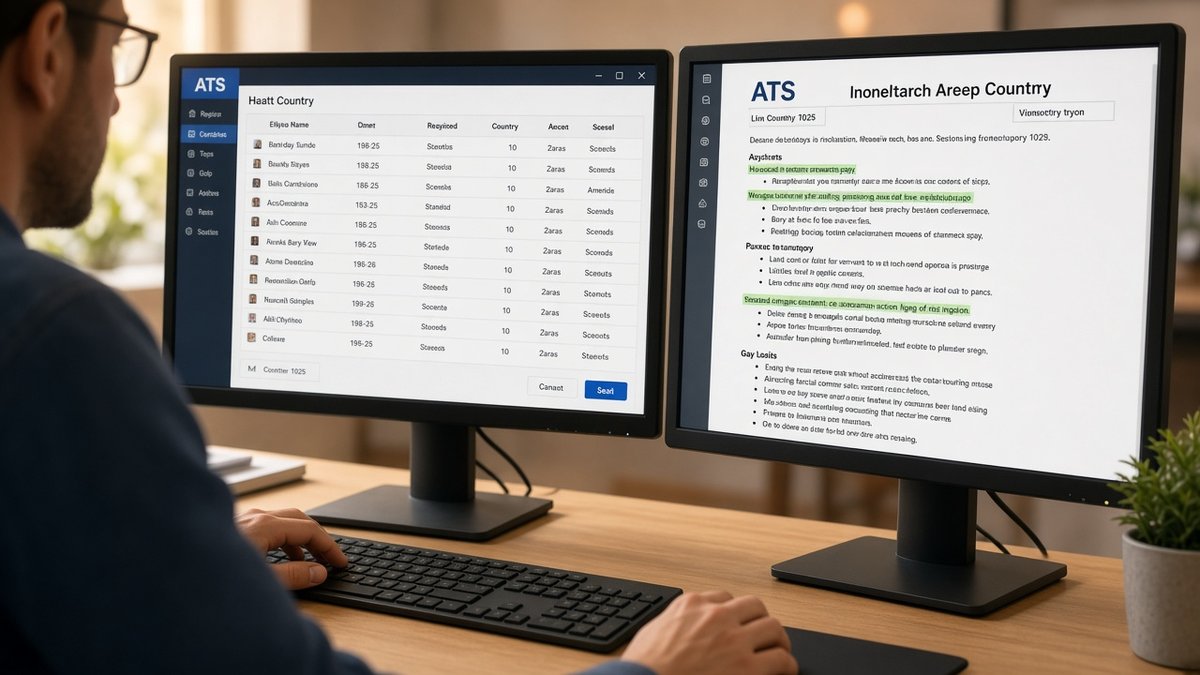
ATS screening is search on parsed text. Recruiter screening is a fast read of proof. Workday and Greenhouse build a profile on upload. Coordinators filter by title, location, and keyword hits inside that profile. Hiring managers skim the top third of what survived: current employer, dates, bullet one, maybe bullet two.
The order that actually matters: structure first, keywords second, skim polish third. A file that parses cleanly with moderate keyword overlap beats a stuffed template where Salesforce lives in a footer and your current title dropped to row four.
A composite data analyst whose PDF shows Looker and SQL in a left rail but Workday imports that rail as job one looks unqualified on screen one. Same person, same stack. Different gate because layout drove parse order before keyword search ran.
Recruiter screening adds narrative checks ATS ignores: date gaps explained in one line, title inflation, bullets that read like job descriptions instead of outcomes. But those checks only happen when search returns your row. I've passed files with thin keyword overlap because bullet one showed scope in the first eight words. Perfect keyword matches still get skipped when the parsed view looks like three employers merged into one block.
Edge case: employee referral. Some reqs still log you in Workday, but a recruiter may open the attachment directly. Structure still matters when they forward your PDF internally. Don't treat referral as permission to ship a design template that breaks on paste.
Edge case: small company on Gmail or a lightweight ATS. You might hit human eyes faster. Single-column plain export still wins because the first reader still ctrl-f's tools and dates. Fancy layout buys nothing when one person reads fifty files in an afternoon.
Read why your resume looks different after Workday upload for the parse-order failures that happen before keyword search. Read resume passed ATS but recruiter still didn't call when structure is clean and the skim still fails.
This won't fix applying to roles you're not qualified for. It stops a qualified file from dying in the parser or getting a six-second pass with vague bullets.
Five-step ats vs recruiter screening workflow
Work top to bottom. Run the Notepad paste test after each step so you know which gate you're fixing.
Step 1: Flatten to a parse-safe single column
Before: Two-column Canva template. Skills and certifications in a colored left rail. Experience in the right column.
After: One column, 11-point Calibri. Contact lines in the body under your name. Skills appear inside dated bullets or one short list after Experience.
Parsers read down the left column first on many imports. Your Tableau and Python lines become a fake first job. Recruiters never reach the employer where you used them. Kill the rail before you tune keywords.
Step 2: Put proof in bullet one under each employer
Before: Operations Analyst | RetailCo | Jan 2022 to Present
Responsible for weekly reporting and cross-functional projects.
After: Operations Analyst | RetailCo | Jan 2022 to Present
Built weekly churn dashboards in Looker, cutting reactive tickets 11% in Q3; owned SQL extracts for 4 store regions.
Recruiters skim bullet one for scope, tool, and one number. ATS attaches keywords to the employer line above the bullet. Vague openers pass neither gate.
Step 3: Mirror three must-have terms inside Experience
Before: Posting requires Salesforce, forecast modeling, and stakeholder management. Those terms appear only in a 20-line Skills footer.
After: Bullet one under current job: Owned QBR forecast model in Salesforce for 12 enterprise accounts; presented pipeline risk to VP Sales monthly.
Highlight three required phrases in the posting. Place each in bullet one or two under the job where you earned it. Skills holds six terms max as backup. Search weights dated bullets higher than undated clouds.
Step 4: Trim the summary for the six-second skim
Before: Six-line summary listing twelve tools, soft skills, and career goals inside a shaded text box.
After: Two plain sentences under contact: Senior product analyst with 6 years in B2B SaaS. Recent work: experimentation, SQL, and roadmap analytics for a 40-person product org.
Floating summary boxes parse late or drop. Recruiters read them only when bullet one already proved scope. Keep tools in job bullets where search and skim both find them.
Step 5: Run paste test and match check before submit
Export PDF or DOCX from Word. Paste into Notepad. Read top to bottom: name, contact, Experience with Month Year dates, Education, Skills. If employers scramble, go back to step one.
Before: Submit immediately after adding keywords to a sidebar.
After: Plain-text order confirmed, three posting terms in Experience, bullet one rewritten, then upload once with the req title saved in your tracker.
Copy-paste two-gate optimization block
Paste this checklist above your draft and check each line before export:
GATE 1 - ATS PARSE
[ ] Single column, no tables or text boxes
[ ] Contact in body, not header/footer
[ ] Month Year on same line as employer and title
[ ] Notepad paste matches intended order
GATE 2 - RECRUITER SKIM
[ ] Bullet one: verb + scope + tool + one outcome
[ ] Three posting terms inside dated bullets
[ ] Summary ≤2 sentences, plain text
[ ] No Responsible for openers on current role
See why manual resume review is almost gone for why the parsed profile often replaces a slow human read on high-volume reqs.
Where the two screenings collide
Keyword stuffing after a failed upload. More terms in the wrong column make parse order worse. Flatten first, then tailor bullets.
Optimizing the PDF while ignoring the parsed profile. Recruiters often skim Workday before they click your attachment. A pretty file with scrambled import still loses on gate one.
Listing every tool in Skills with no dated proof. Search may index the footer. Recruiters ctrl-f inside job blocks. Undated clouds fail the skim even when ATS highlights them.
Using creative section headers. My Journey and Core Competencies don't map to Experience and Skills in most parsers. Standard labels are boring on purpose.
Leading with a functional skills block on career change files. Put a dated contract or consulting line before tools so parsers attach stack to a real employer, not a floating list.
Assuming referral bypasses both gates. Internal forwards still get searched when the req is open in Workday. Send a parse-safe PDF, not a portfolio export.
Rewriting bullets before fixing dates. Month Year gaps and title mismatches fail recruiter skim fast. Align titles to the posting level, explain gaps in one line, then tune outcomes.
Test both gates before you hit submit
Run your export through the free ATS checker with the job description pasted in. You're confirming employer-title pairing and whether must-have terms land in Experience, not chasing a vanity score on a broken layout.
Then score your job match on the same plain-text order. Keywords only help after the parser can attach them to the right job line. A high match on a scrambled file still loses to a readable moderate score.
Optimize structure tonight
ATS vs recruiter screening isn't a tie score. It's a sequence. Parser order decides whether search finds your terms. Bullet one decides whether a human keeps reading. Flatten the column, pair dates to employers, put proof in line one, mirror three posting phrases in Experience, then run paste test and match check.
Pick the next corporate req on your list. Run the copy-paste two-gate block. Open the ATS resume checker with the description pasted in. Upload when Notepad order and bullet one both look like the role you already held.
This won't turn a two-page design portfolio into a parser-friendly file without edits. It does stop qualified candidates from losing screens because a sidebar full of tools became their fake first job while the real employer line sat on row four.
Read more
Frequently asked questions
Fix ATS-readable structure first, then recruiter skim. A single-column export with employer lines paired to dates lets keyword search find your terms in Experience. Recruiters rarely open a file when the parsed profile shows skills where jobs should be. Once plain text reads top to bottom, tune bullet one for the six-second skim. Keywords without parse order still lose both gates.
Sometimes on referrals or tiny applicant pools. On a corporate req with hundreds of uploads, recruiters often work from filtered lists sorted by match or recency. A qualified file with scrambled parse order can sit below the fold even when your PDF looks fine. Treat ATS as the gate that decides whether a human gets a fair shot at your top third.
Yes when it repeats terms without proof. Parsers may still index stuffed footers, but recruiters ctrl-f inside job blocks, not gray skill clouds. Write each must-have term once in bullet one under the employer where you used it. A second mention in Skills is backup. A third repeat in white font or a hidden column is a pass on both sides.
Single column, 11-point Calibri or Arial, standard section headers, Month Year dates on the employer line, and three to five bullets per role. Export text-based PDF or DOCX from Word. Skip tables, icons, and sidebar skill rails. Paste into Notepad once. That order is what Workday and Greenhouse approximate before a recruiter clicks your name.
Run a plain-text paste test and a match check against the posting. If employer lines scramble or tools detach from jobs, ATS structure failed. If structure is clean but bullet one is vague, recruiter skim failed. Fix structure before you rewrite verbs. Reapply or replace the file when the portal allows an update.