11 min read
Your resume looks clean on your laptop. Workday imports an empty Experience block. That's not bad luck. ATS resume formatting rules US recruiters enforce are boring on purpose: text the parser can read, in order, under labels it recognizes. When formatting breaks, keywords never get scored because there's nothing to score.
Before you buy another template, check your resume for free with a posting attached. Paste your export into Notepad. If job titles vanish, you're not under-qualified. You're uploading a container the parser can't read. Job searching when every portal says application received but nobody calls back is draining. You're often fixing layer three while layer one already killed the row.
US corporate stacks run on Workday, Greenhouse, Lever, Taleo, and iCIMS. The brand changes. The formatting failures don't. This diagnostic walks symptom to cause so you'll know whether to re-export the file, fix section labels, or finally tune bullet one.
Once the file parses, generate a cover letter that repeats the same tools your dated bullets prove, not a new keyword list sitting in a sidebar the import skipped.
Quick Wins
- Paste your PDF into Notepad. Missing employers mean parse failed before keywords mattered.
- Switch to single column, 11-point Calibri, standard headers: Experience, Education, Skills.
- Move contact info out of Word headers into the body on lines one through three.
- Lock dates to Month Year format on every role before you apply again.
The symptom: your resume looks fine, the import doesn't
The pattern is consistent. You export from a design tool or a two-column template. The portal sends a confirmation email within minutes. You open the employer preview when it's available and Experience is blank, dates are scrambled, or Skills imported above your current job. You assume the ATS hated your keywords. In most cases, nobody scored your keywords because the parser never extracted bullet text.
Silence after apply with a broken import means recruiters sorted readable rows while your file sat in a low tier with missing dates. Rejection emails sometimes mean a human declined you. A pretty PDF with empty parsed fields means formatting failed before a human formed an opinion.
A composite marketing manager uploaded a Canva PDF to Greenhouse. The thank-you email arrived instantly. The preview showed a headshot and no employer names. She spent ten days rewriting her summary for SEO keywords. The filter was a picture of text, not keyword density.
Another composite accountant used a Word template with contact info in the footer and skills in a right column. Workday imported Skills on line one and left Experience empty. The recruiter ctrl-f'd the posting, found zero matches in dated blocks, and moved on. The qualifications were real. The container wasn't readable.
I've screened imports where the candidate's strongest bullet sat inside a text box the parser skipped entirely. The file looked professional on screen. In the ATS row, it looked like a gap year.
ATS resume formatting rules US recruiter edition: three layers that break
Formatting failures stack in order. Fix layer one before you obsess over layer three. Each section shows how to tell if that layer stopped you and what to change tonight.
Layer 1: File type and text extraction
The ATS must read your upload as selectable text. Image PDFs, scanned documents, oversized files, and some design-tool exports fail here while the portal still says received. DOCX from Word or Google Docs usually parses cleaner than PDF on Workday and Greenhouse when both are accepted.
How to tell: Paste your export into Notepad on Windows or TextEdit on Mac with formatting stripped. If job titles and dates disappear, layer one failed. Try copying text from inside the employer preview when the portal allows it. Blank sections confirm it.
Before: Canva two-column PDF with icons; Greenhouse preview shows a graphic header and empty Experience.
After: Word single-column DOCX under 2 MB, exported to text-based PDF if required; Notepad paste shows employers in order with dates intact.
Fix: Rebuild in Word or Google Docs. Drop decorative graphics. Name the file LastName-Resume.pdf with ASCII characters only. Re-upload the same day while the req is open if the portal allows edits.
Layer 2: Layout order and hidden regions
Even text-based files break when columns, tables, text boxes, or Word headers and footers reorder content on import. Parsers often read right columns before left, import Skills before Experience, or skip footer contact info entirely. US recruiters expect a single column with contact lines in the body.
How to tell: Preview shows Skills or summary text above your current employer. Dates attach to the wrong company. Phone number missing while email parsed. Section order in the ATS does not match what you see in Word.
Before: Two-column template with Skills in a sidebar; Taleo import lists tools on line one with no job titles.
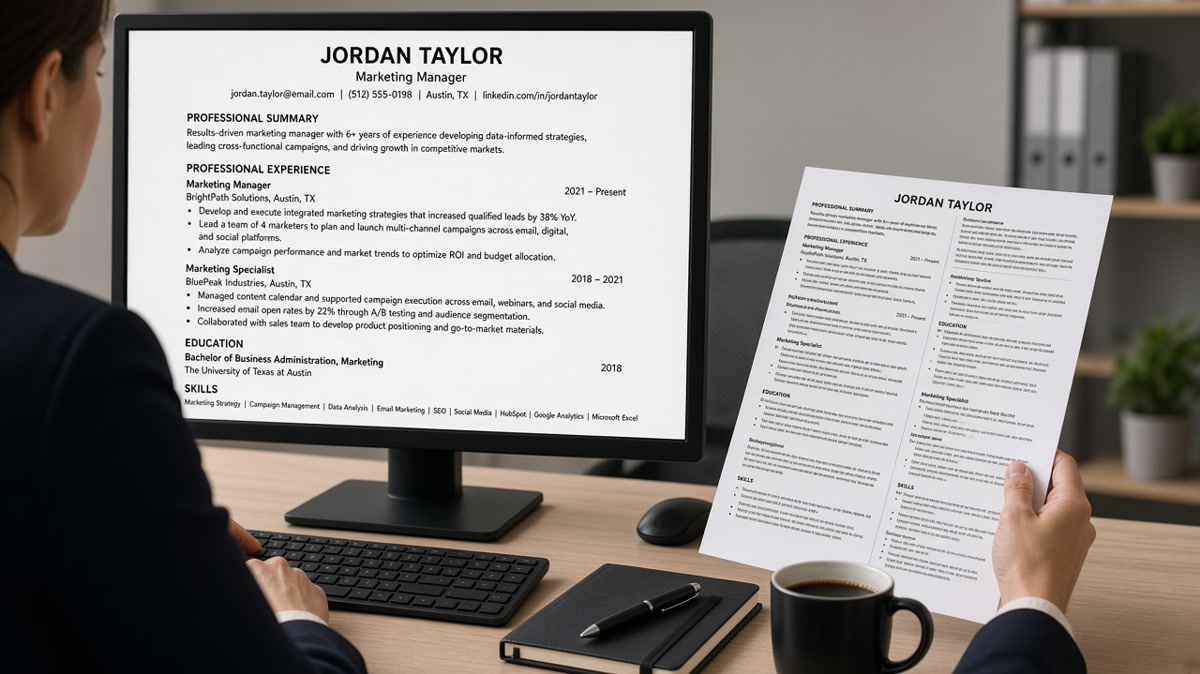
After: Single column, 11-point Calibri, contact block on lines one to three in the body, Experience before Skills, simple round bullets only.
Fix: Delete tables and text boxes. Move every bullet into the main flow. Put Skills after Experience. Use standard section headers recruiters recognize. Read resume template mistakes that break ATS if your layout still scrambles after re-export.
Layer 3: Section labels and date consistency
Creative headers like My Journey or Career Highlights do not map to Experience in every parser. Mixed date formats make timeline math unreliable. US recruiters want Month Year to Month Year on every role, spelled the same way, with Present or Current used consistently for ongoing jobs.
How to tell: Preview merged Education into Experience. A freelance block lost dates. Recruiter asks why your 2019 role shows after 2023 on their screen. ctrl-f in the posting finds tools only in a renamed section the parser treated as summary text.
Before: Headers read Professional Story and Core Competencies; dates mix 2019, Jan 19, and Summer 2020.
After: Headers read Summary, Experience, Education, Skills; every role shows Jan 2019 to Dec 2021 or Jan 2022 to Present with no seasonal gaps.
Fix: Rename sections to conventional labels. Run a find-replace on date formats before export. Format contract work as employer blocks with Month Year dates, not undated project paragraphs.
Copy-paste block: which formatting layer failed?
Layer 1 file: Notepad paste missing titles or dates -> re-export DOCX or text PDF
Layer 2 layout: preview order wrong or contact blank -> single column, body contact
Layer 3 labels: creative headers or mixed dates -> rename sections, fix dates

Test order: Notepad paste -> portal preview -> section header check -> date scan
How to tell which layer is yours in ten minutes
Run the checklist above on your last three uploads. If all three failed Notepad paste, you have a file-type problem, not a keyword problem. If paste looks fine but preview order is wrong, fix layout before you touch bullet wording. If order looks fine but dates scramble, fix labels and formats. Track results in a spreadsheet column next to company name so you stop repeating the same wrong fix.
Edge case: some employers require PDF only and reject DOCX. Export text-based PDF from Word, not from a design tool. Edge case: federal resumes use a different structure. This guide targets US corporate Workday and Greenhouse flows. For government format rules, read a dedicated federal conversion guide before you apply on USAJOBS.
For file-type specifics when a portal forces PDF, see how resume file type impacts screening before you re-apply with the same broken export.
Fixes aimed at the wrong formatting layer
Stuffing keywords into a two-column Skills sidebar. Layer two still imports Skills before Experience. Parsers and recruiters weight dated bullets, not sidebar clouds.
Buying a new Canva template instead of testing Notepad paste. Layer one failures repeat on every pretty layout until the export is selectable text.
Putting phone and email in Word headers. Layer two drops contact info. Recruiters cannot call a number the row never imported.
Renaming Experience to Career Chronicle. Layer three maps sections wrong. Some parsers dump creative headers into summary text recruiters skip.
Mixing date formats to save space. Layer three makes you look sloppy even when parse succeeds. Recruiters do timeline math in six seconds.
Adding graphics to stand out. Logos, charts, and skill bars break layer one on many configs. Plain text beats visual flair in corporate ATS rows.
This will not fix applying to senior reqs with two years of experience. It stops qualified files from dying in layer one while you rewrite bullet keywords for layer three.
Test parse before you tune keywords
Upload the same file you send to employers. A parse check shows whether must-haves land in Experience or only in a sidebar the import skipped.
Run HireFlow's free resume checker with the posting attached. Zero matches on tools you listed ten times in Skills means layer two or three hid them from dated blocks even when layer one passed.
When parse is clean but overlap is weak, score your job match on the same posting before you rewrite bullets. Fix formatting layers first, then align bullet one to posting must-haves.
Do this now: Paste your last upload into Notepad. If dates survive, open the portal preview and confirm Experience imported above Skills. Layer pass plus weak bullets is your rewrite list for tonight.
Boring file, readable row
ATS resume formatting rules US recruiter edition boil down to three layers: text the parser can extract, single-column order recruiters recognize, and section labels with consistent dates. Most silence traces to layer one or two while candidates rewrite keywords for layer three.
Run the ten-minute diagnostic on your last three applications. One re-export or one header rename often beats another week of summary edits. When all three layers pass, targeted bullets outperform volume every time.
- Notepad paste tests layer one in thirty seconds.
- Single column with body contact fixes most layer two failures.
- Experience, Education, Skills headers fix most layer three mapping.
- Track which layer failed so you stop repeating wrong fixes.
And if every silence traces back to the same image PDF, fix the container tonight before you apply again tomorrow. The parser will keep reading an empty row until the export changes.
Read more
Frequently asked questions
Upload DOCX when the portal accepts it. Many Workday and Greenhouse configs parse DOCX more reliably than PDF. If you must use PDF, export a text-based file from Word or Google Docs, not a scan or Canva image. Paste the export into Notepad before you apply. Missing job titles mean the parser failed regardless of which button you clicked.
No for most US stacks. Parsers often read columns out of order, dropping dates or importing Skills before Experience. Use a single column with 11-point Calibri or Arial, standard section headers, and simple round bullets. Fancy templates look sharp on screen and scramble on import. Recruiters ctrl-f the posting, not your margin design.
In the main body at the top, not in a Word header or footer. ATS often skips header and footer regions on import. Put name, phone, email, city and state, and one profile URL on line one through three as plain text. Avoid text boxes and tables for contact blocks. If the preview shows blank contact fields, move the lines into the body and re-export.
Month Year to Month Year is the safest pattern: Jan 2022 to Present. Use the same format on every role. Mixed styles like 2022, Jan 22, and Summer 2021 confuse parsers and annoy recruiters running timeline math. Spell out month abbreviations consistently. Present or Current is fine for ongoing roles when you use it everywhere.
Update the attachment the same day if the portal allows edits while the req is open. Re-export a single-column DOCX, confirm Notepad paste shows employers in order, then replace the upload. If the req closed, save the fixed file for the next application. Formatting fixes do not retroactively change a row that already imported empty Experience.