11 min read
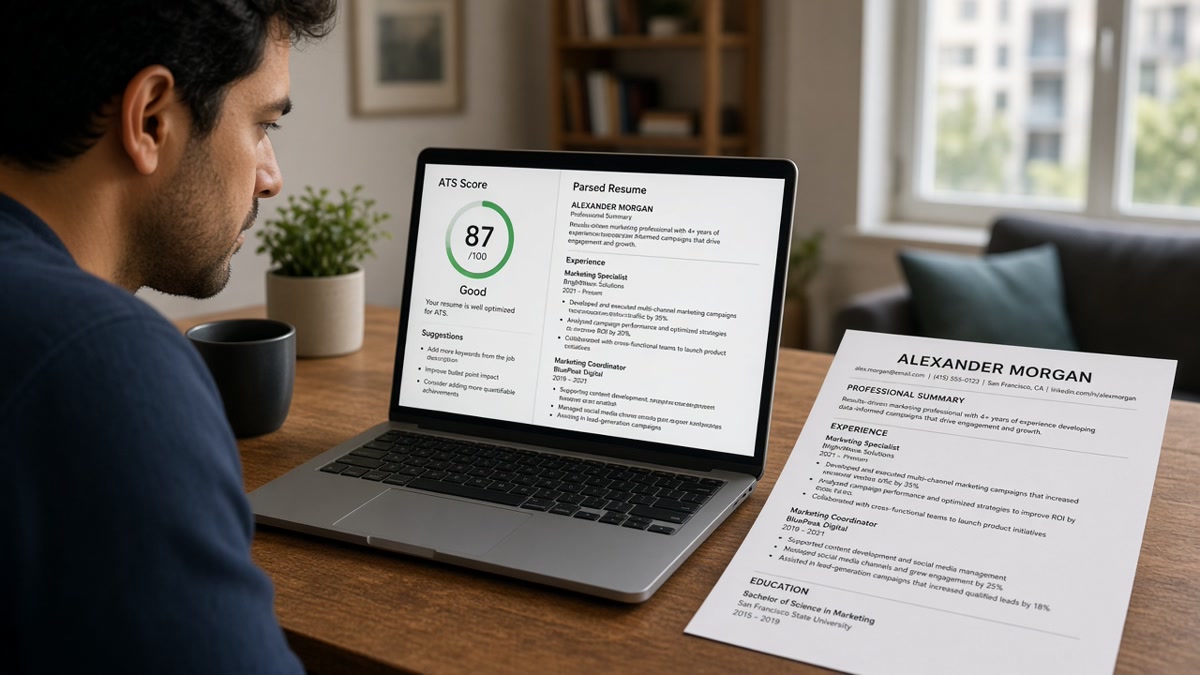
Short answer: An ATS resume checker accuracy score tells you how much posting language appears in your file. It doesn't tell you whether Workday or Greenhouse placed your current role at the top of the parsed preview. If paste test fails or employer lines land out of order, the percentage is noise. Fix parse first, then tune keywords.
You've probably watched a score jump after you stuffed the skills box. That's not the same as a recruiter seeing your last title on line one. Most free checkers don't run the employer's parser. They compare text you uploaded to text you pasted. Check your resume for free only after Notepad paste shows employers top to bottom in order.
Below: what the number actually measures, three reasons scores lie, how to tell which problem is yours, and what to change tonight. Job searching is already draining. You don't need a green dashboard on a file humans never read in the right order.
Quick Wins
- Paste PDF text into Notepad before you open any checker.
- Upload the same file to the portal and open parsed field view.
- Mirror three must-have skills inside experience bullets, not only Skills.
- Ignore score swings until employer names and dates land in order.
What ATS resume checker accuracy scores actually measure
US employers store applications in Workday, Greenhouse, Lever, iCIMS, and Taleo. Each system tries to pull employer, title, dates, and bullets into searchable fields. Checker accuracy, in most tools, sits one layer above that. It counts how many terms from the job description appear in your resume text and whether standard headings exist.
That is useful when the underlying text is stable. It is misleading when the parser never attached bullets to the right job. Recruiters search parsed experience, not the raw PDF thumbnail. A keyword hit in a sidebar the ATS skipped does not surface in a name search for your last employer.
Accuracy is a mirror on wording, not a replay of the employer parser. No third-party checker shares Greenhouse's field map for that company. Treat the output as a diff between posting language and your file, the same way you'd compare two Word docs. It is not a prediction that a human will advance you.
Two files can score similarly while parsing differently. A designed two-column template might show "SQL" in a skills column the checker reads while Workday leaves the experience block empty. The percentage celebrates a term recruiters cannot sort by. That is why paste test and portal preview outrank any dashboard color.
I've opened ranked profiles in Greenhouse where the checker-friendly skills list was long and the current title never reached the Experience section. The candidate thought accuracy meant readiness. The profile was not searchable by role. The fix was layout, not another keyword pass.
Read how to preview your resume like an ATS in the US before you chase percentages. This page explains when the number helps and when it flatters a broken file.
Three causes of misleading scores and how to tell which is yours
Diagnostic work starts with symptoms, not sliders. Most false confidence traces to one of three roots. Run the branch that matches what you see in Notepad and the portal.
Cause 1: Parser scramble from layout
Tables, sidebars, text boxes, and icon headers reorder text on import. Checkers still read the characters. Employer ATS products may drop whole sections. Symptom: high keyword hits, empty or jumbled Experience in portal preview, paste shows Skills before employers.
Before: Marketing coordinator resume in a two-column Canva export; checker highlights "Google Analytics" and "SEO"; Workday preview shows skills only, no employer block.
After: Single-column Word export at 11-point Calibri; paste reads Harbor Retail | Marketing Coordinator | Jun 2021 to Present; same keywords now sit inside bullets under that employer.
Fix: rebuild single column, standard headings (Experience, Education, Skills), Month Year dates on one line with employer and title. Re-run paste test. Only then rerun the checker on the same posting.
Cause 2: Keyword mirroring without proof in bullets
Checkers reward terms that appear anywhere. Recruiters reward terms tied to outcomes under the right job. Symptom: score rises when you add a Skills cloud, but bullets still read generic; portal parse is clean yet search for a must-have tool returns zero lines in Experience.
Before: IT support resume lists "ServiceNow" and "Active Directory" in Skills; bullets say "handled tickets" and "supported users."
After: First bullet under current role: "Closed Tier 2 ServiceNow incidents for 400-seat site, avg first-response under 20 minutes"; Skills trimmed to tools not already shown in bullets.
Fix: open the posting, highlight three required tools or methods, rewrite bullet one under the matching job so each term appears in the first eight words with a plain metric you can defend. Drop duplicate skill lines that add no new search value.
Cause 3: Wrong job text or generic file
Accuracy compares whatever you pasted to whatever you uploaded. Paste a different posting, a shortened version, or last week's description and the score measures the wrong gap. Symptom: wild score swings between applications with the same resume, or high marks on skills you have not used in years because the posting was broad.
Before: Same PDF checked against a senior analyst posting and a coordinator posting without edits; scores differ by double digits; candidate assumes the file is "good enough" for both.
After: One base file, two bullet tweaks per posting; checker run separately with full description pasted each time; only submit the version whose must-have terms appear in Experience bullets for that role.
Fix: save a posting-specific copy in a folder named by company and role. Paste the full description every time. Do not tune to an aggregated keyword list from a browser extension.
Copy-paste accuracy workflow
"Notepad paste baseline → portal parsed preview → paste full job description → upload final PDF → note missing must-haves only inside Experience → rewrite bullet one → retest preview before submit."
Example bullet after keyword pass: "Built weekly churn dashboards in Looker for subscription cohorts, cutting reactive billing tickets 11% in Q3" under Apex Logistics | Senior Analyst | Mar 2019 to Present. The checker should flag fewer gaps because the terms live where recruiters search.
Before/after pair: nurse with certifications in graphics
Before: RN resume uses badge images for BLS and ACLS; checker reads alt text and scores certifications high; Workday license fields stay blank.
After: Certifications as plain lines with expiration Month Year; parsed license section fills; keyword score similar but recruiter filters now work.
Before/after pair: operations lead with summary keyword pile
Before: Summary paragraph lists Lean, Six Sigma, and Kaizen; Experience bullets describe "process improvements" without naming methods; checker marks terms present, search on "Six Sigma" returns nothing in Experience.
After: Bullet under current plant role: "Led Kaizen events on packaging line, cut changeover waste 14% using Six Sigma DMAIC"; summary shortened to role target only.
See why your resume passes parsing but still gets rejected when layout is clean yet outcomes stay vague.
Where high accuracy scores send you the wrong direction
Chasing a target percentage. There is no universal pass line across employers. A score that pleases one tool can still miss must-haves that matter on that posting. Use missing-term flags, not the headline number.
Stuffing the Skills section after parse already failed. Extra lines inflate accuracy while Experience stays empty. Recruiters rarely hire from a skills cloud alone.
Trusting checker thumbnails instead of field view. Pretty preview images hide scrambled order. Open the employer's structured application preview when available.
Running five tools and averaging scores. Different weighting creates fake precision. Pick one workflow after paste passes and stick to it per application.
Ignoring title and date alignment. Checker may not flag "Manager" vs "Mgr" mismatch. Portal search often does. Keep titles spelled exactly as you want to be found.
Optimizing a master resume without posting text. Generic files produce generic scores. Accuracy work belongs at the application layer, not once a year on a static document.
Assuming PDF and DOCX parse the same. When posting allows both, run paste test on the format you will submit. Switch only when the portal requires it or paste fails on your first export.
Read eleven resume formatting mistakes that trip up ATS when scores look fine but previews do not.
Use checkers after parse, not instead of it
A free ATS check belongs late in the sequence. Paste the full job description, upload the same PDF you will send, and read which must-have terms never appear inside Experience blocks in the tool output. That list is actionable. The top-line percentage is context only.
Pair it with the employer portal preview on every application. When both show employer order intact, keyword gaps are worth fixing. When either shows blank experience, stop scoring and rebuild layout before you rewrite bullets again.
Run a free ATS check after Notepad paste passes. When the posting asks for a letter, generate a cover letter that repeats the same metric from bullet one so human readers see one consistent proof line.
Accuracy helps after the file reads in order
ATS resume checker accuracy is a keyword diff, not a hire promise. When paste test and portal preview show employers and dates in order, use missing-term flags to tune bullets. When they do not, ignore the percentage and fix layout first.
Tonight: Notepad paste, portal field view, paste the full posting, run one checker pass on the final PDF, rewrite bullet one for each missing must-have inside real work, preview again, then submit. Do not submit a score screenshot in place of a readable file.
This will not fix applying to roles you are not qualified for. It does stop qualified candidates from trusting a green dashboard on a resume recruiters cannot search by title.
Read more
Frequently asked questions
Not by itself. Most checkers score keyword overlap against the job text you pasted. They do not replicate Workday, Greenhouse, or Lever field mapping. If your file parses with employers out of order, a strong percentage can still leave experience blocks empty in the portal preview. Run paste test and parsed preview before you trust the number.
Each tool weights keywords, section labels, and formatting rules differently. None shares the employer's private parser. A gap between tools usually means your resume sits on a formatting edge case, not that one tool is wrong. When scores swing widely, fix layout first, then retest with the same posting on one checker you trust after parse passes.
Only after parse order is clean. Chasing keywords inside a scrambled layout adds terms recruiters never read because bullets landed under the wrong employer. Mirror three must-have skills from the posting inside real experience bullets first. If the score rises but portal preview still drops dates, stop tuning keywords and rebuild single-column layout.
Treat any percentage as a diff report, not a pass line. Actionable signals are missing must-have terms that appear in your real work, skills listed only in a sidebar the parser skipped, and titles that never surface in Experience. Ignore small swings when employer lines, dates, and bullets already show correctly in the portal field view.
Use it to spot posting language you have not echoed yet, not as a hire prediction. Career changers often score low on title matches while strong on transferable skills buried in summary prose. Move those skills into bullets under the job where you used them. Pair checker output with a human-readable summary line that names the target role plainly.