9 min read · Draft fast, edit hard
You're not deciding whether AI is "good" or "bad." You're deciding whether tonight's bottleneck is speed or proof. Blank page and a posting due tomorrow? The tool earns its keep. Solid bullets and a parser-clean file? You'll move faster by hand.
Before you generate anything, check your resume for free against the job description you have open. If the current file already parses and only needs keyword tweaks, you don't need a full rebuild.
This comparison walks criteria first, then AI builder vs manual build, safer edits, and a decision rule you can run in ten minutes. No competitor roundups. Just what to do with your hands before you hit submit in Greenhouse or Lever.
And if you're worried recruiters can "tell," they can tell when bullets read like everyone else's. That's an editing problem, not a tool problem.
AI resume builder tradeoffs: five criteria that matter
Skip feature lists. Compare on what changes your file before a human reads line one.
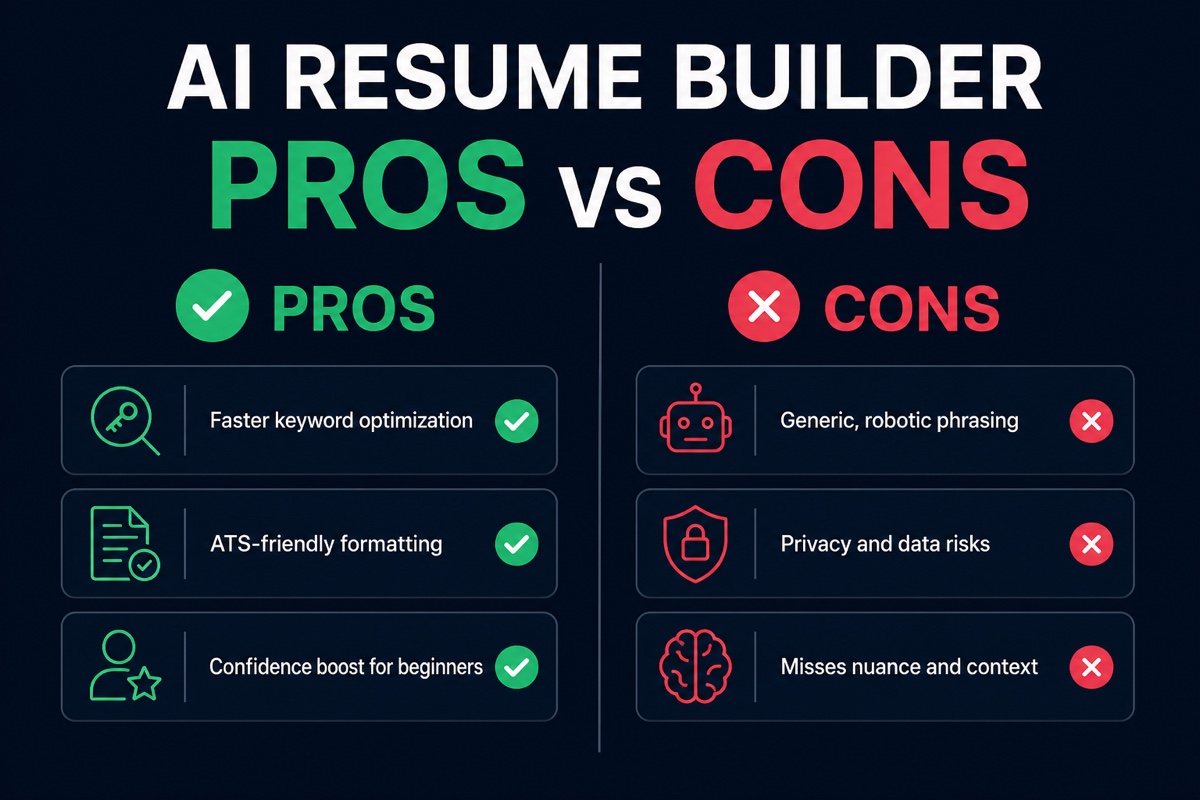
| Criterion | AI resume builder | Manual build |
|---|---|---|
| Speed to first draft | Fast. Layout and section order done in one session | Slower when you start from zero |
| Keyword mirroring | Surfaces posting language quickly | Depends on your highlight-and-rewrite habit |
| Proof quality | Defaults to duty lines unless you edit hard | You control metrics from bullet one |
| Parser safety | Plain templates help if you keep single-column export | Same bar. Fancy design breaks either path |
| Privacy | You upload history. Read the policy first | Stays on your machine until you apply |
The pattern: AI wins early steps. Manual wins defensibility. Most strong files are AI structure plus human proof, not one or the other.
I've screened stacks of AI-polished files in Greenhouse, and the pass line is boring specifics: a tool name, a scope number, and a verb you used last quarter, not a paragraph that could belong to any candidate.
Read how recruiters spot AI resumes when you're unsure which phrases sound templated. Read does ChatGPT write good resumes for the same edit rules applied to chat output.
AI builder path vs manual path
Path A: AI resume builder tonight
Pick this when you're rebuilding layout, switching industries, or batch applying with thin tailoring time. Flow: paste posting, generate draft, rewrite three bullets under your current role, mirror must-haves into Skills order, export plain PDF, parse-check.
Before: Two-column Canva file. Workday preview drops dates. Bullets read "Responsible for stakeholder management."
After: Single-column PDF. Dates parse. Bullet one: "Owned Q3 launch comms in Asana for 14 markets, cutting approval cycles from 9 days to 4."
AI fixed structure and keyword placement. A human fixed the proof. That's the intended split.
Path B: Manual build tonight
Pick this when you have a master file that already parses, recent metrics, and one target posting. Flow: duplicate master, move three keywords into top bullets, reorder Skills, Notepad paste test, upload.
Before: Master file scores well but Skills list HubSpot only while posting names Salesforce and GA4.
After: Skills reordered. Two bullets rewritten to name Salesforce campaigns and GA4 dashboards from your last role. No generator required.
Manual doesn't mean slow. It means you trust the inventory and only mirror the posting delta.
Safer edit pass (both paths)
Run this on any draft before export. It's the difference between "used AI" and "submitted AI."
Copy-paste safer-use checklist
Delete national ID, full DOB, and references until requested
Replace vague template verbs with ones you actually used
Add one metric per bullet under your current role
Drop any skill you cannot explain in two sentences
Confirm Month Year dates and Present only on current job
Paste PDF text into Notepad. Sections read in order
Run ATS check with job description pasted in
Paste that block at the top of your working file while you edit. Delete before export.
Where AI resume builder output fails screening
Submitting the first draft. Template phrasing clusters when everyone uses the same prompts. Recruiters notice repetition before they notice you.
Stuffing Skills without bullet proof. The Skills list doesn't get you screened in. The bullet that repeats the skill does.
One file for every posting. AI mirroring only works when you feed it the posting you're applying to tonight, not last week's req.
Trusting layout previews. A clean visual PDF can still scramble in Workday if columns or icons hide text. Notepad paste is the test.
Uploading sensitive fields. Skip references, ID numbers, and full birth dates in any cloud tool until an employer asks.
Skipping the read-aloud. If you stumble on a bullet, a recruiter will too. Rewrite until it sounds like something you'd say in a screen.
Build and verify in one pass
If you need a plain layout and keyword suggestions, start in the free resume builder , then export and edit with the checklist above. Don't treat export as done.
After edits, upload the tailored file and posting to the ATS resume checker and fix gaps before batch applying. Pair top reqs with a fresh opener from the cover letter generator so your letter cites the same metrics you just added.
Decision rule for tonight
Use an AI resume builder when layout is broken, the page is blank, or you need keyword mirroring fast and you'll edit every bullet before upload. Build manually when your master file parses, bullets already carry metrics, and you only need a tailor pass for one posting.
Either way: no raw uploads, one tailored copy per req, Notepad paste pass, ATS check with the job description. That's the safer-use bar, not "AI yes" or "AI no."
Open your posting, pick a path, run the copy-paste checklist, then run a free resume check on the file you actually plan to send. You'll know in five minutes whether tonight was a rebuild or a tweak.
Read more
Frequently asked questions
Yes, if you treat output as a draft and skip uploading sensitive fields until an employer asks. Use a platform with a clear privacy policy, edit every bullet for accuracy, and export a plain single-column PDF before upload.
No. Unedited AI text leans on template verbs and duty lines recruiters skim past. Replace generic phrases with tools, scope, and metrics you can defend in an interview.
When you already have strong bullets, a clean template, and time to tailor one copy per posting. Manual wins on proof quality. AI wins on speed when you're staring at a blank page or a broken layout.
It can fix structure problems like two-column layouts or text boxes that scramble order in Workday. It cannot fix missing dates, wrong employers, or keywords with no bullet proof behind them.
Swap every template verb for one you actually used, add a number from your last role, and delete any skill the posting names that you cannot explain in two sentences. Read the file aloud once before export.