By Peter Miller · Published March 24, 2026 · Last updated: October 4, 2026
7 min read
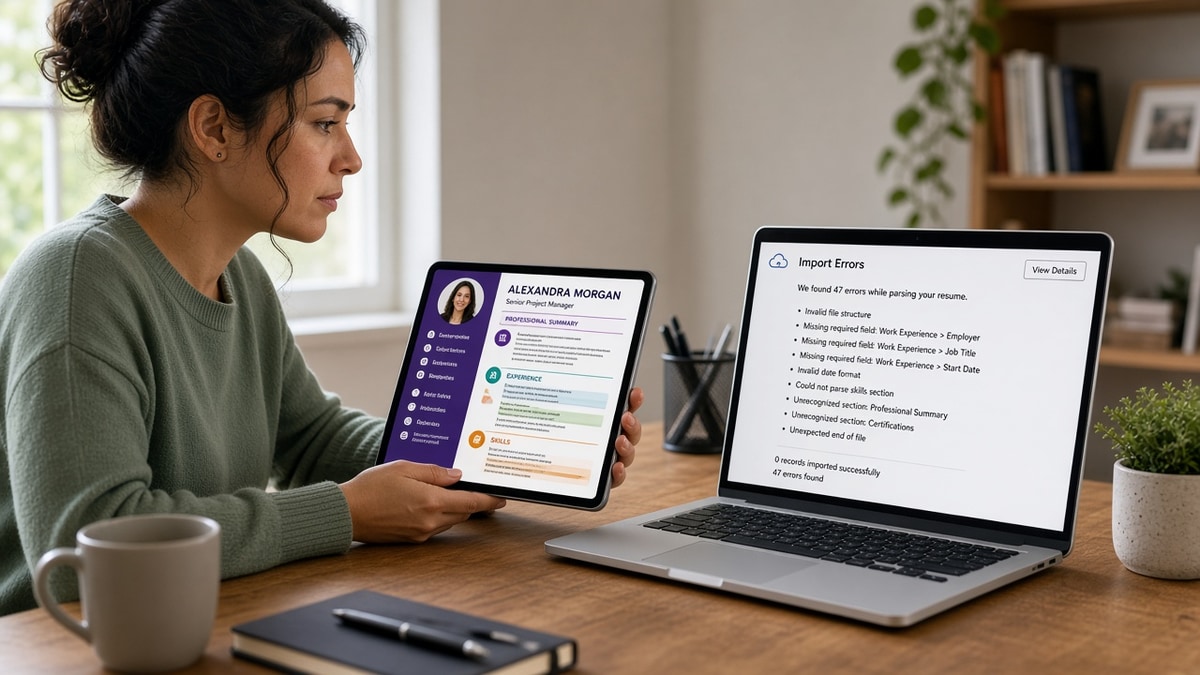
The margins are even. The font pairing is tasteful. You've tailored keywords last night, and you're still hearing nothing back. That gap is brutal because the file on your screen isn't the file the ATS stored.
Check your resume for free on the export you plan to upload. When plain text shuffles employers or drops your current title, a resume looks perfect but gets ignored in search long before a human weighs your experience. That's frustrating, and it's fixable once you know which layer failed.
Below is a diagnostic path: spot which failure mode you hit, confirm it with a two-minute paste test, then fix that layer before you rewrite bullets again. You don't need a new template. You need the stored profile to match what you see in Preview.
Quick Wins
- Paste the PDF into Notepad and read dates top to bottom.
- Match your headline title to the req family, not a nickname.
- Open the portal preview and compare it to Notepad line by line.
When a resume looks perfect but gets ignored
The symptom is silence, not a formatting error message. You meet the years asked for. The design is polished. Recruiters still do not surface your name when they filter on title, employer, or tool inside Workday or Greenhouse.
Cause one: parse order. Sidebars, tables, and text boxes reorder text. Skills imported above experience. A 2019 role appears after a 2023 role. Search runs on that jumbled timeline.
Cause two: title mismatch. Your headline says something creative while the req expects a standard title family. Filters and quick scans skip you even when bullets are strong.
Cause three: keywords only in the pretty layer. Colored boxes and icons may not export as words. The attachment looks full. The stored profile is thin.
Cause four: double files. Some portals keep an old Word import while you upload a new PDF. Recruiters see conflicting dates and stop trusting the record.
How to tell which one: run the Notepad paste. Scrambled dates mean layout. Missing title in the first lines means header traps. Empty sections mean graphics. Two timelines mean duplicate uploads.
Cause five: thin proof under a strong title. Your headline finally matches the req, but bullets still read like duties. Recruiters open the attachment, see polish, and close it because nothing proves scale. That feels like getting ignored even when parsing worked.
Split the problem. First ask whether search can find your title and dates. Only then ask whether bullets convince a human. Most silent applications fail the first test and never reach the second.
For layout specifics, read why decorative formatting hurts ATS with your export open. Many perfect-on-screen files fail for the same read-order reason.
Repair the stored profile
Parse order
Before: Two-column Canva layout with skills in a left rail and jobs on the right.
After: Single-column Word or Google Doc export with Skills below Experience and each job block stacked: title, company, dates, bullets.
Title match
Before: Headline reads Customer Happiness Lead while applying to Client Success Manager roles.
After: Headline reads Client Success Manager with a subtitle line for domain, then bullets that prove book size and tools.
Keyword placement
Before: Posting terms live only in a colored keyword cloud graphic.
After: Same terms as plain text in Experience bullets tied to employers and dates parsers can read.
Upload hygiene
Before: Profile still shows a 2022 import while you attach a redesigned 2026 PDF.
After: One master file. Delete stale profile imports when the portal allows, then upload the fresh export once.
Copy-paste block: two-minute diagnostic
{`1. Export the file you will upload tonight.
2. Select all, copy, paste into Notepad.
3. Line 1-5: name, email, target title present?
4. Scan dates: each job's dates sit beside that employer?
5. Search the posting's top tool in Notepad. Missing? Fix bullets before design.`}
Pair the paste test with resume formatting errors that break ATS parsing so you know which layout choice caused the scramble.
Polish that hides parser damage
I've opened Workday profiles where the PDF attachment could sit on a board deck and the parsed Experience field was empty, which is why I always compare preview to Notepad before I trust a pretty upload.
Trusting template thumbnails. Marketplace previews show alignment, not extraction. Only the paste test shows what filters see.
Tailoring in the wrong layer. Rewriting bullets inside a text box that does not export wastes an evening. Flatten boxes first, then tailor.
Chasing keyword density. Adding posting words to a broken timeline does not fix order. Structure first, keywords second.
Ignoring mobile preview. Some portals strip headers on small screens. Keep contact lines in the body under your name, not in a running header band.
Applying volume without a parse check. Sending ten polished uploads that all scramble the same way multiplies silence. Fix one master file, then scale applications.
Assuming silence means unqualified. Sometimes the req closed. Sometimes the filter misfired. A paste test tells you which story you're in before you rewrite your entire career narrative.
Validate before the next apply
Run the upload through the free ATS resume checker after you flatten layout and align your headline title with the req.
If you are rebuilding from a scrambled design file, start in the free resume builder with single-column defaults so you are not fighting hidden tables at midnight.
Pretty is not the same as parsed
A resume looks perfect but gets ignored when recruiters search a broken profile. Fix read order, align your title with the req, and put keywords in plain Experience lines. Then tailor content with confidence.
Job searching is already draining. A ten-minute paste test saves you from sending another gorgeous file into a filter that never saw your current role. Run it once per master file, not once per posting.
When the stored view matches your story, add a short letter from the cover letter generator so the packet reads consistent in Lever or Greenhouse.
Frequently asked questions
Yes. Parsers read plain text in upload order, not your visual layout. A two-column template can move skills above experience or drop a sidebar bullet entirely. The PDF attachment can look hire-ready while the structured profile recruiters search is empty or out of sequence.
If your headline says Growth Ninja but the req filters on Marketing Manager, automated title fields and recruiter keyword searches may skip you. Align the headline title with the role family you are applying for, then prove scope in bullets.
Tailoring keywords in a scrambled file still leaves dates on the wrong employer line. Fix parse order and title match first. Then tune bullets. Silence often means the stored profile never matched the filter, not that a human rejected your story.
Use it as a warning, not a pass. Copy the uploaded file into Notepad as well. If plain text disagrees with the preview, trust Notepad and rebuild as a single-column export before you rely on tailoring.