6 min read
You've sent forty applications with one PDF and wondered why only two portals emailed back. That's not a mystery curse; it's a matching problem.
Check your resume for free against the req you care about most. You'll see which posting words never left your Skills sidebar.
Customizing isn't dishonest. You're choosing which true bullets belong on top for this employer. Generic resumes underperform when that choice never happens.
Run this checklist per application. Don't batch-upload the same attachment because you're tired. Fifteen minutes now beats another week of silence.
Quick Wins
- Duplicate your master file before you edit; never overwrite the source.
- Reorder skills to match the posting list, not alphabetical habit.
- Rewrite bullet one on your last role before you touch the summary.
Prep checklist: master file and posting capture
Save the req PDF or screenshot so you're not re-reading a live link that might vanish. Highlight nouns you'd defend in a screen.
Confirm parse on your master in preview: employer names, dates, and titles populated. Tailoring broken layout wastes time.
Name a working copy with company and role so you attach the right export. Generic filenames cause wrong-file uploads more than you'd think.
List three non-negotiables from the posting before you edit: license, tool, or domain phrase. If you can't map one to a bullet, note the gap instead of faking it.
Block calendar time for tailoring right after you click apply on the first req of the session. Batch applying without edits is how generic resumes underperform in streaks.
How to tailor your resume for US ATS without rewriting everything pairs with this checklist when you're short on time.
Why generic resumes underperform: per-application checklist
Header and title line: mirror the posting family without inventing seniority. If the req says Product Manager and you wrote Program Owner, align the searchable title.
Before: Summary opens with passionate professional seeking growth.
After: Product Manager with six years shipping B2B SaaS; bullet one below names the tool the req lists.
Skills order: match the posting sequence for tools you truly used. Leftovers stay at the end.
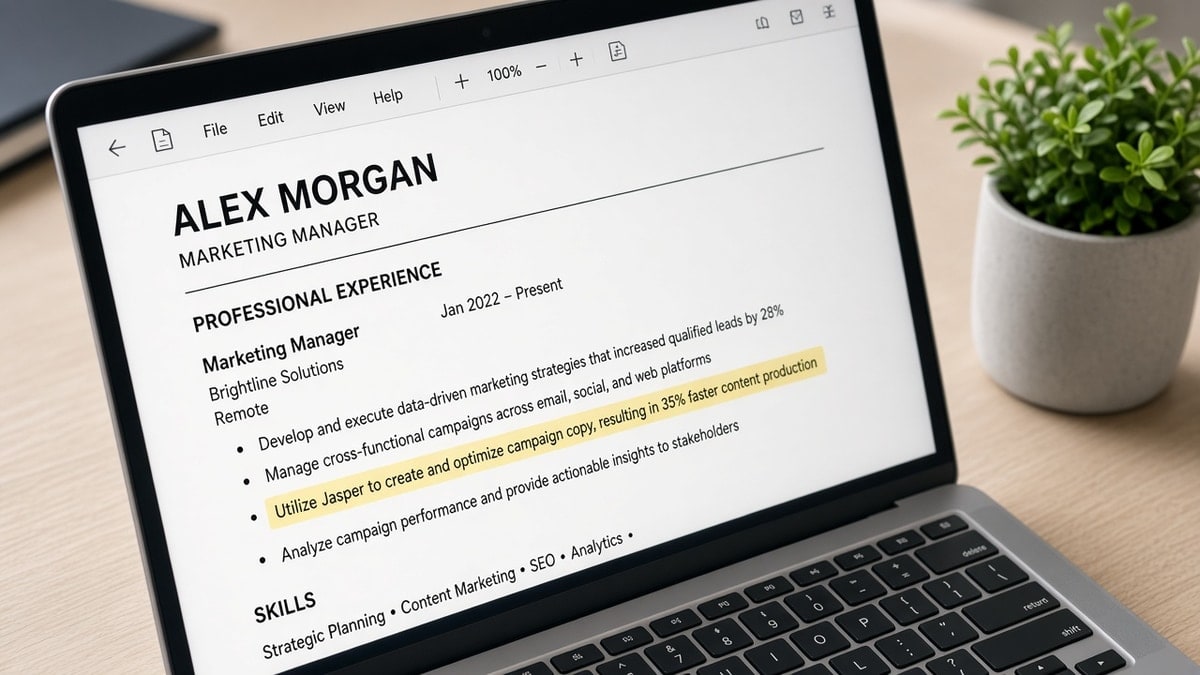
Experience bullets: move the win that proves the top three posting phrases into bullet one for each relevant job.
Before: Bullet one describes office logistics unrelated to the req.
After: Bullet one names Salesforce reporting the posting asked for, with scope you can explain.
Copy-paste tailoring note you can keep in a doc:
Company / role:
Must-have phrases (3):
Bullet one rewrite target:
Skills reorder (top 5):
Summary clause to add:
I've screened hundreds of identical exports in Greenhouse, and the files that move are the ones where bullet one changed for my req while the employment dates stayed honest.
Cover letter hook (optional): one sentence naming the same tool as bullet one. Don't repeat the whole resume; point to the win the req cares about.
Final scan: read posting and resume side by side. If a must-have skill is missing and you have it, add one clause; if you don't have it, don't fake it.
Export check: single column, standard font, no text boxes. A tailored file that won't parse is still a generic failure in the system's eyes.
How many keywords should a resume have in 2026 keeps count sane while you run this list.
Habits that keep resumes generic
- Uploading from phone gallery: old PDF versions reappear. Use the named working copy on your laptop.
- Summary-only edits: pretty paragraph, same bullets underneath. Matchers weight Experience higher.
- Synonym pride: you wrote managed stakeholders; they wrote cross-functional partners. Mirror their term once if it's true.
- Chasing percent while title blank: fix layout, then tailor.
Career changers stay generic when every bullet still uses old-industry jargon. Translate one accomplishment per bullet into the target field's nouns without changing facts.
Remote applicants stay generic when they never mention time zone overlap or async tools the posting lists. Add one honest clause if you already worked that way.
Senior candidates stay generic when every role since 2010 gets equal space. Collapse older jobs to two lines and expand the last decade where the req's keywords live.
Before: Five jobs each with six identical duty bullets.
After: Two recent jobs with tailored bullet ones; older roles compressed with dates intact.
Check match after each checklist pass
Run match once after header and skills, again after bullet rewrites. Stop when highlights sit under Experience for must-have terms.
Log which version you submitted in your tracker. When a recruiter calls, you'll open the same PDF they have, not a newer generic master you tweaked later.
If match score barely moves after two bullet edits, check whether the posting phrase is a license or clearance you lack. Tailoring can't invent credentials; it only surfaces truth faster.
Score your job match on the saved posting. Use Generate a cover letter to repeat bullet-one themes in prose without duplicating the whole resume.
One req, one export, one bullet-one rewrite
Why generic resumes underperform is simple: matchers never see your full career story at once. They see this posting against this file. Run the checklist, attach the right PDF, and move on to the next req with a fresh copy.
This won't fix applying ten levels above your scope. It stops qualified files from looking interchangeable because nothing moved for the employer reading tonight.
Stack tomorrow's applications only after today's checklist is done. Momentum feels good; identical PDFs don't.
Save posting snippets in a spreadsheet if you're hunting hard. You'll spot repeated tools across companies and pre-write bullet ones once for a cluster of similar reqs.
Read more
Frequently asked questions
One master file is fine as a source document. Sending the same exported PDF to every req is what makes generic resumes underperform: bullets, skills order, and summary never mirror the posting you just opened.
Fifteen focused minutes usually covers summary tweaks, skills reorder, and bullet one on your last two roles. You're not inventing jobs; you're surfacing the work that already matches tonight's req.
Often both look fine until you compare highlight placement. A pretty template that parses can still rank low when must-have nouns never appear in Experience. Fix match before you blame luck.
Use a clean First_Last_Resume.pdf for upload. Keep separate working copies on your drive labeled by company so you don't accidentally attach yesterday's version.