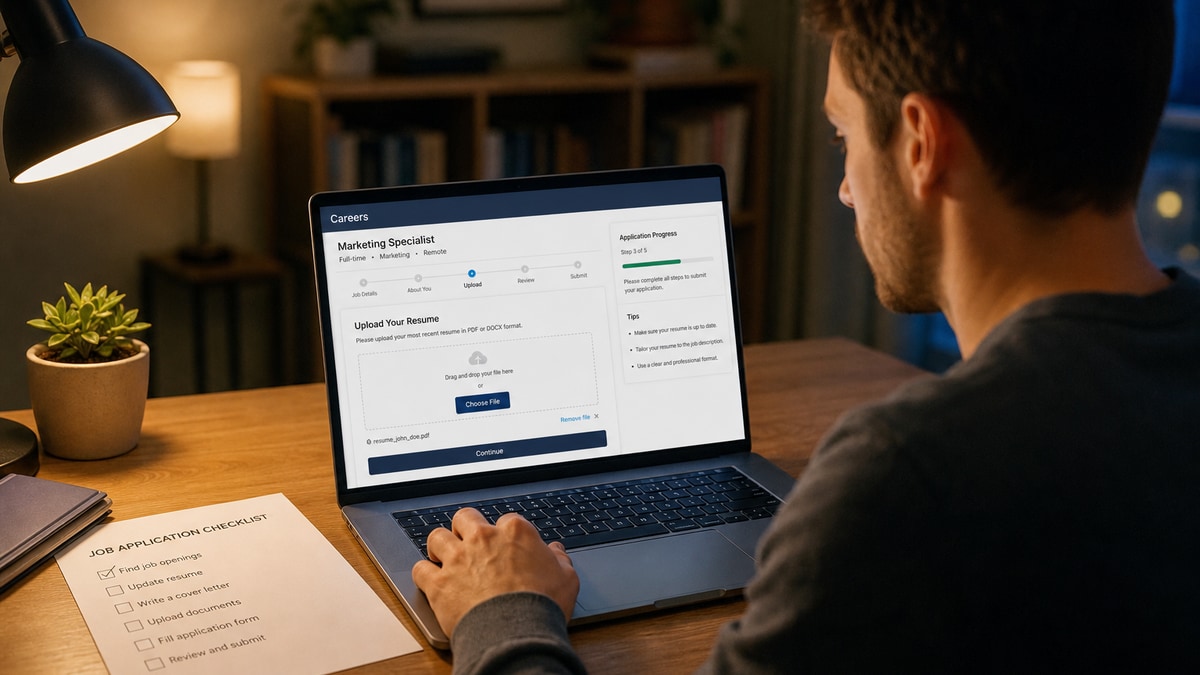
12 min read
You tailored bullets, answered every custom question, and watched the BreezyHR confirmation screen. Weeks later, silence. You assume fit was the problem. Often the break happened earlier, in five portal fields that never made it into the recruiter's filtered view. Keywords inside a file the parser couldn't read don't score. A salary field left blank doesn't pass a range filter. This isn't about rewriting your whole career tonight.
I've screened BreezyHR pipelines where the PDF thumbnail looked perfect and the experience tab was empty. That's not a keyword gap. That's a portal field failure. Before you rewrite your summary, check your resume for free against the posting and confirm BreezyHR can copy your job titles and dates out of the upload.
This US ATS application checklist for BreezyHR maps symptoms to causes: resume parse, manual history mismatch, knockout answers, contact and source fields, and document mix-ups. You'll learn which failure is yours and what to fix before the next apply.
Quick Wins
- Paste-test your PDF into Notepad before BreezyHR upload.
- Match employer names and month-year dates in the file and the form.
- Answer every custom question, including optional salary and sponsorship fields.
- Open the BreezyHR preview after upload and confirm experience populated.
The symptom: BreezyHR accepted you but recruiters never saw you
BreezyHR shows a green check. Maybe you got a confirmation email. The role still shows open on the careers page. You refresh your inbox and assume you're in a long queue. Behind that screen, recruiters often work from filtered candidate lists built from parsed fields and screening answers. Blank employer names mean blank rank. A knockout answer marked wrong removes you before anyone reads bullet one.
Job searching is hard enough without guessing whether silence means "not qualified" or "portal data never stored." BreezyHR failures feel invisible because nobody emails you saying your PDF was a scan or your work history duplicated with wrong dates. You diagnose from preview screens, paste tests, and which filters the posting implied.
The pattern: most BreezyHR rejections at the automated layer trace to five portal fields, not keyword density. Fix the field layer first. Tailor bullets second.
Read why your resume never reaches a human for what happens after a file parses but still loses on rank. This page stops you earlier, at the BreezyHR form layer.
Five BreezyHR portal fields that break before scoring
Cause 1: Resume upload parse failure
BreezyHR reads your PDF or DOCX and tries to populate experience, education, and skills. Two-column layouts, tables, text boxes, and image-only scans break reading order. The thumbnail looks fine. The parsed experience tab is empty or scrambled. Recruiters who filter on job title or years of experience never see your name.
Before: Canva two-column PDF where job titles appear below dates in the BreezyHR preview.
After: Single-column Word export, 11-point Calibri, month-year dates in the left margin, paste test clean into Notepad.
Fix: Rebuild in Word or Google Docs. Export text-based PDF. Upload again. Open BreezyHR's post-upload preview. If employers are still blank, the file is still the problem, not your bullets.
Cause 2: Manual work history mismatch
Many BreezyHR postings parse your resume then ask you to confirm or retype each role. Candidates click through with parsed garbage or skip rows assuming the PDF is enough. Recruiters see duplicate employers, overlapping dates, or a current job listed as ended. Some pipelines treat inconsistent history as incomplete and drop the profile from default views.
A mid-level operations analyst once had "Operations Analyst" parsed as employer and "Acme Corp" as title. She didn't fix it because the PDF was attached. The recruiter's title filter for "analyst" never matched her record.
Before: Parsed row shows "Manager" as company and "Retail" as title; candidate hits Next without editing.
After: Each row shows Company: RetailCo, Title: Store Manager, Dates: Mar 2021 to Present, matching the PDF line for line.
Fix: Treat the manual history section like a second resume. Edit every parsed row. Add missing roles the parser skipped. Use US month-year format (Jan 2022 to Present) consistently.
Cause 3: Custom screening and knockout answers
BreezyHR lets employers add custom questions: salary range, work authorization, willingness to relocate, years with a specific tool, driver's license, shift availability. Some are knockouts. Answer "No" to "Are you authorized to work in the US without sponsorship?" when you need visa support and the role is marked no sponsorship, and you're out before review. Leave salary blank on a required field and submit may block entirely.
Optional questions tempt speed. Recruiters who read every response notice blanks. A blank commute answer on a hybrid role in suburban Dallas tells them you didn't read the location line.
Fix: Read each question as a filter, not paperwork. Match honest answers to the posting. If sponsorship is required and the role says no, don't burn the apply. If salary is optional, still give a researched range instead of leaving it empty.
Cause 4: Contact, LinkedIn, and source fields
BreezyHR's contact block looks simple. Email typos, phone numbers without area code, and LinkedIn URLs that 404 break recruiter outreach. The "How did you hear about us?" dropdown left on default "Other" or "Job board" loses referral credit when a employee referred you. Some teams prioritize referred candidates in their BreezyHR queue.
Mismatched email between resume header and application form creates duplicate candidate records. Recruiters search by email. Two profiles with slightly different addresses make you look like you applied twice with different files.
Before: Resume says [email protected]; BreezyHR form typed [email protected]; source left as generic job board when a friend referred you.
After: Same professional email in header and form, full phone with country code, working LinkedIn URL, source set to Employee Referral with name if the form allows.
Fix: Copy contact info from your resume header into the form. Test the LinkedIn link in a private window. Pick the most accurate source option before submit.
Cause 5: Wrong document in the resume slot
Cover letter uploaded where BreezyHR expects a resume. Last year's PDF without the new role title. A blank page exported by accident. Tracked-changes Word doc still showing redlines. BreezyHR stores whatever binary you attach. Recruiters open the file tab first. Wrong document means right experience never gets read.
BreezyHR often has separate fields for resume and cover letter. Pasting cover letter text into the resume upload slot is a common midnight mistake when both files sit in Downloads with similar names.
Fix: Open the file locally. Read the header. Name it LastName_FirstName_ShortReqTitle.pdf. Use BreezyHR's cover letter text box or upload field for the letter, not the resume slot. Generate a cover letter as its own PDF when the posting asks for a separate file.
How to tell which cause is yours
BreezyHR preview shows blank or scrambled experience after upload: start with Cause 1. Run paste into Notepad. No selectable text means scan or lock. Titles below dates means layout fight.
Preview looks fine but recruiter view would show duplicate or nonsense employers: Cause 2. Scroll every manual row before you hit submit.
Instant rejection email or submit blocked on a red field: Cause 3. Read the exact question. Knockout logic often fires on authorization and license questions.
Recruiter emailed asking for your resume after you applied: Cause 5 or a contact mismatch from Cause 4. They received something, but not the file or email they expected.
Copy-paste: BreezyHR pre-submit checklist
Run this list before every BreezyHR submit:
1. Resume is text-based PDF or DOCX per posting instructions.
2. Paste test into Notepad: employers, dates, and skills appear in order.
3. Post-upload preview: experience section populated, not blank.
4. Manual work history rows match the PDF: company, title, month-year dates.
5. Every custom question answered; salary and sponsorship filled honestly.
6. Contact email and phone match resume header; LinkedIn URL opens.
7. Source/referral field reflects how you actually found the role.
8. Correct resume file in resume slot; cover letter in letter field or text box.
9. Filename: LastName_FirstName_ShortReqTitle.pdf.
10. Screenshot confirmation page with date for your records.
Composite: customer support lead with scrambled parse
Before: Two-column PDF; BreezyHR preview shows skills where employers should be; manual history left untouched.
After: Single-column rebuild, Zendesk and Salesforce in bullet one, manual rows edited to match, preview clean.
Composite: warehouse supervisor knockout miss
Before: Selected "No" on forklift certification question despite valid license; didn't upload cert because resume mentioned it.
After: Yes on cert question, license number in text field, one-line bullet on 18% dock-to-stock improvement in the PDF.
Edge case: BreezyHR posting allows video or portfolio links
Some startups add a URL field for portfolio or intro video. A broken link or personal site with a login wall wastes the field. Use a public PDF portfolio or a direct Vimeo link. Test in an incognito window before submit.
Edge case: reapply after a bad BreezyHR submit
Many employers block duplicate applications to the same req. Withdraw the broken one if BreezyHR allows it, then submit fresh with the fixed file and aligned form. If withdraw isn't available, email recruiting with one corrected PDF and the confirmation ID. Don't upload four versions in one afternoon.
Edge case: mobile apply on BreezyHR
Phone uploads often become image-only PDFs. Custom questions get rushed. Wait until you're at a laptop with the real export and time to read each knockout line.
What broken BreezyHR applications share
Trusting the upload spinner. BreezyHR can finish uploading while parse fails. Preview is where blank fields show up.
Assuming the PDF is enough. Manual history and custom questions still feed recruiter filters even when the file looks great.
Speed-running optional questions. Blanks on salary, commute, and sponsorship read as low effort to recruiters who scan every answer.
Default source dropdown. Referral credit and analytics matter to hiring teams. "Job board" when a friend referred you loses queue priority.
Same generic resume for every BreezyHR posting. File parse may work while knockout answers still fail on role-specific requirements.
Skipping the confirmation screenshot. When something breaks later, you need the application ID and submit date to fix it with recruiting.
Read how to stand out when 1,000 people apply once your BreezyHR fields pass parse and screening. That's the layer where tailoring starts to matter.
Score the file before BreezyHR stores it
Portal field fixes only matter when the content inside the file is worth parsing. A clean PDF with weak bullets still loses after you enter the ranked list. A strong resume in a locked scan still dies at upload. Check both layers.
Run a free ATS resume check with the job description pasted. Fix parsing gaps in bullet one, re-export, paste-test, then upload to BreezyHR. Score your job match on the same posting so required skills land in experience with dates before you touch custom questions.
Run the US ATS application checklist before you tailor again
A US ATS application checklist for BreezyHR isn't a keyword cheat sheet. It's five portal fields: parse, manual history, screening answers, contact and source, and the right file in the right slot. Fix the one that matches your symptom tonight. Then tailor bullets for the ranked list you actually entered.
Export one clean PDF from your master doc. Edit every BreezyHR work history row. Answer custom questions honestly. Open the preview. Screenshot the confirmation. Stop rewriting your summary when recruiters never got your employers into the system.
This won't land you roles you're not qualified for. It stops qualified files from dying in BreezyHR before anyone reads them. That's worth twenty minutes before every submit.
Read more
Frequently asked questions
BreezyHR stores parsed resume text and application answers in searchable fields. Recruiters often filter on keywords, location, and knockout responses before reading bullets. If parsing left experience blank, you may never enter those filtered views even with a strong resume file.
Yes when the form asks. Many BreezyHR postings parse your PDF then still require manual employer rows. Mismatches between parsed data and typed fields create duplicate or empty records. Align titles, companies, and month-year dates in both places.
Required questions block submit. Optional ones left blank signal low effort to recruiters who read every answer. Salary, sponsorship, and commute questions often feed filters. A blank sponsorship field when the role is US-only onsite can still waste a recruiter's time if you need visa support.
Text-based PDF exported from Word or Google Docs is the default. DOCX works when the posting requests Word. Avoid scanned image PDFs, password locks, and multi-column Canva exports. Run a paste test into Notepad before upload.
Most BreezyHR portals lock edits after submit. Some allow withdraw and reapply. If you caught a parse failure or wrong file, email recruiting with one corrected PDF and your confirmation number. Do not send three versions in one thread.