11 min read
You're qualified for the US role and your bullets are tight, but you're still not sure what to write about visa status without sounding like you need H-1B sponsorship tomorrow. Most candidates either hide TN eligibility entirely or paste a half-page immigration note that Workday reads as noise. Recruiters don't want a law brief. They want one clear line that says you can start without a sponsorship case file.
Check your resume for free after you fix the header, not before. If your authorization line sits inside a text box or a two-column sidebar, Greenhouse may drop it entirely while your skills still parse. You'll think silence means sponsorship risk when it's really a layout problem.
Below you'll see where TN visa on resume belongs, five steps with exact phrasing, two edge cases for renewal timing and profession title mismatches, before and after header pairs across roles, and a copy-paste block you can drop under your phone number tonight. If the req asks for a letter, draft structure in the cover letter generator after the header matches the portal form. Job searching across borders is stressful. This page is about one line on the page, not immigration advice.
Quick Wins
- Put TN status in one line under email, not a summary paragraph.
- Write authorized to work without employer sponsorship in plain English.
- Match the same answer on the Workday authorization dropdown.
- Export single-column PDF and confirm the line pastes in Notepad.
Where tn visa on resume belongs before a recruiter opens Experience
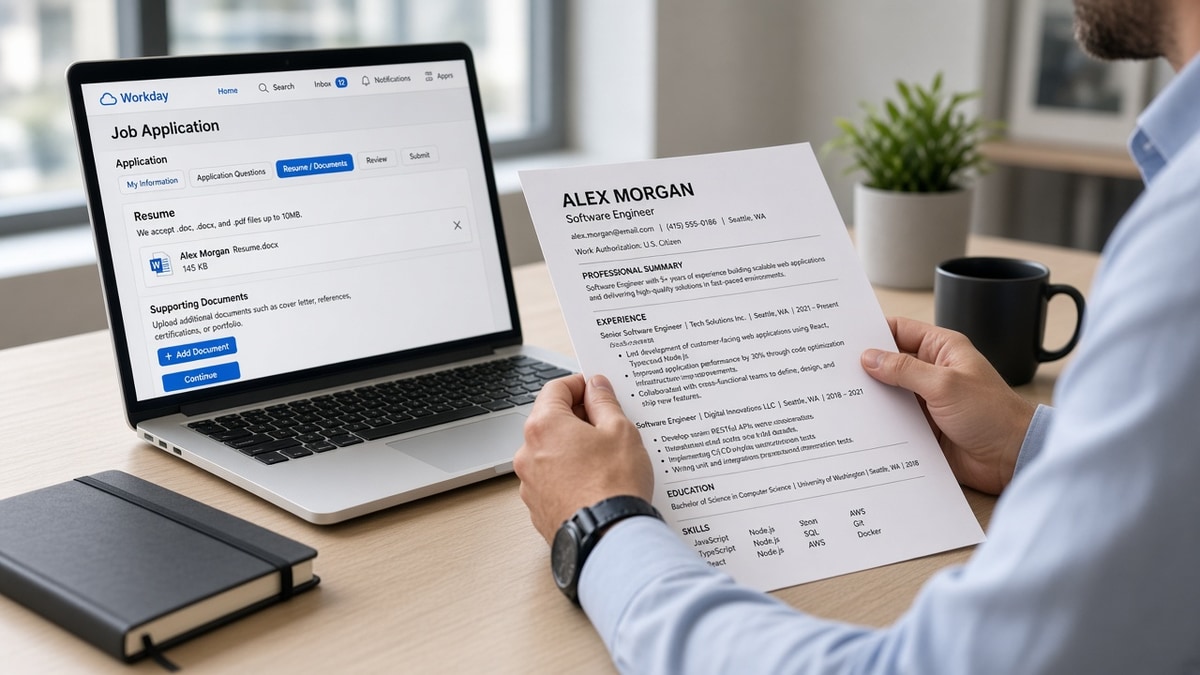
US corporate hiring still runs through posted reqs, parser uploads, and a recruiter ctrl-f pass before anyone reads bullet one. TN status is a filter question, not a skills keyword. It belongs in the same visual band as your name, city, phone, and email. Think of it as a Work Authorization field even when your template does not label one.
The line recruiters want: short, affirmative, and aligned with no sponsorship required on the application form. They are not asking you to explain NAFTA treaty history on page one. They are asking whether they can extend an offer without opening an immigration ticket.
A composite data analyst whose header still said seeking employer sponsorship for work authorization lost phone screens to a file that opened with authorized to work in the United States under TN Visa status, valid through September 2027. Same degree, same SQL bullets. The second file cleared the authorization ctrl-f in under three seconds.
Parsers in Workday, Greenhouse, Lever, Taleo, and iCIMS read contact blocks early. Multi-sentence visa essays in the summary sometimes attach to the wrong field or merge with objective text. One line in the header parses as contact metadata. A paragraph parses as summary noise.
And if you're debating whether to mention TN at all because a friend said visa words trigger auto-reject, pause. Silence often reads as needs sponsorship. A one-line TN note reads as eligible now. The failure mode is usually over-explaining, not disclosing.
Read Workday resume upload formatting fixes for US applicants when your authorization line vanishes after upload. This page stays on what to say, not portal button order.
Five steps to write US safe TN visa header wording
Work the steps in order. Changing font before you pick a header slot is how qualified TN files still look like sponsorship cases on screen.
Step 1: Pick one header slot and stay there
Choose either a labeled Work Authorization row or an unlabeled line directly under phone and email. Same 10 to 11 point Calibri or Arial as contact details. Do not duplicate the note in summary, footer, and skills.
Before: TN explanation repeated in summary, skills footnote, and a margin text box Greenhouse dropped on upload.
After: Single Work Authorization line under email in the body header; plain-text paste showed the line once, in reading order.
Step 2: Write the safe one-liner
Use plain English recruiters recognize from portal dropdowns. Authorized to work in the United States under TN Visa status without employer sponsorship covers most US corporate reqs. Add valid through Month Year when your stamp date is stable and more than six months out.
Before: Currently in the United States pursuant to NAFTA TN non-immigrant classification with renewal pending employer coordination.
After: Work Authorization: Authorized to work in the US under TN Visa status (valid through March 2027). No employer sponsorship required for TN employment.
Step 3: Mirror the portal sponsorship answer
Open the req in Workday or Greenhouse before you finalize the PDF. Read the work authorization questions. Your resume line and every dropdown answer should tell the same story. Yes, authorized now. No, not asking for new employer-sponsored status for this role.
I've screened files where the resume said no sponsorship needed while the Workday form said requires sponsorship now. That mismatch sends the profile to manual review even when Python and SQL bullets matched the req.
Before: Resume header silent; application form marked requires visa sponsorship.
After: Header line matches form: authorized to work under existing TN Visa; answered No to requires employer sponsorship on initial application.
Step 4: Export a parser-safe single-column file
Put the authorization line in the document body, not a floating text box. Export PDF from Word or a clean DOCX when the portal allows it. Two-column Canva templates often read contact details out of order. Your TN line lands under the wrong employer or disappears.
Before: Authorization inside a sidebar table; Lever parsed city and visa line as one merged field.
After: Flattened to one column; authorization on its own line between phone and LinkedIn URL; upload preview matched Word order.
Step 5: Verify with plain-text paste and a keyword pass
Paste the exported file into Notepad on Windows or TextEdit in plain text mode on Mac. Confirm the authorization line appears once, directly under contact details, before the first employer header. Then run the checker with the posting pasted in to confirm experience bullets still rank above the header noise.
Before: PDF looked perfect visually; Notepad paste moved Work Authorization below the summary block.
After: Moved the line above summary, re-exported; Notepad order matched recruiter screen order on second upload.
Copy-paste TN visa header wording block
Copy-paste this block under your phone line, then edit dates and profession title to match your stamp: "Work Authorization: Authorized to work in the United States under TN Visa status (valid through [Month Year]). No employer sponsorship required for TN employment."
Alternate one-line version for tight headers: "Authorized to work in the US under TN Visa status | No sponsorship required | Valid through [Month Year]."
Example fill for a composite software engineer: Work Authorization: Authorized to work in the United States under TN Visa status (valid through November 2027). No employer sponsorship required for TN employment.
Before and after: accountant vs mechanical engineer headers
Accountant, before: Professional summary opens with Canadian citizen seeking US opportunities under international trade agreements; TN visa renewal discussion available upon request.
Accountant, after: Work Authorization: Authorized to work in the US under TN Visa status (Management Consultant / Accountant category). Valid through June 2026. No employer sponsorship required.
Mechanical engineer, before: No visa mention; LinkedIn says open to US roles; application form left blank on authorization.
Mechanical engineer, after: Authorized to work in the United States under TN Visa status without employer sponsorship | Valid through January 2028. Form answers matched: authorized now, no new sponsorship needed.
Edge case: renewal in process within the next ninety days
Keep the resume header stable with your current valid through date if the stamp is still active. Do not write a renewal pending paragraph on the PDF. Explain timing in the application comments field or cover letter if the req asks, not in bold above your name.
Before: Header warned renewal in progress with three sentences about employer letters and border appointments.
After: Kept valid through April 2026 on the header; added one neutral cover letter sentence: TN renewal filed with current employer support, authorized to continue employment under existing status during processing.
Edge case: job title on posting does not match TN profession list wording
Your resume job title should reflect the work, not treaty category jargon, unless the req explicitly asks for TN profession alignment. Put treaty category in the Work Authorization line only when it clarifies eligibility for that role family, not inside every employer title line.
Before: Changed employer title to TN Management Consultant on a product manager resume; hiring manager thought the candidate was misrepresenting scope.
After: Kept employer title Product Manager; Work Authorization line noted TN eligible under Management Consultant category for US employment without sponsorship.
Header lines that backfire in US ATS screens
Legal NAFTA paragraphs in the summary. Parsers attach them to objective text. Recruiters skim past them and still assume sponsorship risk because the first line they see is non-immigrant status pursuant to treaty provisions.
Seeking sponsorship phrasing when TN does not need it. Words like seeking employer sponsorship or will require visa transfer read like H-1B cases. TN holders who copy H-1B templates screen themselves out.
Authorization hidden in a text box or footer. Workday uploads sometimes strip floating objects. You uploaded proof. The recruiter view shows nothing.
Conflicting answers across resume, LinkedIn, and the form. Resume says no sponsorship. Form says yes. Manual review queue even when skills match.
Duplicating the same visa note in three sections. Looks like padding. One line wins. More reads like anxiety, not clarity.
Using only Canadian address with no US authorization line. Remote-friendly reqs still ask authorization early. A Toronto address without a Work Authorization row forces recruiters to guess.
Read resume rejected by ATS: what to fix first when the file parses but authorization still holds you in review. Format and header placement fail together more often than candidates expect.
Match resume header to portal fields before upload
Run your file through the free ATS checker with the posting pasted in. Confirm experience bullets still surface first and the contact block copied in reading order. Fix column layout before you tweak visa wording again.
When you're deciding whether your header answers align with the req's authorization questions, use Score your job match against the same ad. It surfaces gaps between your visible lines and the posting without guessing which sponsorship phrases the parser missed.
Upload with aligned authorization answers
TN visa on resume works when it's one plain line in the contact band, not a treaty essay in the summary. Mirror the portal dropdown. Export single-column. Paste into Notepad before you hit submit.
Pick one req you're qualified for tonight. Add the copy-paste Work Authorization block under your phone number. Open the application form and align every sponsorship answer with that line. Run the checker once. Upload the same file you verified.
Recruiters remember candidates whose authorization question took three seconds to answer. Be that person on the page, not the person who made them dig through a summary paragraph for a yes or no.
Read more
Frequently asked questions
Use TN Visa or Authorized to work in the US under TN Visa status in plain English. Avoid NAFTA acronyms, non-immigrant legal labels, or pending renewal paragraphs in the header. One line under your phone number or inside a Work Authorization row is enough for Workday and Greenhouse parsers to capture eligibility without reading like a sponsorship request.
No when it stays one line. Parsers choke on multi-sentence visa essays, footnotes, or text boxes that sit outside the contact block. A short Work Authorization line with standard phrases like authorized to work in the United States without employer sponsorship parses cleanly and matches how US corporate portals ask the same question on page two of the application.
Add a single line directly under your email and phone in the body header, same font size as contact details. Do not bury it in the summary, skills cloud, or a footer. Recruiters ctrl-f for sponsorship and authorization in the first screen. If Greenhouse scrambled your two-column layout last upload, flatten to one column before adding the line.
Optional but helpful when the date is more than six months out. Format as valid through Month Year on the same line as TN Visa status. If renewal is in process, keep the resume line stable and explain timing in the application form or cover letter instead of a long renewal note on the PDF header.
Yes. If the portal asks authorized to work without sponsorship, your resume line and the dropdown answer should say the same thing. Conflicting answers between resume header, LinkedIn, and the ATS form are what push files into manual review even when skills match the req.