8 min read
You're not choosing between honest and polished. You're choosing whether a second click helps a tired reviewer or sends them down a rabbit hole of empty forks.
Most engineering reqs still start in Workday or Greenhouse with a one-column PDF. Parsers read contact text first. Humans may open GitHub only if the resume already shows a clear title and one proof bullet.
Check your resume for free on the export you'll upload. If your email parses and your GitHub line survives as plain text, you've cleared the mechanical half before anyone judges your commits.
Below: what each side of the screen cares about, include vs omit tradeoffs, and a copy-paste contact block you can drop in tonight. Job searching is slow enough without sending reviewers to a profile you wouldn't show a teammate.
And if you're torn, default to silence until pins match your top bullet. You can add the URL in a follow-up email after a screen; you can't unsend a bad first impression from line one.
GitHub vs your resume file: who reads what
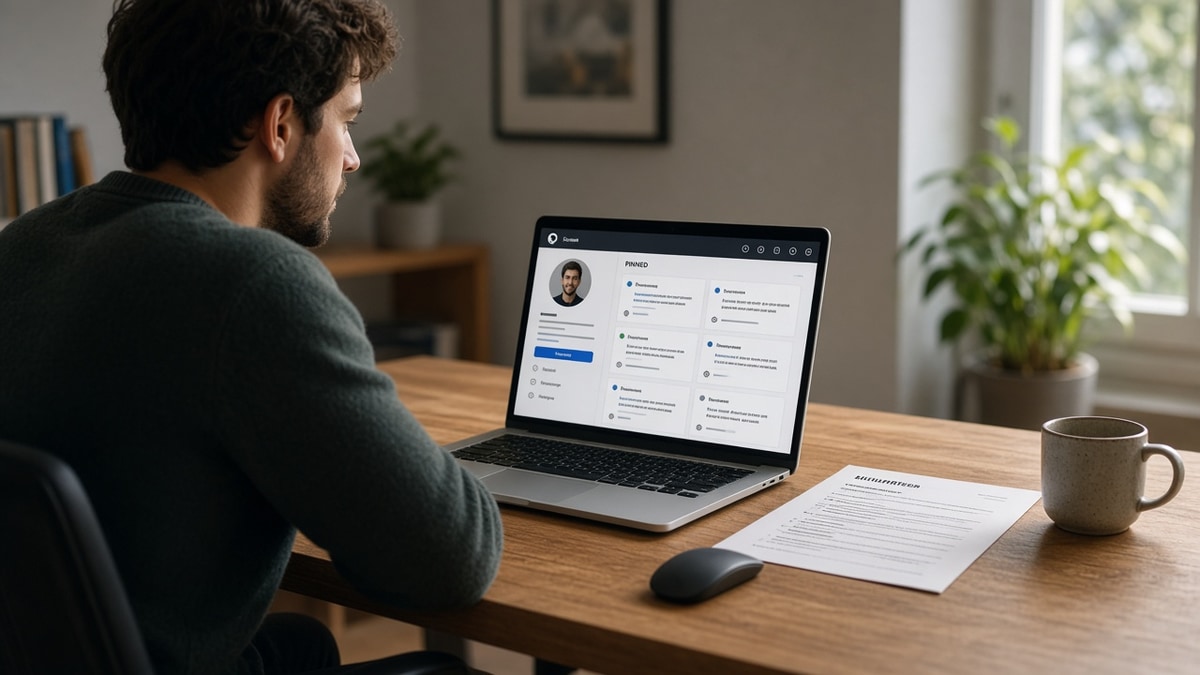
Your PDF is the contract; GitHub is optional evidence. Applicant tracking software maps employer, title, and dates from the attachment. It does not clone your repositories. A recruiter may paste your handle into a browser after the resume earns ten more seconds.
That sequence matters. If bullet one under your current role still says assisted with deployments, a flashy profile does not rescue the skim. If bullets already show shipped features, a clean pin board confirms you did the work.
| Signal | Resume PDF / DOCX | GitHub profile |
|---|---|---|
| Primary reader | Parser, then recruiter skim | Engineering interviewer, sometimes recruiter |
| What they trust first | Dated employer lines and metrics in bullet one | Pinned repos with README and recent commits |
| Failure mode | Scrambled columns, missing phone | Tutorial forks, offensive names, silence for a year |
| Best pairing | Single column, plain github.com/handle in contact | Three pins that match posting keywords in code |
I've clicked GitHub on a borderline backend resume in Greenhouse and bounced in thirty seconds because every pin was a fork with default README text while the PDF claimed ownership of a payments API. The link didn't add proof; it contradicted the bullets.
Non-technical roles rarely reward the extra click. If you're applying to customer success or technical writing, a writing sample or support metrics belong in the PDF unless the posting asks for code samples by name.
For how side projects fit the same contact row, see should you include side projects on a resume before you stack three URLs on line one.
Include the GitHub link or leave it off
When listing GitHub wins
Before: Contact line lists GitHub between icons in a two-column header table that Greenhouse flattens into gibberish.
After: One line under your name: email, phone, city, github.com/handle, portfolio URL if you have one, all plain text.
List GitHub when you're targeting software engineering, data engineering with public notebooks, or DevOps roles that expect infrastructure repos. Pins should mirror the posting: if the req shouts TypeScript and React, your top pin should not be a Python homework from 2019 unless you explain it in the summary.
Align repo names with resume bullets. If your current job bullet says Built a customer analytics pipeline in Airflow, the pin should show DAG code or a sanitized sample, not unrelated mobile games.
Write README sections like mini cover letters: problem, stack, how to run tests, and one screenshot if UI matters. Reviewers on phones scroll README before they clone. Give them a reason to stop scrolling.
Activity graphs are secondary. A spike from a hackathon weekend plus six months of nothing tells its own story. Either maintain one repo steadily or explain a career break in the resume summary instead of hoping green squares carry you.
When omitting GitHub is smarter
Before: Resume shouts expert open source contributor while pins show three untouched fork stars from a hackathon.
After: Drop the URL, keep proof in bullets, offer to share sanitized work at the phone screen.
Skip the link for product, sales, or pure project management tracks unless code samples are in the req. Skip when your handle is unprofessional and renaming would break old links you still need. Skip when every public repo is a course clone with no commit history from you.
Private employer code is normal. Recruiters do not expect a warehouse of proprietary microservices. They expect honesty plus one credible sample when the role is hands-on.
Copy-paste block: contact line with optional GitHub
Copy-paste contact row (edit placeholders)
Alex Rivera
[email protected] | (555) 555-0142 | Austin, TX
github.com/arivera-dev | arivera.dev

Experience
Software Engineer | Northwind Analytics | Jan 2022 to Present
• Shipped React dashboard for ops queues, cutting manual ticket routing after deploy validation in staging
Remove the GitHub segment entirely if pins are not ready. Keep the line short so parsers do not wrap mid-URL on page breaks.
Frontend candidates should also read how to create an ATS resume for frontend developers so UI proof lives in bullets before you send reviewers to Storybook repos.
Profile traps that waste a good resume
Pinning every tutorial repo so the grid looks busy. Reviewers open one README, see clone instructions only, and stop trusting the rest of the file.
Hiding all work behind private repos while the summary claims extensive open source history. Say what's private and show one public sample instead.
Using github.com links inside a skills table cell. Tables break reading order in several parsers; keep URLs in the header contact block.
Letting commit messages or repo titles stay jokey. Hiring managers screenshot odd names more often than candidates expect.
Updating GitHub once a year while listing daily coding in your skills block. Mismatch reads louder than an empty profile.
Duplicating the same project under five repo names to look prolific. One well-documented app beats a graveyard of v2-final-real copies.
Linking GitHub in the cover letter but omitting it on the resume without explanation. Pick one primary surface so recruiters do not hunt for mismatched handles.
Test the upload before you add GitHub
Run the same PDF through the checker you use for margin and heading fixes. Contact lines that parse cleanly keep your GitHub characters intact for humans even when the link is not clickable in the portal preview.
Paste the job description into score your job match after your bullets mention the stack your pins prove. Match score gaps tell you which repo to pin or which bullet to rewrite before you apply.
Then run the free ATS resume checker on the attachment. If structure flags are clean, add or drop GitHub based on pin quality, not guilt.
Should you put GitHub on your resume? Use this rule
Put GitHub on your resume only when you'd happily screen-share your top three pins with a stranger on the hiring team. Otherwise fix pins first or omit the URL and let bullets carry proof until you do.
- Plain github.com/handle on the contact line, not inside tables.
- Pins match posting stack and README explains how to run the project.
- Resume bullet one proves impact before anyone clicks away.
- Checker pass on the exact PDF you'll attach.
Need a letter when the portal asks for one? Generate a cover letter that mentions one repo by name, then run a free resume scan so contact text and experience stay in order.
Read more
Frequently asked questions
Yes when two or three repos show runnable projects with README files, not forked tutorials with zero commits from you. No when the profile is empty pins and a green square from two years ago. Juniors win with one strong capstone in the experience bullets and the same repo pinned, not ten half-built repos.
Place github.com/yourhandle on the same contact line as email and phone, plain text, no icon buttons. Some portals strip hyperlinks but keep characters, so write the full URL once. Do not bury the link in a skills table or footer-only field parsers skip.
Omit GitHub or add a short note in the summary that production work is private, then link one personal repo that mirrors the stack in the posting. Interviewers expect NDAs. They still want proof you can ship something outside ticket queues.
Yes. Offensive repo names, pinned homework from a bootcamp with no README, or months of silence after you claim active open source work read as carelessness. If you would not walk a hiring manager through the pins live, drop the URL until you clean or pin better work.