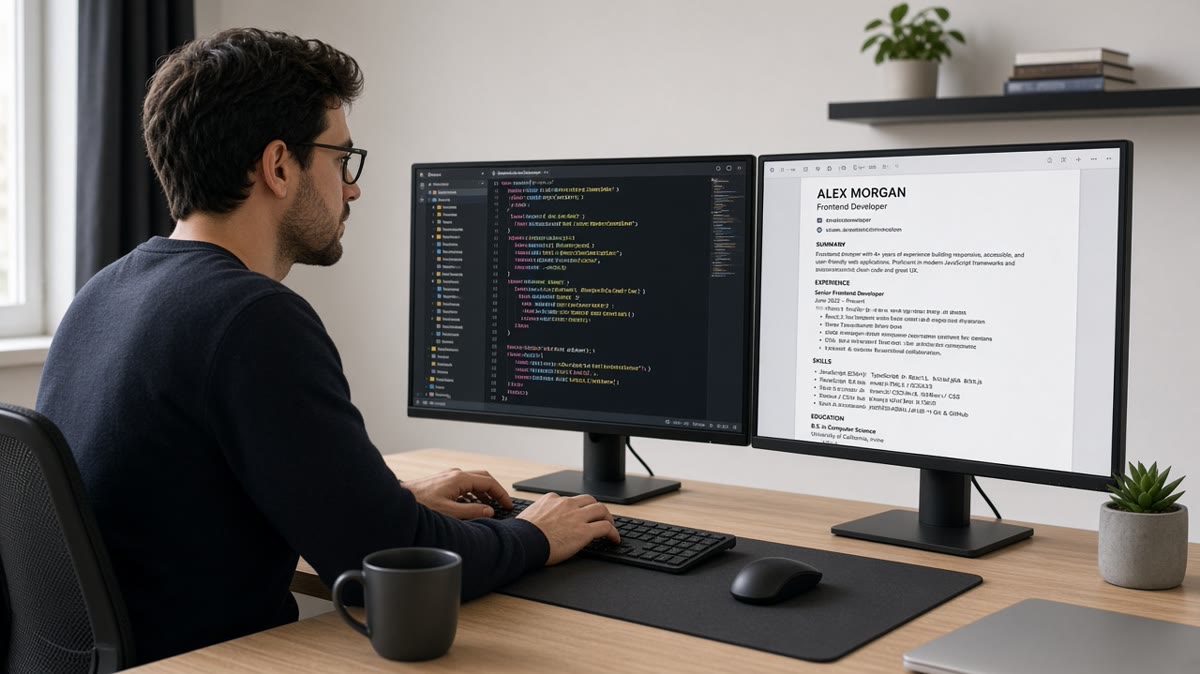
Resume Optimization Tips for Frontend Developers: Stand Out in 2026
If you're a frontend developer seeking new opportunities, crafting a resume that stands out is crucial. In today's competitive job market, a well-optimized resume can be the key to landing interviews and securing your dream job. But here's the reality: most developers are making the same mistakes that keep them from getting noticed.
Let's explore effective resume optimization strategies tailored specifically for frontend developers. These aren't generic tips—they're tactics that work for technical roles where ATS systems and human recruiters both need to be impressed.
Understanding ATS and Its Importance
Applicant Tracking Systems (ATS) are used by many companies to filter resumes before they ever reach a human. Frontend developers must ensure their resumes pass through these systems seamlessly. Here's how:
- Use Standard Formats: Stick to common file types like PDF, and avoid complex layouts that confuse parsers
- Incorporate Keywords: Integrate relevant skills and technologies that match job descriptions naturally
- Avoid Graphics and Tables: While they look nice, many ATS systems can't parse them properly
Essential Skills for Frontend Developers
Your resume should highlight both technical prowess and the ability to work effectively in a team environment. Here's what to emphasize:
Key Technical Skills
Highlight your expertise in technologies such as HTML, CSS, JavaScript, and frameworks like React or Angular. Be specific about versions and tools you've used—mentioning "React 18" or "TypeScript 5.0" shows you're current with the latest versions.
Soft Skills Matter Too
Communication, teamwork, and problem-solving are vital. Make sure these are evident on your resume through examples, not just listed as buzzwords. Show how you collaborated with designers or communicated technical concepts to non-technical stakeholders.
Structuring Your Resume for Maximum Impact
Arrange your resume to highlight your strengths in a logical flow that both ATS and humans can easily scan:
- Header: Include your name, contact information, and LinkedIn profile
- Professional Summary: A brief statement on your experience and career goals (3-5 lines)
- Experience Section: Use bullet points to detail your achievements in previous roles, focusing on impact
- Education and Certifications: Include relevant degrees and certifications, especially if they're recent
Examples of Effective Resume Bullets
The difference between a good resume bullet and a great one is specificity and impact. Here's what that looks like:
Before and After
Before: "Worked on various projects using HTML and CSS."
After: "Developed responsive web applications using HTML5 and CSS3, improving user engagement by 30% and reducing page load time by 2 seconds."
Do's and Don'ts of Resume Writing
- Do: Tailor your resume for each application by matching keywords from the job description
- Don't: Use overly complex designs that ATS can't read—keep it clean and scannable
- Do: Keep your resume to one page if you have less than 10 years of experience
- Don't: Include irrelevant personal information like age, marital status, or photos
- Do: Quantify your achievements with numbers, percentages, or timeframes
- Do: Use consistent formatting and professional fonts throughout
- Don't: Use graphics, images, or colored backgrounds that confuse ATS systems
- Do: Proofread multiple times for spelling and grammar errors
Advanced Keyword Optimization Strategies
Keyword optimization goes beyond simply listing technologies. Effective keyword usage involves understanding how ATS systems parse resumes and strategically placing terms throughout your document. Here's how to master keyword optimization for frontend developer resumes.
Primary vs. Secondary Keywords
Primary keywords are the core technologies and skills mentioned in most job descriptions—React, JavaScript, TypeScript, HTML, CSS. These should appear multiple times throughout your resume, especially in your summary and experience sections. Secondary keywords are more specific terms like "Redux," "Webpack," or "Jest" that demonstrate deeper expertise.
Balance is key: too many primary keywords look like keyword stuffing, while too many obscure secondary keywords might not match what employers are searching for. Aim for a 70/30 split—70% primary keywords, 30% secondary keywords that showcase your unique expertise.
Natural Keyword Integration
Keywords should flow naturally within your bullet points and descriptions. Instead of "React JavaScript TypeScript developer," write "Developed scalable applications using React, TypeScript, and modern JavaScript patterns." The second version reads naturally while still including keywords that ATS systems recognize.
Use action verbs combined with keywords: "Built React components," "Optimized JavaScript performance," "Implemented TypeScript type safety." This approach satisfies both ATS systems and human readers who appreciate clear, action-oriented language.
Optimizing Your Technical Skills Section
Your technical skills section is a goldmine for keyword optimization. However, many frontend developers make critical mistakes that reduce its effectiveness. Here's how to structure this section for maximum impact.
Categorizing Your Skills
Group your skills into logical categories: "Frontend Frameworks," "Languages," "Build Tools," "Testing," "Design Tools." This organization helps both ATS systems and human recruiters quickly identify your expertise. Within each category, list skills in order of proficiency or relevance to your target roles.
Example structure:
- Frontend Frameworks: React, Vue.js, Angular, Next.js
- Languages: JavaScript (ES6+), TypeScript, HTML5, CSS3
- State Management: Redux, Zustand, Context API
- Build Tools: Webpack, Vite, Parcel
- Testing: Jest, React Testing Library, Cypress
Including Version Numbers
When relevant, include version numbers for technologies you've mastered. "React 18" or "TypeScript 5.0" shows you're current with the latest versions, which many employers value. However, only include versions if you're confident in your knowledge—outdated version numbers can work against you.
Writing Achievement-Focused Bullet Points
The difference between a good resume and a great one lies in how you describe your experience. Achievement-focused bullet points demonstrate impact and value, while duty-focused bullets simply list what you did. Here's how to transform your experience descriptions.
The STAR Method for Resume Bullets
While you can't include full STAR (Situation, Task, Action, Result) stories in resume bullets, you can use this framework to craft impactful descriptions. Focus on the Action and Result components: what you did and what impact it had.
Weak bullet: "Worked on React applications."
Strong bullet: "Refactored legacy React application using hooks and context API, reducing bundle size by 30% and improving initial load time by 2 seconds."
The strong version includes the action (refactored), technologies (React, hooks, context API), and measurable results (30% reduction, 2-second improvement).
Quantifying Your Impact
Numbers make your achievements concrete and memorable. Whenever possible, include metrics: percentages, dollar amounts, timeframes, or user counts. If you don't have exact numbers, use approximations or focus on qualitative improvements.
Examples of quantified achievements:
- "Improved page load time by 40%, resulting in 25% increase in user engagement"
- "Reduced JavaScript bundle size by 200KB, cutting load time by 1.5 seconds"
- "Built reusable component library used across 15+ projects, saving 20 hours per project"
- "Optimized API calls, reducing server costs by $5,000 monthly"
ATS-Friendly Formatting Best Practices
Formatting choices that look great to human eyes can confuse ATS systems. Understanding how ATS parsers work helps you create resumes that pass technical filters while remaining visually appealing.
File Format Considerations
PDF is the preferred format for resumes because it preserves formatting across different devices and operating systems. However, ensure your PDF is text-based, not image-based. Some applicants scan their paper resumes as PDFs, creating image files that ATS systems can't parse. Always use a text-based PDF created from a word processor or resume builder.
Some job applications specifically request .docx files. In these cases, use Microsoft Word format, but be aware that formatting may shift between different versions of Word. Test your .docx file in multiple Word versions if possible.
Avoiding Formatting Pitfalls
Several formatting choices can break ATS parsing:
- Tables: ATS systems struggle with table structures. Use simple text formatting instead.
- Columns: Multi-column layouts confuse parsers. Stick to single-column layouts.
- Headers and Footers: Information in headers/footers may not be parsed correctly.
- Text Boxes: Content in text boxes is often missed by ATS systems.
- Graphics and Images: Logos, charts, or images aren't readable by ATS.
- Unusual Fonts: Stick to standard fonts like Arial, Calibri, or Times New Roman.
Staying Current with Frontend Development Trends
The frontend development landscape evolves rapidly. Technologies that were cutting-edge two years ago might be standard today, and new frameworks emerge regularly. Your resume should reflect current industry trends while accurately representing your skills.
2026 Frontend Development Trends
As of 2026, several trends dominate frontend development: server-side rendering with frameworks like Next.js, type safety with TypeScript, component-driven development, and performance optimization. If you have experience with these areas, highlight them prominently in your resume.
Emerging technologies like WebAssembly, Progressive Web Apps (PWAs), and advanced CSS features (container queries, CSS Grid) are also valuable to mention if you've worked with them. However, don't include technologies you've only read about—authenticity matters.
Balancing Trendy vs. Stable Technologies
While it's important to show you're current with trends, don't abandon proven technologies. Many companies still use established frameworks like Angular or Vue.js. Balance your resume to show both cutting-edge knowledge and experience with stable, widely-used technologies.
Common Resume Optimization Pitfalls and How to Avoid Them
Even experienced frontend developers make resume mistakes that reduce their chances of landing interviews. Here are the most common pitfalls and how to avoid them.
Pitfall 1: Keyword Stuffing
Some developers cram as many keywords as possible into their resumes, creating awkward, unnatural text. ATS systems are becoming smarter at detecting keyword stuffing, and human readers immediately recognize it. Instead, integrate keywords naturally throughout your resume, focusing on relevance over quantity.
Pitfall 2: Overlooking Soft Skills
While technical skills are crucial, soft skills like communication, teamwork, and problem-solving are equally important. However, don't just list them—demonstrate them through your experience descriptions. For example, instead of saying "strong communication skills," write "Collaborated with designers and backend developers to implement new features, translating design mockups into functional React components."
Pitfall 3: Ignoring Mobile Optimization
Many frontend developers focus on desktop experiences but forget to highlight mobile development skills. With mobile traffic exceeding desktop in many industries, mobile-first development experience is highly valuable. Mention responsive design, mobile performance optimization, and any mobile-specific frameworks you've used.
Pitfall 4: Not Customizing for Each Application
Sending the same resume to every job application is a common mistake. Each job posting emphasizes different skills and technologies. Spend 10-15 minutes customizing your resume for each application, adjusting your summary, reordering skills, and emphasizing relevant experience. This customization significantly improves your response rate.
Frequently Asked Questions About Resume Optimization
How often should I update my resume?
Update your resume every 3-6 months, or whenever you complete a significant project, learn a new technology, or achieve a measurable result. Regular updates ensure your resume stays current and you don't forget important achievements. Additionally, review and refresh your resume before each job search to incorporate the latest industry trends and keywords.
Should I include all my projects in my resume?
No—include only your most relevant and impressive projects. For frontend developers, 3-5 high-quality projects are better than 10 mediocre ones. Choose projects that demonstrate different skills (e.g., one showcasing React expertise, another demonstrating performance optimization, a third showing design skills). Quality over quantity always wins.
How do I handle employment gaps in my resume?
Employment gaps are common and not necessarily problematic. If you have a gap, consider these strategies: use years instead of months for dates (e.g., "2020-2022" instead of "March 2020 - June 2022"), include freelance or contract work, mention relevant courses or certifications completed during the gap, or focus on skills gained rather than time spent. Be prepared to discuss gaps honestly in interviews.
Is it okay to have a two-page resume?
For frontend developers with less than 10 years of experience, a one-page resume is ideal. However, if you have extensive experience, multiple significant projects, or relevant publications, a two-page resume is acceptable. The key is ensuring every line adds value. If you're using two pages, make sure the most important information (summary, recent experience, key skills) appears on the first page.
Should I include links to my portfolio or GitHub?
Absolutely—if your portfolio and GitHub showcase quality work. Include these links in your contact information section. Ensure your GitHub profile is clean, well-organized, and includes README files for your projects. Your portfolio should be live, mobile-responsive, and demonstrate your frontend development skills. However, only include links if they're current and professional—outdated or incomplete portfolios can hurt more than help.
Ready to Improve Your Resume?
Use HireFlow's free tools to check your resume, build an ATS-optimized CV, and create a compelling cover letter. Get past the filters and land more interviews.
Done for you
Turn this advice into an interview-ready resume
Professional writers rebuild your resume for ATS + recruiters — unlimited revisions, interview guarantee.