By Peter Miller · Published August 11, 2026 · Last updated: October 4, 2026
5 min read
You're not overthinking a label. You're fixing the first thing a recruiter sees when your PDF lands next to forty others. Most US corporate teams download attachments into a shared folder or forward them on email threads where only the filename shows until someone clicks. If you've ever lost track of which export you uploaded, you're not alone, and a fixed pattern fixes that too.
Resume file name best practices for US jobs aren't about tricking an ATS. Parsers read the document text. The name still decides whether your file gets opened tonight or buried under Resume(3).pdf from another candidate with the same first name. It's a small habit that reads like you've applied through corporate channels before.
Before you upload again, check your resume for free on the PDF itself. Filename hygiene takes thirty seconds and pairs with a parse-safe layout so the right file opens clean inside Workday.
Quick Wins
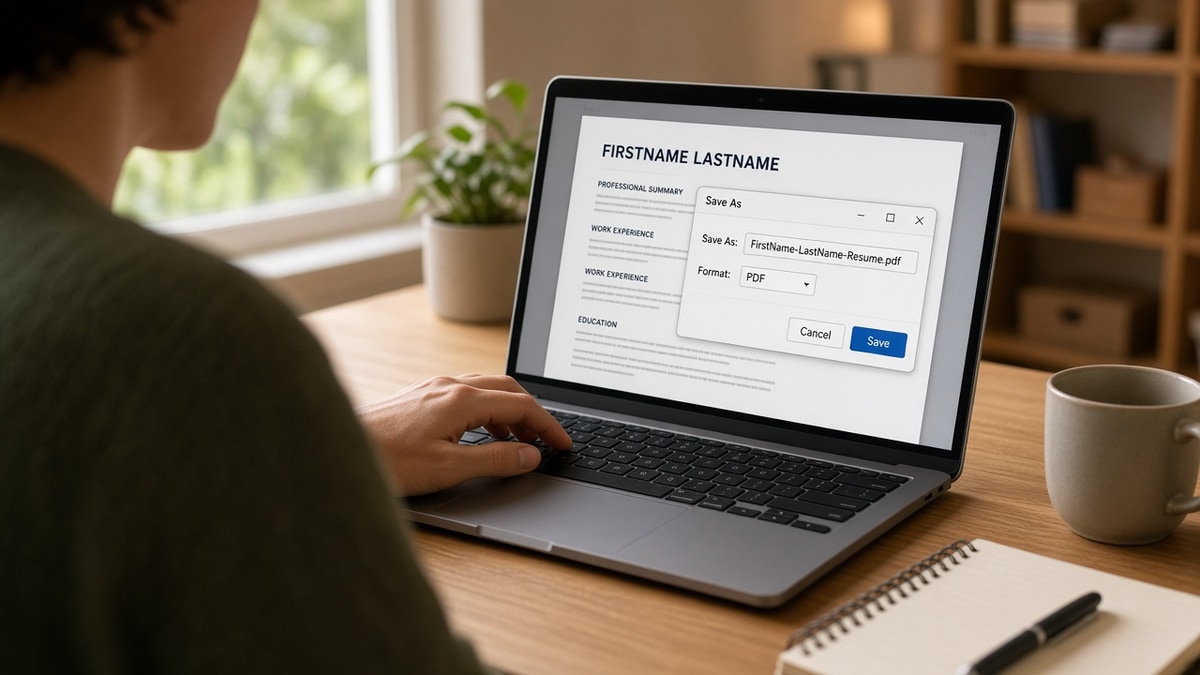
- Rename exports to FirstName-LastName-Resume.pdf before every upload.
- Drop version numbers, dates, and ALL CAPS from the string.
- Keep one master file; branch named copies only when you tailor heavily.
What resume file name best practices for US jobs actually mean
A good filename tells a stranger who you are and what the attachment is without opening it. US recruiters expect Latin characters, hyphens or underscores instead of spaces, and the word Resume in the label. They don't expect cover letters bundled into the same PDF name, and they don't want your street address in the string.
Think of the name as packaging. The interview decision still lives in bullets. But when a hiring coordinator searches their downloads for "Chen resume," you want a hit, not a file called Document1.pdf.
Pair naming with export rules from Word resume vs PDF for ATS so the attachment both looks professional and parses as text.
Pick a name pattern and stick to it
Standard corporate pattern
Before: resume final FINAL2.pdf or JohnSmith2026.docx sitting in the upload queue.
After: John-Smith-Resume.pdf exported from a single-column master, saved once, reused until you change content.
When you tailor per company
Before: Ten files named Resume.pdf in the same folder, all different versions.
After: Maria-Lopez-Resume-Northwind.pdf only for that export. Your master stays Maria-Lopez-Resume.pdf on disk so you never attach the wrong branch.
Copy-paste block: safe resume file names
FirstName-LastName-Resume.pdf
FirstName-LastName-Resume-CompanySlug.pdf   (optional, one posting)
FirstName-LastName-Product-Manager-Resume.pdf   (optional title tag)

Avoid: spaces, #, ?, emojis, Resume(1).pdf, FINAL_v7, .pages, .doc unless the portal asks
Characters and length
Stick to A-Z, a-z, 0-9, hyphens, and underscores. Accented letters sometimes break on older Windows shares. Keep the string under about sixty characters so mobile email clients don't truncate it mid-name.
Cover letter and portfolio files
Name the cover letter separately: FirstName-LastName-Cover-Letter.pdf. Never label a two-page packet Resume.pdf when page two is a letter. Recruiters forward files individually, and mixed names slow them down.
Portfolios or work samples can use FirstName-LastName-Portfolio.pdf. Keep resume naming consistent even when extra links live in the application form instead of the attachment list.
Filename mistakes that cost you a first look
I've screened enough Workday download queues to spot the pattern: strong candidates lose the open race because the attachment looks like a draft, not a finished application.
Version soup. FINAL, FINAL2, and Updated Tuesday signal you might attach the wrong file again. Recruiters hesitate before forwarding that to a hiring manager.
Generic defaults. Resume.pdf and Document1.pdf collide in every req. Your name in the label is free findability.
Wrong file type in the name. Calling it .pdf while uploading .docx creates confusion when someone searches by extension. Match the export.
For upload behavior after naming, skim Workday resume upload fixes for US applicants when the portal renames files anyway.
Name the file, then verify the body
Filename polish is step one. Run the same PDF through the free ATS resume checker so sections import in order before you attach a perfectly labeled file that still scrambles in Greenhouse.
Rename once, then stop fiddling
Resume file name best practices for US jobs boil down to one boring pattern: your name, the word Resume, a PDF extension, no drama. Spend the rest of your prep time on bullets and posting alignment.
When you need a matching letter for the same export, use the cover letter generator and name that file FirstName-LastName-Cover-Letter.pdf the same way.
Frequently asked questions
Use FirstName-LastName-Resume.pdf in plain ASCII letters. No spaces, no version numbers, no emoji. If you must disambiguate two files the same day, add the company slug once: FirstName-LastName-Resume-Acme.pdf.
Optional, and only when you export a separate file per posting. Keep the title short and spelled like the req: FirstName-LastName-Product-Manager-Resume.pdf. Do not rename your master file ten different ways and lose track of which PDF you uploaded.
Avoid them. Some portals replace spaces with underscores or percent encoding, and shared drives truncate long names. Hyphens read clean in Workday attachment lists and email threads.
Parsing reads the document body, not the filename. The name still matters because recruiters search download folders and email attachments by name before they open the file. A clear name signals you understand US hiring norms.