12 min read
You tailored bullets for an hour. The portal wants you to paste your background into a box with no formatting. Your PDF looks perfect, but the paste turns into a wall of symbols and scrambled dates. That's not a fit problem. That's a file-format problem, and it's fixable in fifteen minutes if you've got a plain-text resume backup ready.
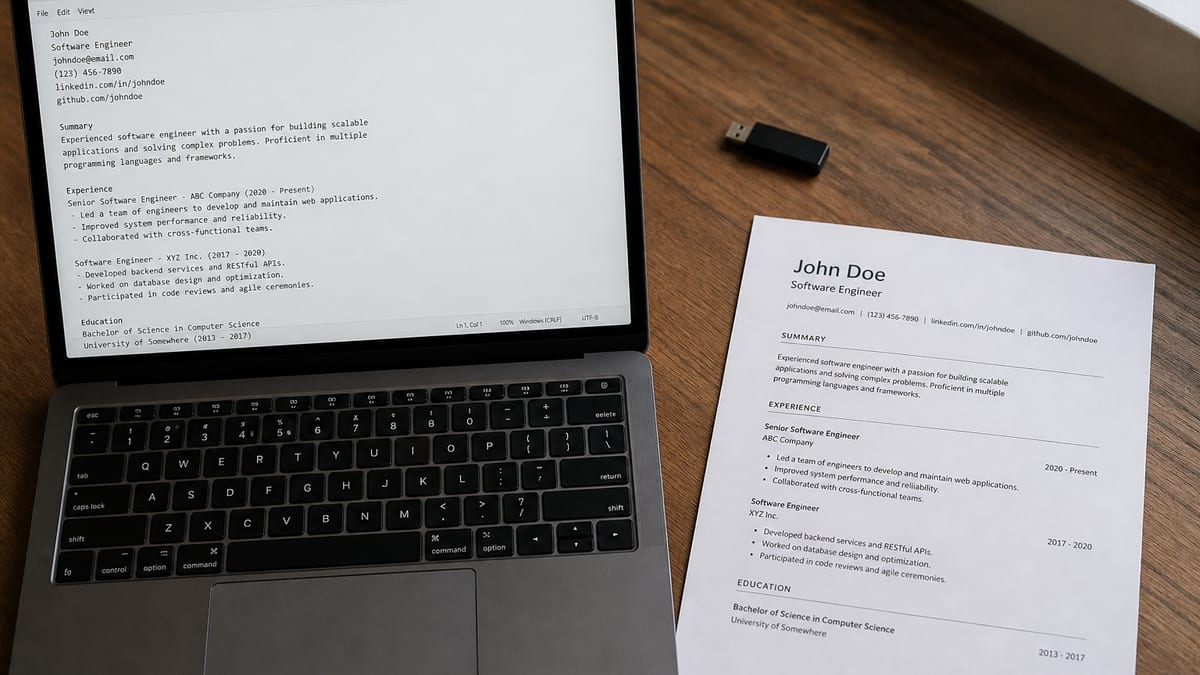
A plain-text resume backup isn't a second career story. It's the same wording as your PDF, stripped to hyphens, capitals, and line breaks that survive Taleo paste boxes, Workday fallback fields, and networking emails on a phone screen. Before you rebuild anything, check your resume for free on the posting you're targeting so the content inside both files is worth pasting.
This page walks through three reasons applications choke on formatted files, how to spot which one hit you, and the exact .txt structure recruiters can actually read when PDF isn't an option. You'll leave with a sidecar file you regenerate whenever your master resume changes, not a parallel document you'll forget to update.
Quick Wins
- Copy from your master PDF or DOCX, never draft a separate story in Notepad.
- Use hyphen bullets, blank lines between sections, and ALL-CAPS headers sparingly.
- Save as UTF-8 and paste-test into a blank field before any live application.
- Regenerate the .txt every time your primary resume changes, same day.
The symptom: paste fields eat your PDF
The upload slot accepted your file. Then the portal asked for additional information in a plain box. You copied from the PDF. Employers landed in the wrong order. Bullets became diamonds or question marks. A staffing coordinator's inbox shows the same mess when you attach a designed file to a cold intro on mobile.
Job searching is already draining without guessing whether silence means "not qualified" or "parser never got your dates." Paste failures feel invisible because nobody emails you saying your two-column layout scrambled in their Taleo instance. You diagnose from preview screens, paste tests, and whether the recruiter replies asking you to resend your background in the body of an email.
The pattern: when a system can't reliably extract text from your formatted file, it asks you to supply raw text yourself. A ready .txt mirror means you fill that box in thirty seconds instead of improvising from a Canva export at midnight.
Read how resume file type impacts screening for the upload layer on PDF versus DOCX. This page sits one step later: what to do when the portal doesn't want a file at all, or when the file upload parsed blank and the fallback is paste.
Three reasons you need a plain-text resume backup
Cause 1: Legacy portals still want pasted ASCII
Taleo, some state job boards, and older staffing databases were built around text profiles, not drag-and-drop PDFs. The flow still includes a "copy and paste your resume" box beside the upload field. Candidates who skip it leave half the profile empty. Candidates who paste straight from a designed PDF often import tabs, columns, and bullet glyphs the database can't store cleanly.
Government and healthcare contractors sometimes run hybrid flows: upload a PDF for the record, paste plain text to populate searchable fields recruiters filter on. If your paste is garbled, you exist in the system as a thumbnail without searchable employer names. You won't rank in internal searches even when the PDF on file looks fine.
Before: Pasting from a two-column PDF into a Taleo text box; dates and employers interleave on one line.
After: Single-column .txt with EXPERIENCE header, hyphen bullets, and Month Year dates on their own lines.
Fix: Build the .txt once from your master doc. When a portal shows a paste field, open that file, select all, paste, scan the preview, submit. Don't paste from the PDF viewer.
Cause 2: Parser fallback after a failed upload
Workday and Greenhouse often try to auto-populate work history from your upload. When parsing fails, you're left clicking Add Employer fifteen times while your laptop battery dies. A clean plain-text version is the clipboard source for those fields: job title on one line, company on the next, Month Year to Month Year, three hyphen bullets underneath.
Parser failure doesn't always mean your resume is bad. It can mean the export used text boxes, a header/footer layer, or a font embedding quirk. The fallback path still expects readable strings. Your .txt sidecar is the fastest way to feed those strings without retyping from memory.
Before: Workday experience section blank after PDF upload; candidate retypes bullets from memory and omits metrics.
After: Copy each role block from .txt into Workday fields in under five minutes, metrics intact.
Fix: After any upload, open the post-upload preview. If fields are empty, switch to your .txt file instead of re-exporting the PDF three times. Fix the PDF later for the next employer; populate this application now.
Cause 3: Networking and email bodies reject attachments
Referral intros, recruiter follow-ups, and alumni outreach often happen over email or LinkedIn messages on a phone. Attachments get skipped. Spam filters strip them. Busy contacts read the body first. A short plain-text summary below your signature, pulled from the same .txt file, gets read more often than a fourth attachment named resume_final_v7.pdf.
This isn't about replacing your PDF forever. It's about meeting the reader where they are. When someone says "paste your background below," you want four to eight lines that mirror your summary and current role, not a wall of Unicode bullets that render as tofu on Android.
For message framing before you paste, see how to network without feeling awkward . The .txt file supplies the content; your intro supplies the context.
Before: Cold email with only an attachment; no opens, no reply.
After: Three-line plain summary in the body, full .txt pasted below the ask, PDF offered only if they request it.
Fix: Keep a "networking slice" at the top of your .txt: name, target title, one outcome bullet, portfolio URL written out. Paste that block into emails; attach PDF only when they ask.
How to tell which cause is yours
Portal shows a dedicated paste box before or after upload: start with Cause 1. Read the label. "Paste resume text" or "Enter resume in plain text" means your .txt goes in verbatim. Upload plus paste on the same screen means both files should match in substance.
Upload succeeds but experience fields stay blank in preview: Cause 2. Open your .txt and copy role by role. If preview populates, the PDF was the problem, not your work history.
A contact asks you to "send your background in the email" or you are replying on mobile without easy attachment upload: Cause 3. Paste the networking slice first. Offer the PDF as a follow-up.
Symbols and question marks immediately after paste from PDF: often Cause 1 or 2 combined with encoding issues. Strip fancy bullets in the .txt before you paste again.
When a plain-text resume backup saves the application
Staffing portals on Friday at 5 p.m. Staff nurses applying through hospital systems that still run Taleo adjunct paste fields. Federal contractors with DOCX-only upload but plain-text screening questions. Startup founders who want your background in the body of a warm intro before they forward you to HR. Each scenario uses the same file.
Plain text forces honest writing. No bold to rescue a vague bullet. If the first eight words of a line don't carry a skill or outcome, you'll hear it when you read the .txt aloud. Fix the wording once; both PDF and paste benefit.
Copy-paste: .txt skeleton you can drop into Notepad
Start from your master resume text, not a blank file:
FIRST LAST
City, ST | phone | [email protected] | https://linkedin.com/in/you | https://portfolio.com
SUMMARY
Two lines max. Target title, years of scope, one proof point with a number inside the bullet if you have it.
EXPERIENCE
Job Title | Company Name | Month Year to Month Year
- Built weekly churn dashboards in Looker, cutting reactive tickets 11% in Q3
- Owned Zendesk queue for tier-2 escalations across 12 agents
EDUCATION
Degree, Major | School | Year
SKILLS
Comma-separated list, one line, no tables
Save as UTF-8. Filename: LastName_FirstName_resume.txt beside your PDF in the same folder.
Composite: operations analyst, Taleo paste
Before: Pasted from PDF; employer names wrapped into bullet text; recruiter search couldn't find "Logistics Co."
After: .txt with each employer on its own line, three hyphen bullets, paste preview clean in under two minutes.
Composite: registered nurse, hospital system
Before: Upload OK, Workday manual entry after parser fail; missed night-shift precepting bullet while retyping.
After: Copied role blocks from .txt; included "Precepted four orientees on a 32-bed med-surg unit" in the paste.
Composite: product marketer, referral email
Before: Attachment-only intro; hiring manager never opened the file on mobile.
After: Four-line plain summary in body, full .txt below the signature, PDF sent only when requested.
Edge case: posting asks for .txt upload specifically
Rare, but real on some contractor portals. Upload the same .txt you use for paste. Do not rename a PDF to .txt in Finder. The extension change doesn't convert the binary.
Edge case: accented characters in your name or school
Save UTF-8. If a legacy portal still corrupts accents, keep the correct spelling in your PDF upload and use the ASCII-safe spelling only in that one paste box. Note the discrepancy in a cover letter if HR might compare files.
Edge case: ultra-long resume
Some paste fields cap character count. Keep a trimmed .txt with the last ten years and three bullets per role for paste operations. Your full PDF remains the archival version for uploads that accept it.
Maintenance habit that prevents drift
Every time you change your PDF, open the source doc, export fresh text into Notepad, reapply hyphen bullets and headers, save over the old .txt. Same session, same folder. If you update the PDF on Sunday and the .txt on Wednesday, you will paste an old title into a live application. I've seen it end referral threads before a human ever opened the formatted file.
What garbled plain text shares
Pasting from the PDF viewer instead of a .txt file. The viewer adds hidden line breaks and copies columns out of order.
Keeping two versions of your story. Summary in PDF says one title; .txt still lists the old one. Recruiters notice the mismatch faster in paste because there's nowhere to hide.
Fancy bullets and em-style symbols. Stick to hyphen space. Unicode bullets become question marks in half the portals you'll touch this year.
Tabs for alignment. Tabs collapse to nothing or become spaces mid-word. Use blank lines between sections instead of trying to line up dates in columns.
Treating .txt as the primary branding file. Send PDF when upload is allowed. Reserve plain text for paste fields, fallbacks, and email bodies.
Skipping the paste preview. Scroll the box after paste. If employers read backward, fix line order in the .txt before you hit submit.
Read why your resume never reaches a human when paste and upload both look fine but you still hear nothing. That's a ranking or fit problem downstream from file format.
Validate content before you maintain two formats
A clean .txt mirror won't save weak bullets. Before you duplicate formatting work, confirm the words belong in the application. Paste the job description, run your PDF through HireFlow, and fix gaps in the experience section that actually maps to the role.
Run a free ATS resume check on the posting you care about. Then score your job match to see whether missing keywords live in bullets you can copy into both PDF and .txt in one editing pass.
When a role also needs a separate letter file, generate a cover letter as its own PDF so you don't paste letter prose into the resume text box by mistake.
Keep the sidecar, not a second career
A plain-text resume backup exists for the moments PDF isn't accepted, parsers leave fields blank, and someone asks you to paste your background in the thread. Build it once from your master doc, regenerate it whenever that doc changes, and paste from the .txt file instead of the PDF viewer.
Tonight: copy your current resume into Notepad, apply the skeleton above, save UTF-8 beside your PDF, run a paste test into a blank email draft. Tomorrow when a portal throws a paste box at you, you'll fill it in thirty seconds while other candidates are still fighting Unicode bullets.
This won't land roles you're not qualified for. It stops qualified backgrounds from dying in a scramble of symbols because you didn't have a paste-ready mirror. That's worth fifteen minutes once per resume revision.
Read more
Frequently asked questions
No. Only when instructions ask for plain text or a form only accepts pasted content. PDF or DOCX stays the default for file uploads because it preserves layout for human readers. Your plain-text resume backup is for paste boxes, legacy portals, and email bodies, not for replacing your primary file.
No, because recruiters are not meant to judge you on monospace email paste. Think of the .txt mirror as a parser-debugging and paste-ready channel. Your PDF still carries visual branding anywhere a real upload is expected.
Fancy bullet characters, tab-based columns that collapse, and Unicode symbols saved in the wrong encoding. Paste the converted text into a blank field before you rely on it in a live application. If symbols turn into question marks, strip them back to hyphens and straight quotes.
Every time you update your primary PDF or DOCX. Regenerate the .txt from the same source text instead of editing two files independently. Drift between versions causes embarrassing paste mistakes, like an old job title landing in a new application.
Yes. Write the full URL (https://yourportfolio.com) instead of hiding it behind linked display text. Most email clients and modern text fields still auto-detect bare URLs and make them clickable.