11 min read
You uploaded a polished nursing resume to a hospital system's Workday req and heard nothing back. You're not sure if you're underqualified or if the parser dropped your RN license, BLS date, and Epic charting experience before a recruiter ever filtered on them. For US healthcare employers on Workday, formatting fails before fit gets judged, and that's brutal when you've got the shifts and certs they're asking for.
I've screened clinical and admin pipelines in Workday where parsed profiles showed blank license fields and job dates scrambled out of order. Workday ATS resume optimization for US healthcare roles is mostly plain structure plus licenses, certifications, and posting keywords in sections parsers can read. It isn't keyword stuffing in a footer. It's making sure your Texas RN, ACLS, and Med-Surg experience land where both parser and recruiter can find them. Before you submit tonight, check your resume for free against the posting and confirm your license line still parses in plain text.
This guide covers common parsing fixes for RN, allied health, and healthcare admin uploads, copy-paste layout rules, license and certification placement, Before and After examples, and mistakes that drop strong candidates before human review.
Quick Wins
- Rebuild as single column with Licenses and Certifications as plain text near the top.
- Put contact info in body text, not header graphics or table cells.
- Mirror posting EMR, unit, and cert terms in Skills and Experience bullets.
How Workday ATS handles US healthcare resumes
Workday extracts text from your upload into a candidate profile recruiters search and skim. Hospital and health-system reqs often filter on license type, years of experience, unit background, EMR systems, and certifications like BLS or ACLS. If parsing drops your Licenses section into a garbled block, those filters never see you even when you're qualified on paper.
US healthcare roles on Workday include registered nurses, LPNs, CNAs, respiratory therapists, physical therapists, medical assistants, patient access staff, revenue cycle analysts, and clinic administrators. Hiring managers expect conservative layout, clear credential lines, and metric bullets where clinical work allows. Creative resume design breaks parsers more often than it helps in regulated environments.
Recruiter filter: When Workday shows me a blank RN license field and your PDF clearly lists Texas RN 123456, I assume you used a template I cannot trust. I open the PDF manually only if the req is thin. Most times I move on.
Read how to pass ATS for healthcare jobs and Workday resume parsing error when uploads fail despite strong experience. Parsing fixes here target hospital Workday pipelines specifically.
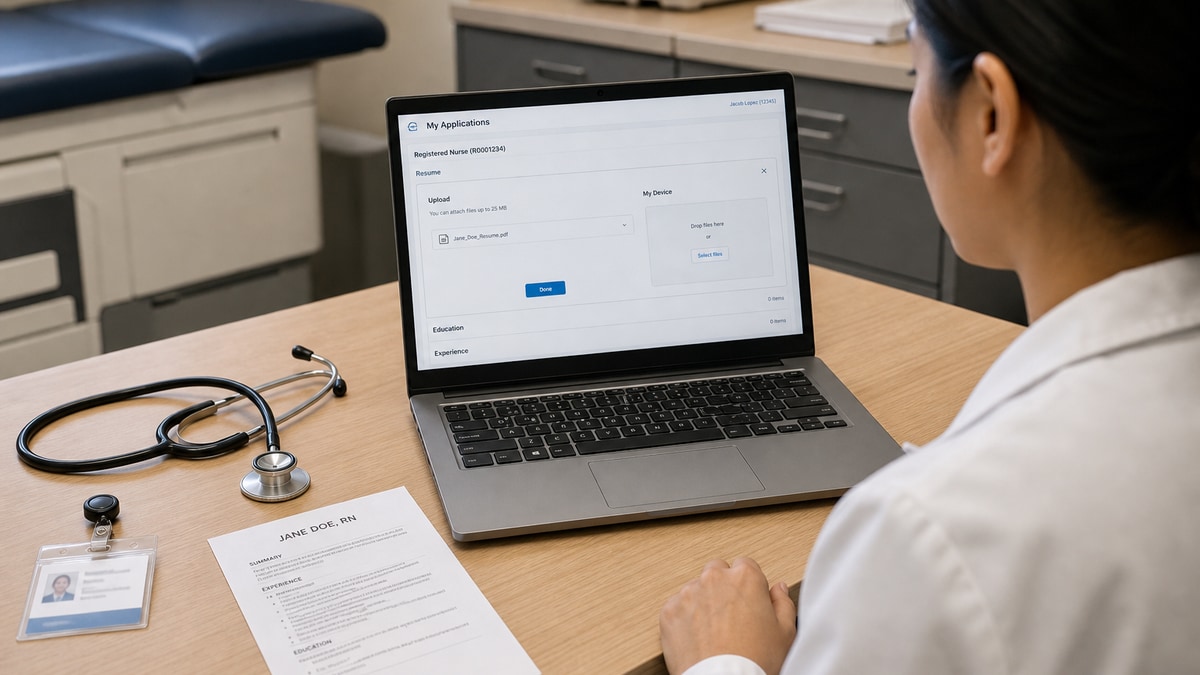
Workday also autofills application fields from your upload. When parsing drops employer names or splits job titles, you may need to manually correct Workday forms before submit. Recruiters compare parsed profile to PDF when license numbers look off. Matching lines reduce friction in credentialing later.
Healthcare reqs often include license, certification, and years-of-experience knockouts in addition to keyword search. Formatting will not fix a missing RN license when RN is required. It does fix cases where your RN is on the PDF but missing from parsed Licenses because the section sat inside a text box or sidebar column.
Workday ATS resume optimization for US healthcare roles: parsing fixes
Step 1: Switch to single-column plain layout
One column top to bottom. Calibri or Arial, 10.5 to 11 point, one-inch margins. Remove sidebar skills columns, table grids for job history, and Canva text boxes. Clinical and admin healthcare resumes need readability for humans and parsers alike.
Multi-column templates push Licenses into a narrow sidebar that Workday often reads out of order. Recruiters searching for Epic or Cerner may miss EMR tools that parsed as a jumbled line at the bottom of the profile. One column keeps certs near Experience where you prove them on the floor or in the office.
Step 2: Use standard section headers
Experience, Education, Licenses and Certifications, Skills. Optional Summary two lines max. Avoid My Journey, Clinical Highlights in fancy fonts, or Care Philosophy blocks that parsers skip. Workday maps common headers to profile fields more reliably.
Step 3: Fix contact block placement
Name, phone, email, city and state, LinkedIn URL as plain text at document top. Not inside header or footer objects, not inside icons, not inside a table cell. Match exactly what you type into Workday contact fields.
Step 4: List licenses and certifications as plain text
Dedicated section near the top for clinical roles. Example lines:
Registered Nurse (RN), Texas, License #123456, expires Dec 2027
Basic Life Support (BLS), American Heart Association, expires Mar 2026
Advanced Cardiovascular Life Support (ACLS), expires Jun 2026
Nurse Licensure Compact (NLC) multistate privilege, active
Spell out and abbreviate once. Plain text only. No logo badges, no shield icons, no certification graphics embedded in PDF. Allied health examples: RRT, CPT, OT license with state, ARRT for imaging roles when relevant.
Step 5: Standardize dates and job blocks
Job title on line one, employer and location on line two, Month Year to Month Year or Present on line three, bullets below. Use one date format throughout. Jan 2021 to Present beats mixed 01/21 and January 2021 in the same file.
Healthcare recruiters filter on years of experience pulled from parsed dates. Travel or per-diem gaps are fine when dates are clear. Hidden or scrambled dates look like gaps or inflation. Month and Year on every role keeps Workday timeline logic stable.
Step 6: Place healthcare keywords with proof
Pull tools and terms from the posting: patient care, EMR, Epic, Cerner, Med-Surg, ICU, telemetry, HIPAA, prior authorization, revenue cycle, patient access, case management, wound care, phlebotomy. Skills section: one comma line of top matches. Experience: same terms inside metric bullets.
Example metric bullets for US healthcare roles:
Managed average nurse-to-patient ratio of 1:5 on 32-bed Med-Surg unit; reduced patient fall events two quarters in a row through hourly rounding.
Documented care in Epic for 12-bed ICU; collaborated with RT and pharmacy on ventilator weaning protocols per hospital policy.
Processed 45+ prior authorizations weekly in Cerner referral module; cut denial rework from eight cases to three per week.
Read healthcare resume examples and ATS-friendly formats for section rules that parse in Workday.
Step 7: Export PDF or DOCX and test before submit
Follow posting instructions. Selectable-text PDF or DOCX both work when layout stays plain. Select all, paste into plain text editor. If order scrambles or your license line vanishes, rebuild. Upload to Workday and open parsed preview when available.
After upload, scan the Workday application summary for blank fields. Fix employer names, titles, and education lines manually when autofill misreads your file. Submit only when parsed data matches your PDF. Hospital recruiters often filter on parsed years of experience and license type before they download the attachment.
Copy-paste clinical experience block template
Registered Nurse, Med-Surg
Riverside Medical Center, Austin, TX | Mar 2021 to Present
Cared for post-operative patients on 28-bed unit; maintained 1:5 nurse-to-patient ratio per shift assignment.
Documented assessments and care plans in Epic; trained two new grads on admission workflow and medication reconciliation.
Served as charge nurse three shifts monthly; coordinated bed assignments with house supervisor during surge periods.
Copy-paste Workday healthcare upload checklist
Single column | Standard headers | Licenses and Certifications plain text top | Month Year dates consistent | No tables or icons | Skills comma line plus bullets | EMR from posting in Experience | PDF or DOCX text selectable | Posting pasted for keyword pass | Workday fields match resume contact and license
Composite example: two-column nursing template
Before: Sidebar cert badges, icons for phone, jobs listed in table cells, BLS expiry only in a graphic shield.
After: Single column, Licenses and Certifications as plain lines, jobs as title, employer, date, bullets, plain email and phone at top.
Composite example: allied health dates scrambled
Before: 03/19 to current, Jan 2017-Dec 2018, Present alone with no start month on RT role.
After: Mar 2019 to Present, Jan 2017 to Dec 2018, one format throughout every assignment.
Composite example: EMR only in graphic skills chart
Before: Epic and Cerner shown as icon bars in sidebar, not in Experience bullets.
After: Skills: Epic, Cerner, patient triage, HIPAA compliance. Bullets cite Epic charting and Cerner orders with patient volume or unit context.
Edge case: compact or multistate RN license
List home state license with number and expiration. Add NLC or compact multistate line when active. If posting lists multiple states, mirror acceptable states in Licenses section and application fields. Do not bury compact status in Summary paragraph only.
Edge case: travel or contract clinical roles
Group assignments under one agency header with date range when possible. List facility type and unit without breaching contract terms. Workday still needs parseable employer blocks, not twenty one-line gigs in a table grid that scrambles chronology.
Edge case: healthcare admin without clinical license
Lead with relevant systems and scope: patient scheduling, revenue cycle, HIPAA training, Epic cadence modules. Certifications section holds CHAA, CPC, or SHRM when applicable. Keywords from posting still need proof in bullets parsers can read, not only in Summary.
Edge case: new grad RN or career change into allied health
Lead with clinical rotations, preceptorship hours, and license exam status. Compress unrelated jobs to one line. Posting unit terms still need proof in bullets, even when experience is mostly school-based clinicals.
Edge case: expired cert on PDF but renewed
Update BLS and ACLS expiration dates before upload. Recruiters filter on parsed cert fields when reqs include current BLS as knockout. Old PDF with expired date costs interviews even when you renewed last week.
Workday healthcare resume formatting mistakes
Tables for job history or skills. Common parser failure in hospital Workday reqs.
Headers and footers with contact info. Often stripped on upload.
Scanned PDF of a printed resume. No selectable text means no reliable parse.
License and cert badge graphics only. Workday reads plain text. Image badges do not populate license fields.
Keyword lists without patient context. Healthcare recruiters expect unit type, patient load, EMR, and outcomes where you can share them.
Creative section names. Use Experience, not Clinical Journey Archive.
Mismatch between Workday application and resume. License state, titles, and employer names must align.
Uploading cover letter into resume field. Breaks autofill. Keep files separate.
Special characters in bullets. Stick to standard hyphens or round bullets. Fancy symbols reorder in plain text paste tests.
Hiding employment gaps with formatting tricks. Tables and columns that obscure dates fail parsing and raise recruiter questions anyway.
Verify Workday-ready healthcare resumes before upload
Paste posting and resume into HireFlow's free ATS resume checker to catch missing healthcare keywords and format risks.
Use job match score on hospital and health-system reqs before you spend time tailoring a Workday upload.
Build a plain base file in the free resume builder, then tailor keywords per posting without reintroducing tables.
When the req asks for a cover letter, keep formatting equally plain. The cover letter generator drafts text you can paste into Workday letter fields without text boxes.
Tailor each healthcare upload to the posting. ICU, Med-Surg, and clinic admin reqs share EMR terms but emphasize different outcomes. One plain base resume plus posting-specific Skills and bullet edits beats one decorative file sent to every hospital portal.
Plain clinical proof beats pretty templates in Workday
Workday ATS resume optimization for US healthcare roles comes down to plain single-column structure, standard headers, licenses and certifications as readable text, consistent dates, healthcare keywords with context in Experience, and a paste test before upload. Design that breaks parsing hides RN licenses and EMR experience from recruiters who never open your PDF manually. Fixing format first often beats rewriting bullets you already have.
- Run the copy-paste checklist before every hospital or clinic req.
- Mirror posting EMR, unit, and cert terms in Skills and bullets.
- Fix parse errors before you apply again to the same health system.
- Confirm Workday autofill matches your PDF license line before final submit.
Open your healthcare resume tonight, paste it into plain text, and run the free resume check against the Workday posting before you upload. If your license line vanishes on paste, rebuild once in the free builder, then tailor keywords for that req only.
Read more
Frequently asked questions
Large hospital systems and insurers use it to parse, search, and filter candidates. Formatting errors hide qualified files before credential review.
Single column, standard headers, plain contact, Month Year dates, metric bullets, selectable PDF or DOCX.
Follow posting instructions. Both work when text is selectable and layout stays plain.
Dedicated Licenses and Certifications section as plain text with state, number when allowed, and expiration dates. Repeat key certs in Experience with context.
Remove tables and columns, fix headers and dates, re-export plain PDF or DOCX, re-upload and check parsed preview.
Two pages is normal for experienced RNs and allied health staff when page two adds relevant unit scope. Plain formatting matters more than page count. Keep both pages single column with the same header and date rules throughout.