12 min read
You clicked Easy Apply forty times last Sunday. You got two viewed receipts and zero callbacks because you sent the same generic PDF while the posting screamed Salesforce, B2B SaaS, and quota attainment.
LinkedIn Easy Apply resume tips that work best are not about speed alone. They are about uploading a parser-safe, keyword-aligned file in under two minutes per role while your profile headline and dates tell the same story.
Before your next batch, check your resume for free against one posting you actually want. I've screened Easy Apply floods where the winner had a boring one-column PDF and bullet one matched the req. Flashy profiles with mismatched attachments lost.
You don't need to quit Easy Apply. You need a repeatable tailoring loop that survives export into corporate ATS. We'll build that tonight.
LinkedIn also surfaces Premium applicants and mutual connections to recruiters. You cannot control those signals. You can control whether your PDF tells the same story as your profile when someone clicks through after a bulk Easy Apply export.
Quick Wins
- Open one Easy Apply posting and highlight every must-have tool and title phrase in requirements.
- Rewrite your current role's first bullet to include the top missing keyword with a metric you can defend.
- Paste your PDF into Notepad, then run the free checker with the posting before you click Easy Apply.
What LinkedIn Easy Apply resume tips that work best actually mean
LinkedIn Easy Apply is a one-click application flow. Employers still receive a resume file, profile data, and sometimes screening answers. Many companies pipe those files into applicant tracking systems that parse employment history, skills, and education the same way portal uploads do.
Tips that work best focus on three layers: a tailored PDF with posting keywords in dated bullets, a LinkedIn profile that matches the attachment on titles and dates, and a file format parsers can read without scrambling your timeline.
Easy Apply increases volume for recruiters. That means filters run earlier and keyword alignment matters more, not less. A profile full of endorsements does not replace a bullet that names HubSpot, patient census, or Python with scale.
This guide is not permission to spam applications. It is how serious candidates use Easy Apply as one channel while keeping quality high enough to survive ATS export and human skim.
Some roles show Easy Apply but still require a separate careers site submission. Read the fine print. When both exist, tailor once and upload the same named PDF everywhere to avoid version drift.
Mobile Easy Apply tempts you to skip tailoring. Build a desktop ritual: posting open on one screen, master resume on the other, fifteen-minute edit, then apply. Quality per click beats raw volume when hundreds compete per req.
Recruiters who source on LinkedIn still compare your attachment to InMail history and mutual connections. When your PDF says Senior Analyst but your profile still shows Analyst from two years ago without dates updated, trust drops before keyword scoring runs.
Easy Apply also sends notification emails to hiring teams in bulk. Subject lines often include your current title from the parsed file. A scrambled title from a broken template becomes your first impression in someone's inbox.
Treat each Easy Apply as a dual upload: human skim on LinkedIn plus machine parse on export. Both channels need the same headline, dates, and bullet one proof.
Easy Apply rule: tailored PDF plus aligned profile beats profile-only applies when employers export to corporate ATS.
Step-by-step: LinkedIn Easy Apply resume tips that work best
Step 1: Treat Easy Apply like a mini ATS upload, not a like button
Read the full job description before you upload. Mark must-have tools, certifications, and title family words. Easy Apply feels casual. Hiring teams do not screen casually.
Note whether the employer lists Greenhouse, Workday, or email apply elsewhere. Many LinkedIn jobs sync to external ATS. Your PDF should already be parser-safe before the click.
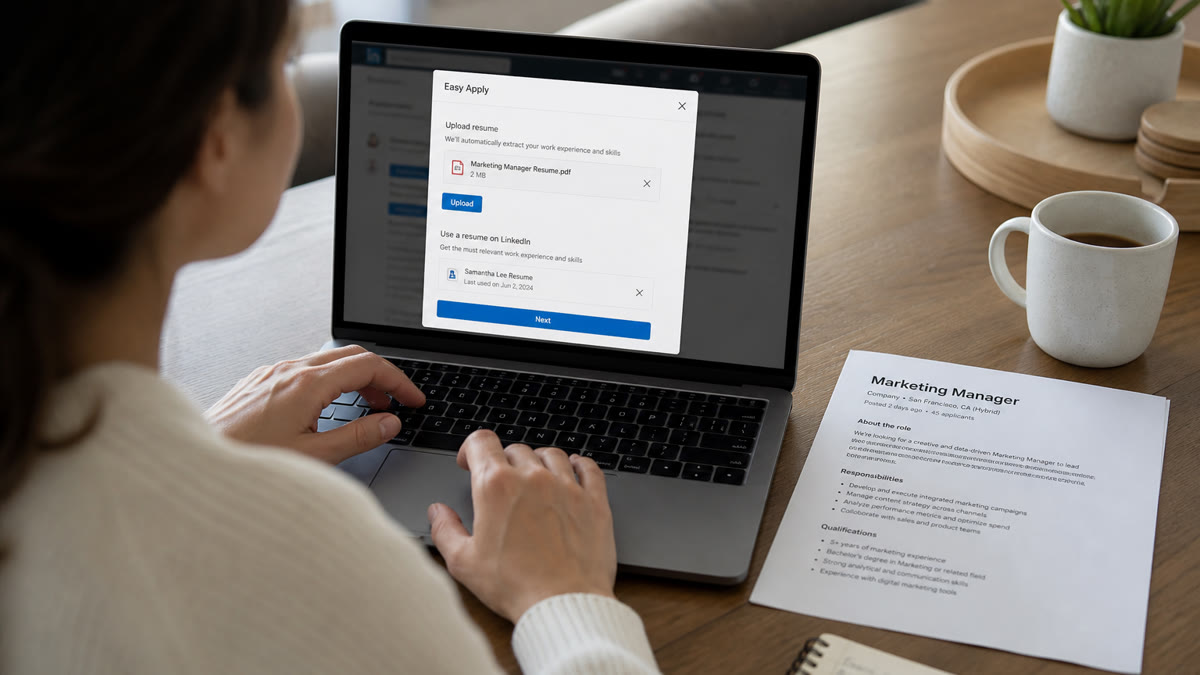
Edge case: Easy Apply sometimes pre-fills from your default LinkedIn resume. Replace it with a tailored PDF per posting family. Default files age fast and miss new keywords from the req.
Keep a spreadsheet column for Easy Apply versus external portal. Some candidates need two submissions for one job. Track both so you do not attach the wrong version.
Step 2: Tailor bullet one to the posting before every upload
Recruiters and parsers weight recent experience heavily. Your first bullet under the current title should mirror the posting's primary need.
Before: Managed client relationships and delivered results.
After: Managed 42 B2B SaaS accounts ($1.8M ARR), cut churn 11% via quarterly business reviews and HubSpot playbooks.
Before: Supported nursing staff on the floor.
After: Staff RN on 28-bed med-surg unit; averaged 5:1 patient ratio while maintaining 98% medication administration accuracy per Joint Commission audits.
Before: Built software features.
After: Shipped React and TypeScript features for payments API used by 120K monthly active users, reducing checkout errors 14%.
Each rewrite names tools, scale, and outcome. Easy Apply volume does not excuse vague lines.
Swap only the top three bullets and Skills order when you batch similar roles. Save files as Firstname_Lastname_Company_Role.pdf so you know what went out.
Step 3: Align LinkedIn profile fields with your PDF
Mismatched dates between profile and resume trigger recruiter doubt fast. Open both side by side. Titles, employers, and month-year ranges should match.
Update your headline to reflect the target family: *Senior Account Executive | B2B SaaS | HubSpot* beats *Open to opportunities*. About section can repeat one metric from bullet one.
Featured section: pin a case study or certification. Recruiters click through after Easy Apply. Empty Featured wastes a second impression.
Profile check: If your PDF says Project Manager but your headline still says Coordinator, fix the headline before you apply to PM reqs.
Turn off Open to Work broadcast if you are employed and confidential. You can still use Easy Apply with recruiters-only visibility.
Skills section should echo tools in your PDF Skills row. Do not list forty skills. Keep twelve to eighteen honest tools recruiters can verify on a call.
Step 4: Export a parser-safe PDF every time
Use a single-column layout with standard headings: Experience, Education, Skills. Month-year dates on every role. No text boxes, icons, or skill bars.
Paste-test: open the PDF, select all, copy into Notepad. If your latest job appears last or dates vanish, fix layout before Easy Apply.
Before: Two-column Canva resume with skill graphics.
After: Word or Google Docs export, 10.5pt Arial, left-aligned bullets, plain Skills list.
File size under 2MB. Text-based PDF, not a scanned photo of a printed resume.
Read why LinkedIn Easy Apply gets fewer responses when you wonder why volume alone is not working. Format fixes often come before keyword work.
Step 5: Answer screening questions with resume-consistent keywords
Easy Apply often adds knockout questions: years of experience, work authorization, salary, tool proficiency. Answer honestly and align language with your PDF.
If you claim five years of Salesforce in a dropdown, bullet one should mention Salesforce with dates that support the claim. Contradictions fail human review even when ATS passes you.
Salary questions: research ranges before you click. Absurd numbers auto-filter at some employers. Use band midpoints when required fields force a number.
Keep short text answers tight. Copy reusable blocks for common questions (work authorization, remote preference, notice period) but customize tool questions per posting.
Edge case: Optional cover letter fields reward two sentences that name the req ID and one metric from bullet one. Use cover letter generator drafts when employers allow attachments.
Step 6: Score match and track versions before you batch apply
Run job match score with the posting pasted in. Fix the first missing must-have or parsing warning, not all ten gaps at once.
Log company, req title, file version, and date in a spreadsheet. Easy Apply amnesia is real when you send thirty files in one session.
Cap quality applies at ten to fifteen per day. Identical PDFs across unrelated industries lower match scores and recruiter trust.
Read 10-minute resume tailoring method when you need a faster loop for similar postings.
Pair Easy Apply with follow-up networking on hiring managers when policy allows. Resume quality gets you parsed. Conversations still accelerate interviews in competitive reqs.
Batch ritual: Monday map three posting families. Tuesday tailor three PDFs. Wednesday run match checks. Thursday Easy Apply ten quality roles. Friday log replies and refresh bullet one on silent reqs. Rhythm prevents burnout better than fifty Sunday clicks.
When recruiters message you after Easy Apply, respond with the same file version you logged. Sending a surprise rewrite with new metrics mid-thread erodes credibility faster than a slow reply.
Edge case: Easy Apply with no job description visible
Some listings hide full descriptions behind Easy Apply. Open the company's careers page when possible. Search the req title on the employer site for the complete posting before you tailor.
If only a short blurb exists, mirror visible keywords and keep your master file parser-safe. Skip roles with zero detail unless you have inside context.
When LinkedIn shows Promoted heavily, competition is higher. Extra tailoring on bullet one is worth the minutes.
Copy-paste block: Easy Apply pre-flight checklist
Before Submit: Posting highlighted | Bullet one tailored | PDF paste-test passed | Profile dates match | File named Firstname_Lastname_Company.pdf | Match check run
After Submit: Log row in tracker | Set calendar reminder for one polite follow-up in seven days if contact exists
Run free ATS check once more if you changed templates this week. Export settings drift between Word, Docs, and PDF printers.
Sunday batch trap: Candidates often Easy Apply dozens of roles in one session without logging versions. By Monday they cannot remember which PDF went to which company. One column in your tracker prevents embarrassing follow-ups with the wrong file attached.
Common mistakes
Using one generic PDF for every Easy Apply. Volume without keyword alignment dies in ATS export and recruiter skim.
Profile-only applies when upload is optional. Attachments carry dated bullets parsers need. Profiles alone hide metrics.
Two-column or graphic resumes. Paste-test failures scramble dates before keywords even matter.
Ignoring screening question consistency. Dropdown claims must match Experience bullets and dates.
Default LinkedIn resume never updated. Stale default files auto-attach when you rush mobile applies.
Skipping match check because Easy Apply feels casual. Employers still parse files like any other portal upload.
Check your Easy Apply resume before you click Submit
Upload your tailored PDF to HireFlow's free ATS resume checker with the LinkedIn job description pasted in. Fix parsing warnings first, then missing must-have keywords.
Use job match score when the posting is long or mixes technical and soft requirements. One fix per apply session keeps Easy Apply sustainable.
Draft optional cover letters with the free cover letter generator when employers allow attachments. Keep tool names identical across letter and resume.
Read resume parsing explained before you batch Easy Apply on mobile without a paste test.
When silence repeats across ten tailored applies, compare highlight lists. You may be targeting a title family where your honest history needs a bridge bullet: contract label, project dates, or certification row recruiters expect before they call.
Save InMail and recruiter reply snippets that mention missing skills. Those phrases belong in your next bullet one rewrite. Recruiter language is free keyword research you can act on within the hour.
Make LinkedIn Easy Apply work with tailored resumes
LinkedIn Easy Apply resume tips that work best come down to parser-safe PDFs, bullet one aligned to each posting, and profile fields that match your attachment.
- Highlight must-haves from one live posting before you edit.
- Rewrite bullet one with tools, scale, and metrics you can defend.
- Run a free match check, then log the file version you uploaded.
Pick one LinkedIn role you want, run the free resume check, tailor bullet one to the posting, align your headline, and save a named PDF before Easy Apply. That is how clicks turn into screens instead of silence.
Read more
Frequently asked questions
Many employers export Easy Apply submissions into Greenhouse, Workday, or Lever. Your PDF still gets parsed. A tailored, single-column file with standard headings survives better than a profile-only apply.
Upload a tailored PDF every time. Profiles help discovery, but recruiters and parsers often work from the attachment. Keep headline, dates, and titles aligned between both.
Use a text-based PDF exported from Word or Google Docs. Avoid Canva graphics, scanned images, and two-column templates that scramble dates in Notepad paste tests.
Fifteen focused minutes per posting family beats fifty generic clicks. Swap the top three bullets and Skills order to mirror must-have keywords from the job description.
Yes. Paste the job description into HireFlow's free checker with your PDF. Fix parsing warnings and missing must-have terms before you hit Easy Apply.