11 min read
You uploaded a polished clinical resume to a hospital Lever req and the preview shows your name, maybe a phone number, and nothing else. You're licensed. You've staffed med-surg and step-down units. The file isn't weak. The parser didn't read the layout you designed for human eyes. That's the gap most nurses and allied staff hit before anyone opens bullet one.
Check your resume for free with the posting pasted in after you fix export order, not before you re-upload the same Canva file. Lever ATS resume checker parsing issues US healthcare applicants see usually trace to license lines in sidebars, certification tables, or travel contracts stacked like one employer. You don't need a new template marketplace subscription. You need a boring single-column file recruiters can search.
Below: six steps, two edge cases, where clinical files break, copy-paste blocks, and what to change tonight. Job searching in healthcare is already draining. This won't guarantee an interview. It stops a qualified license from sitting in an empty Lever field while the PDF thumbnail looks perfect.
Quick Wins
- Open Lever parsed preview before you answer license and shift knockout questions.
- Move RN license number and state into plain text under a Licenses heading in the main column.
- Export single-column PDF from Word; paste into Notepad and confirm hospitals read top to bottom.
- Stack each travel or per-diem facility as its own employer line with Month Year dates.
What Lever does when a healthcare resume lands
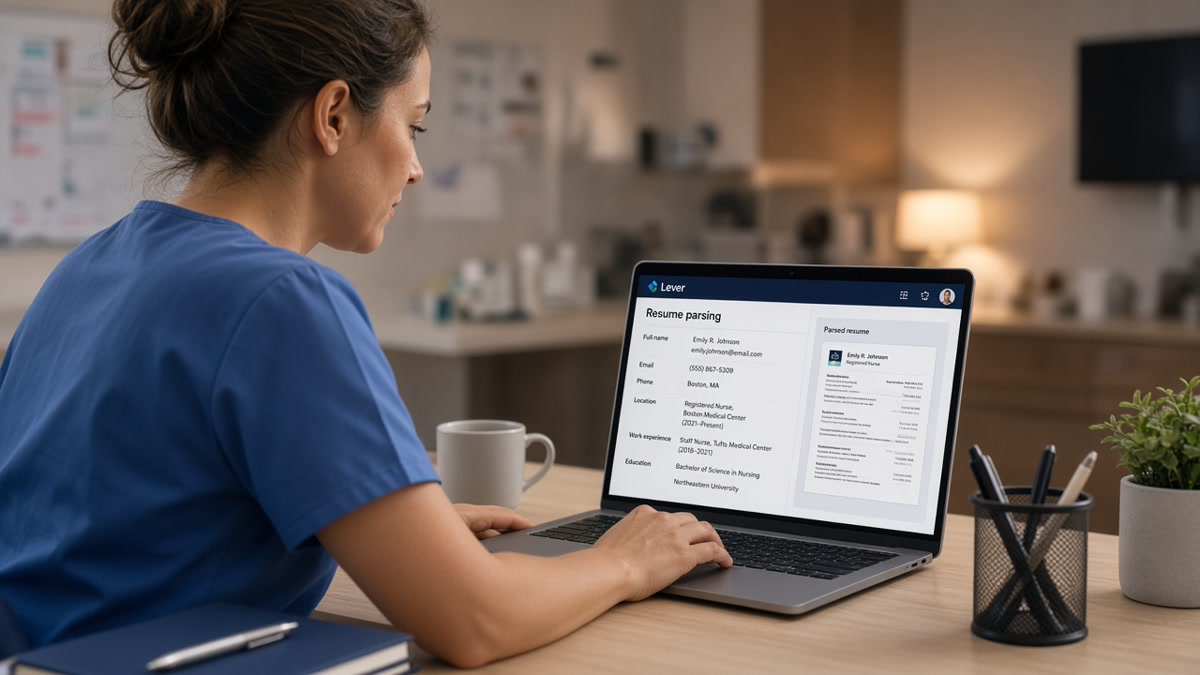
Lever stores your attachment and runs an import pass that tries to map employer, title, dates, education, licenses, and skills into searchable fields. Hospital recruiters filter on those rows. They do not ctrl-f the PDF thumbnail during a 200-applicant surge. Upload success only means the file reached the server. Parse success means your current unit, license state, and bullet one show where keyword searches expect them.
Two failures hide behind the same green checkmark. A hard rejection never creates a profile row. A soft failure creates a row with empty Experience or Licenses while the attachment icon looks fine. Clinical candidates often chase browser tricks when they actually have a two-column resume builder export the importer reads out of order.
US health systems, clinic groups, and digital health startups run Lever beside Greenhouse and Workday on corporate side roles. Nursing and allied reqs use the same attach-and-preview flow. The fixes below target what breaks on that attach step for licenses, certifications, unit types, and contract chronology.
Edge case: the posting asks for a compact multistate license you do not hold yet. List your active state license with honest expiration. Note pending compact status in a cover letter or optional field. Do not invent a compact line in the resume body where parsers treat it as current credential.
Edge case: you're a new grad with clinical rotations but no paid staff role yet. Put rotations under Experience with honest labels like Student Nurse Clinical Rotation and the facility name. Do not rename them as staff nurse titles. Parsers and recruiters both punish title inflation once they open the transcript or verify license status.
A composite med-surg nurse kept failing Lever license filters until she moved California RN 1234567 and BLS expiration out of a Word text box and into a plain Licenses block. Experience populated on the second upload. Same bullets. Same years. Different field map.
Read how to preview your resume like an ATS in the US when you want a parse check outside the employer portal. Same logic, less pressure while the req timer runs.
Lever ATS resume checker parsing issues US healthcare: six steps
Work the steps in order. Read Lever preview before you rewrite bullets. Fix layout before you add a fourth certification icon. Proof clinical scope last so Epic and unit type sit under the hospital line parsers already mapped.
Step 1: Open Lever preview and note empty fields
Upload your current file once. Compare parsed Experience, Licenses, Education, and Skills against what you see in the PDF. If Licenses is blank but your badge number sits in a sidebar, you have a layout problem. If Experience shows only your oldest job, dates or tables are splitting rows.
Before: Lever preview shows contact line and Skills cloud; Licenses and current hospital fields empty.
After: Preview lists Memorial Medical Center | Registered Nurse | Mar 2023 to Present with California RN license row populated.
Step 2: Rebuild as single-column plain text
Strip sidebar Skills rails, colored headers, and certification tables. Use Experience, Licenses, Education, Skills as standard headings in the main column. Set 10 to 11 point Calibri or Arial. Put email and phone in the body, not the Word header the importer skips.
Before: Two-column resume builder PDF; Notepad paste shows BLS and ACLS before employer names.
After: One-column Word export; Notepad reads name, contact, Experience, Licenses, Education in order.
Step 3: Place license and certification lines where parsers read
Create a Licenses heading in body text. List state, license number, expiration, and compact status if applicable on plain lines. Spell out Registered Nurse (RN) once at the top, then use RN in bullets. Put BLS and ACLS with Month Year expiration on separate lines, not inside a graphic badge row.
Before: License number trapped in a footer table; Lever license search returns no match.
After: Licenses block reads Texas RN 987654 | Exp Apr 2027 | BLS Exp Jun 2026 | ACLS Exp Jun 2026 in plain text.
Step 4: Fix dates and employer lines for travel and per-diem work
Stack each facility as its own employer row. Write Travel Registered Nurse or Per Diem Registered Nurse in the title when that was the engagement. Use March 2023 to August 2023 on the same line as the hospital name. Mixed 03/23 and March 2023 on one page makes end dates attach to the wrong contract.
Before: Three hospitals merged under Agency Staffing with one date range; Lever maps all shifts to the oldest employer.
After: Three lines: County Hospital | Travel RN | Jan 2024 to Mar 2024; Valley Clinic | Per Diem RN | Apr 2024 to Present; each with four bullets.
Read how to stop ATS from misreading dates in the US when date scramble is your main preview problem on contract-heavy files.
Step 5: Prove clinical tools inside dated bullets
Name Epic, Cerner, or med-surg scope inside Experience bullets tied to the hospital where you used them. Bullet one under your current role should state unit type, typical patient load illustration, and one outcome line recruiters can defend. Skills echoes tools only after bullets prove them.
Before: Skills lists Epic, Cerner, ventilator management, wound care with no unit context in Experience.
After: Bullet under current hospital: Staffed 32-bed med-surg unit in Epic; precepted four orientees; reduced fall events on assigned pod through hourly rounding protocol.
Step 6: Export, run Notepad paste, re-upload once
Save text-based PDF from Word or Google Docs. Paste the full export into Notepad. If license lines appear after Skills or employers read backward, fix the source file. Re-upload once. Open Lever preview again before you submit knockout answers about shift preference and license state.
Before: Third upload of the same design-tool PDF; preview still drops last two bullets.
After: Word export at 380 KB; preview shows five bullets under current employer with intact Month Year dates.
Copy-paste Lever-safe clinical header
[Full Name], RN (or PT, OT, RT as licensed)
[City, ST] · [phone] · [email]
Licenses
[State] RN [number] | Exp [Mon YYYY] | BLS Exp [Mon YYYY] | ACLS Exp [Mon YYYY]
Experience
[Hospital Name] | [Unit type] Registered Nurse | [Mon YYYY] to [Mon YYYY or Present]
• [EHR name] · [unit scope illustration] · [outcome or process bullet]
• [Second bullet with preceptor or quality example]
Education
[Degree], [School], [Mon YYYY]
Skills
[EHR and clinical tools already named in bullets above]
Clinical habits that keep Lever parsing broken
Re-uploading the same PDF after every blank preview. If Licenses stayed empty, the layout is the problem. A tenth upload does not rewrite the parser.
Trusting the attachment icon over parsed fields. Recruiters search license state and current employer rows. A stored PDF nobody mapped is invisible in those filters.
Stuffing certifications into icon rows or footers. BLS and ACLS need plain expiration lines in the main column. Graphic badge strips often import as empty space.
Merging travel contracts into one agency block. Parsers attach one date range to one employer line. Split facilities or recruiters see the wrong chronology.
Using image scans of badge cards or transcripts. OCR in employer systems is uneven. Typed PDF exports beat phone photos of laminated licenses.
Answering knockout questions before preview loads. Slow connections sometimes let you continue while import still runs. Wait until employer and license lines appear or refresh once.
Hiding unit type inside a summary paragraph. Put med-surg, ICU, or ED in the title line or bullet one. Summaries without dates often import last or drop entirely.
Read polite LinkedIn networking scripts for US mid-level healthcare professionals when parsing is clean but you still need recruiter visibility beyond the portal.
Test the file before Lever maps it wrong
Run the free ATS checker with the hospital job description pasted in. It will not replicate every Lever field map, but it flags missing must-have terms and layout edges before you burn an application on a broken export.
Score overlap with the job match score tool after preview shows your license and current unit. Shift availability and state license still need to match the req. Parsing fixes stop invisible rejections. Match score shows whether bullet language aligns with the posting once the file is readable.
Your Lever healthcare upload checklist tonight
Lever ATS resume checker parsing issues US healthcare applicants hit usually split three ways: license fields empty, Experience missing the current hospital, or contract dates mapped to the wrong row. Match your preview symptom, fix layout once, confirm in Lever, then answer clinical knockout questions. You don't need a flashy clinical template. You need searchable rows.
Export single column. Move licenses into plain text. Stack travel contracts honestly. Paste into Notepad. Re-upload once. I've seen more recruiter replies after license rows populated than after a fifth attempt with the same sidebar resume.
If the req also wants a letter, draft structure in the cover letter generator, then upload the resume only after Lever preview shows Experience and Licenses populated.
Open the hospital req on your list with the closest start date. Fix that file first. Lever won't wait while you perfect a badge graphic nobody imports.
Read more
Frequently asked questions
License lines trapped in tables, text boxes, or a sidebar column often never map to Lever fields. The attachment stores, but searchable license and certification rows stay empty. Move license number, state, and expiration into plain text under a Licenses heading in the main column. Spell out Registered Nurse (RN) once, then use RN in bullets. Re-upload and open Lever preview before you answer clinical knockout questions.
PDF from a clean Word export is the safer default for US hospital and clinic reqs. DOCX works when the file is single column with standard headings and no embedded objects. Avoid Canva exports, image scans of badge cards, and password-protected files. Run the Notepad paste test on whichever format the posting accepts. If employers read out of order in Notepad, Lever will scramble them the same way.
Stack each facility as its own employer line with Month Year dates and a clear title. Do not merge unrelated hospitals into one block because it looks cleaner. Write Travel Registered Nurse or Per Diem Registered Nurse in the title line when that was the engagement type. Parsers sort by employer rows. Honest stacking beats a fictional unified employer that hides which units you actually staffed.
No. A footer full of Epic, Cerner, and ACLS repeats does not replace dated proof in Experience. Put the EHR you used inside a bullet under the hospital where you used it. Skills can echo tools already proven above. Recruiters filter on imported Experience and license fields, not on a keyword block the parser dumped at the bottom of the profile.
Parse success is only step one. Match license state to the req, confirm shift availability answers align with the unit, and make sure bullet one names the unit type from the posting. Parsing fixes stop qualified files from dying invisible. They do not replace fit, timing, or internal referrals. If preview and req match and silence continues, follow up politely or widen your target list.