11 min read
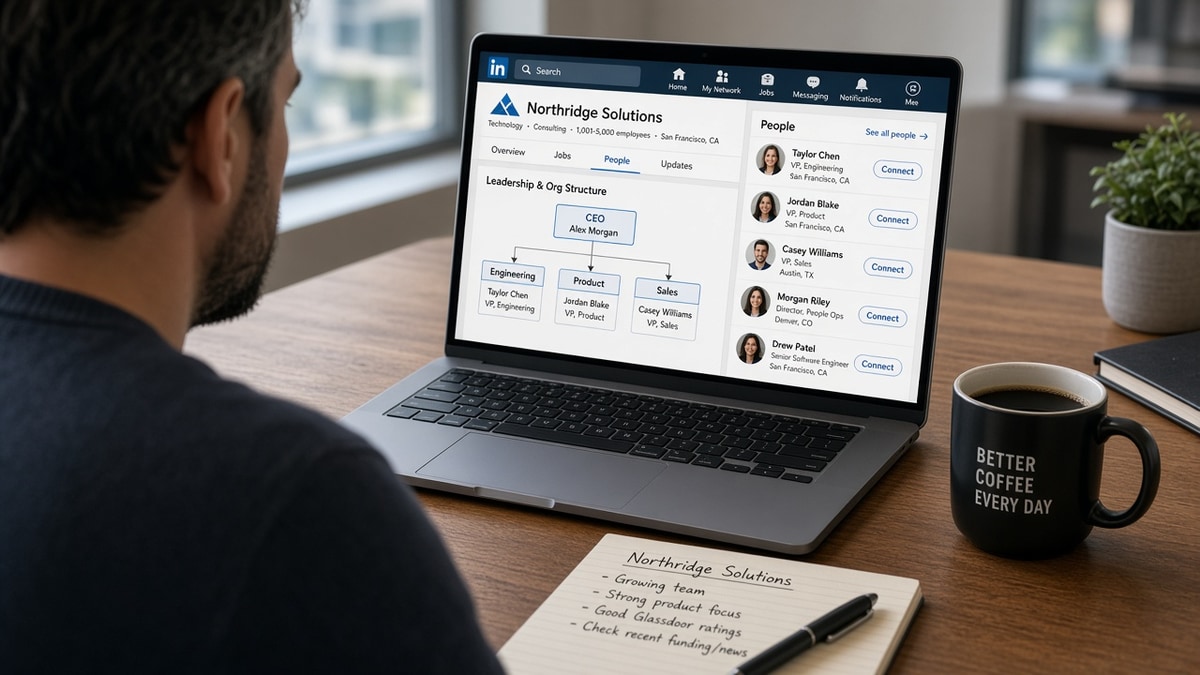
You've applied to a role with a clean resume and heard nothing. The posting said partner with stakeholders. It never named who you'd report to, which VP signs off, or whether the team's a line org or a matrix. Recruiters rarely draw that chart in email. Company org views often show enough reporting lines to map hiring manager vs skip-level before you apply, and that map changes who you message first and what proof belongs in bullet one.
Check your resume for free with the posting pasted in after you sketch the chain. You'll often see matched keywords in Skills while bullet one still reads led cross-functional programs. If the HM sits under Platform Engineering and your top bullet's change-management verbs, the skim fails before anyone explains the org to you.
How to use LinkedIn to identify team structure (US) isn't stalking. It's fifteen minutes of title cross-checks so your apply, outreach, and resume all aim at the same desk. This page walks the symptom, three causes of wrong guesses, how to tell which one bit you, and the fix for each without inventing reporting lines the platform never showed.
Job searching when reqs hide structure is draining. You don't need a corporate directory. You need a one-page map: HM name, skip-level, dotted-line partners, and which proof point opens the right thread.
Quick wins
- Open the company people page; filter by function named in the posting.
- Label HM, skip-level, and recruiter before you draft outreach.
- Mirror the HM's lane in resume bullet one, not generic program verbs.
- Apply in the portal first on posted reqs; message recruiter with date and one proof line.
The symptom: right resume, wrong desk
The file parses. Keywords match. Silence follows. Or worse, a recruiter reply says the HM passed because the background reads too program-office for an embedded role. The symptom is not weak keywords. It's aiming proof at a leader who will never open the req while the real hiring manager never sees your name.
Postings hide structure on purpose. They list duties and nice-to-haves. They rarely say you'd matrix to Engineering while reporting to Product, or that the VP you found is two levels above the person who actually screens. Org views fill that gap when profiles are current. They are imperfect. They still beat guessing from the job title alone.
You feel qualified and misrouted at the same time. Someone with a thinner resume gets a screen because they messaged the PM who owns the roadmap thread. Your note went to a director three levels up who does not own reqs.
US corporate hiring still runs through Workday and Greenhouse. Recruiters move tickets. Hiring managers decide fit on scope. Skip-level leaders rarely cold-reply to applicants. Mapping who is which before you apply stops you from optimizing a file for the wrong skim.
Read how recruiters interpret job titles when the posting title and the HM's profile title do not match word for word. This page fixes structure. That one fixes title drift.
How to use LinkedIn to identify team structure: three causes
Wrong maps fall into three buckets. Each one sends outreach and resume proof to a different failure point. Match your situation before you rewrite the whole search plan.
Cause 1: You treated the job poster as the hiring manager
Symptom: you messaged the recruiter who published the req and never found the HM. Or you assumed the poster is the HM when they are only an agency sourcer or coordinator.
Before: Connection note to the job poster: I'd love to learn more about the Senior Analyst role you posted.
After: Apply in Greenhouse, then message poster: Applied to req 44218 on Tuesday. Could you confirm the hiring manager for the Revenue Ops lane so I align my follow-up?
Fix: use people search with the team name from the posting. Look for Senior Manager or Director titles in the same function. The HM often posts about sprint goals, headcount, or team offsites. The poster often posts every req for the company.
Cause 2: You skipped the skip-level and aimed too low or too high
Symptom: you messaged a peer-level IC for a manager role, or you pitched a VP when the HM is a Senior Manager two rungs down.
Before: Cold note to VP Engineering: I'm interested in the Staff PM role on your team.
After: Map chain: VP owns platform division; Senior Manager (HM) posts about data pipeline reliability. Apply, then short note to HM with one metric on pipeline uptime; skip-level only if HM role is unlisted after one week.
Fix: write three names on paper: skip-level, HM, recruiter. Default path is recruiter after apply, then HM with one proof point. Skip-level is for unposted lanes or when HM cannot be found and you can cite their public org priority.
Cause 3: You ignored matrix lines in the posting
Symptom: resume bullet one shows program-office language while the role matrixes to Engineering. The HM skim expects shipping verbs.
Before: Resume bullet one: Facilitated stakeholder alignment across business units for enterprise programs.
After: Bullet one: Owned API migration with Platform Engineering: 9 services cut over in 16 weeks, error budget held through peak season.
Fix: read reports to and partners with in the posting. Open both functions on the people page. Bullet one should match the function that will argue for your hire in the debrief.
How to tell which cause is yours
Open the req and your sent folder. If every message went to posters or coordinators, cause 1. If you only contacted executives, cause 2 high. If you contacted the right level but hear not technical enough, cause 3. If org views show fewer than five people in the function, widen to alumni posts and conference talks before you trust the map.
Fix for cause 1: build the HM shortlist
Search current company plus keywords from the posting. Save three profiles: likely HM, their manager, and one peer IC who posts about team work. Do not message all three. Use the list to align bullet one and to ask the recruiter a specific question.
Before: Generic apply with no names in your tracker.
After: Tracker row: HM likely Jane S., Director Revenue Ops; skip-level Tom R., VP GTM Systems; recruiter via req 44218.
Fix for cause 2: sequence outreach by ownership
Posted req: portal apply, recruiter ping with date, HM note after 48 hours if no reply. Unposted lane: HM first if identifiable; skip-level only with a narrow topic tied to their public post. Never copy the same paragraph up the chain.
I've screened threads where a candidate emailed the VP, the VP forwarded to the HM annoyed, and the HM trashed the file before the portal apply cleared. Order matters as much as wording.
Fix for cause 3: split proof by function
Keep two bullet-one variants in your files when a role matrixes across Product and Engineering. Paste the variant that matches the HM's profile headline and last three posts. Same jobs, different opener.
Before: One resume for every apply; bullet one always program management verbs.
After: Variant A for Product HM: shipped roadmap slice with 3 squads. Variant B for Engineering HM: cut deploy failures 26% on services you owned in prod.
Copy-paste org map worksheet
COMPANY: _____________ REQ: _____________
RECRUITER / POSTER: _____________ (portal apply first: Y/N, date: ___ )
HIRING MANAGER (likely): _____________ title: _____________
SKIP-LEVEL: _____________ title: _____________
MATRIX PARTNER FUNCTION: _____________ name if visible: _____________
HM LAST 3 POST TOPICS: 1) _____ 2) _____ 3) _____
BULLET ONE PROOF TO MATCH: _____________
OUTREACH ORDER: 1) _____ 2) _____ 3) _____
Before/after: mapping a matrixed PM role
Before: Messaged Director of Program Management; resume shows only steering committee wins.
After: HM is Director Product; matrix partner is Eng Manager APIs. Bullet one cites API launch with Eng; note to HM references her Q2 post on partner integrations.
Before/after: agency posting with hidden HM
Before: Only the agency recruiter is visible; you wait two weeks with no HM name.
After: People search client company plus posting keywords surfaces Senior Manager Supply Chain who posts about WMS rollout; you apply, ask agency for HM confirmation, send one proof line on WMS cutover.
Edge case: stealth startup with five visible employees
Founders often are the HM. If only five profiles exist, read who posts jobs on the company page and who speaks at demos. Bullet one should show zero-to-one ownership, not enterprise program scale. Message the founder only with one shipped outcome, not a career summary.
Before: Note to founder listing every title since 2010.
After: Hi [Name], your beta post on onboarding friction matched a flow I shipped in 6 weeks at my last role; open to 15 minutes on how you measure activation before GA?
Edge case: large company, reorg in progress
Titles lag after reorgs. Prefer posts from the last 90 days over stale headlines. If two VPs claim the same function, trust whoever posted headcount or roadmap updates most recently. Ask the recruiter which cost center owns the req.
Before: Assume old VP title still owns Cloud Migration because the profile says so.
After: New VP posted three migration hires in 30 days; HM is Senior Manager under that VP per team posts; bullet one names migration scope.
Read resume passed ATS but still no interviews: what's missing when the map looks right but screens still stall. Structure fixes routing. That page fixes proof depth once the right person opens the file.
What bad team maps still share
Candidates often research for an hour, then send the same template to every name on the page. That burns bridges faster than no research. These patterns show up in recruiter inboxes more than typos do.
Mistake 1: Treating org views as complete
Profiles go stale. Contractors disappear. A missing name does not mean the role is fake. Confirm with recruiter before you accuse anyone of ghosting.
Mistake 2: Mass connection blasts up the chain
Three leaders receive the same paragraph in one afternoon. They talk. You look like noise. One tailored note to the HM after apply beats three copies.
Mistake 3: Quoting org research like surveillance
I saw you report to Sarah and your team has 14 people creeps people out. Reference public posts and posting language instead.
Mistake 4: Ignoring the portal
HM notes do not replace Workday applies on posted reqs. Recruiters cannot attach you to a req you never submitted. Apply first. Message second with the date.
Before: LinkedIn-only outreach; no application ID; HM asks which req.
After: Greenhouse apply Monday; recruiter note Tuesday with req number; HM note Thursday with one proof line tied to their post.
Align your file before you message
Structure research only works if bullet one matches the HM lane. Score your job match on the posting after you pick the HM variant. Rerun when you swap Product vs Engineering openers so Skills does not look full while Experience still tells the wrong story.
When the posting asks for a letter, one sentence on team fit is enough. Generate a cover letter from the req after bullet one matches the map. Name the function you will partner with, not every person you looked up.
Map, then message
LinkedIn team structure research is a routing step, not a networking flex. Sketch HM, skip-level, and recruiter. Apply on posted reqs. Tailor bullet one to the function that will fight for you in debrief. Then send one short note with a proof point from their public work.
You'll still hit frozen reqs and stale profiles. You won't waste as many screens messaging the wrong desk with the right resume.
Run a free resume check on the next posting after you fill the org worksheet. Fix bullet one for the HM lane you found. Then send the apply and the note in the right order.
Read more
Frequently asked questions
No. Coverage varies by employer size, industry, and how many employees keep profiles updated. Large tech and corporate employers often show enough names and titles to infer a chain. Startups may list only a handful of people. Treat org views as a draft map you confirm with posting language, recruiter replies, and interview intros, not as a guaranteed chart.
For a posted req, apply in the portal first, then message the recruiter with your application date. Add a hiring manager note only when you have one proof point that matches their team's public work. For unposted lanes, a skip-level note works when the HM title is unclear but you can name a program the function owns. Never blast both on the same day with the same template.
Search the job title plus company in the people tab. Filter by current company. Look for who posts about the team's deliverables, who shares headcount or roadmap updates, and who appears in the same cohort as the job poster. Cross-check the posting's reporting line language: reports to VP Product vs matrixed to Engineering often tells you which name is the real HM.
Yes. Once you know whether the HM sits in Product, Engineering, or Operations, bullet one should mirror that lane's verbs. A posting that reports to a VP of Platform wants migration and reliability proof up top. One that sits under Chief of Staff wants cross-functional program outcomes. Same career, different bullet one for each structure.
One line is enough: you noticed the team sits under Platform Engineering and your last cutover matches their public migration thread. Do not paste the whole org chart or name people who never agreed to be contacted. Keep the letter about scope fit, not surveillance.