10 min read
You don't need recruiter seats to think like one. When you've got a posting open and you're about to hit Easy Apply, stop. Open People search instead. US recruiters don't start with the Jobs tab. They build a Boolean string from the req, filter by title and company, and pull a list of humans who already look like the hire. You can run that same search tonight to find the hiring manager's name before your resume lands in a queue with four hundred strangers.
Check your resume for free with the posting pasted in after you've found the right contact. Headline alignment and resume alignment are two halves of the same screen. How to use LinkedIn search like a US recruiter isn't about becoming a sourcer. It's about seeing the search filters recruiters use and making sure your profile would appear if they ran that query cold.
Below you'll get a six-step workflow, headline before/after pairs, two edge cases for stealth searches and common names, where candidates waste time in the Jobs feed, and a copy-paste Boolean template you can adapt in under ten minutes. Job searching is already draining. This page is about finding a name on the org chart, not optimizing a profile nobody's looked at yet.
Why People search beats the Jobs tab for US roles
Recruiters on US corporate teams don't wait for applicants. They run saved Boolean searches in LinkedIn Recruiter or the free People tab, pull twenty profiles, and message the ones whose headlines match the req title. If your headline still says "Open to opportunities," you won't appear in that pull even when your resume would pass Workday on upload.
I've screened stacks of these in Greenhouse after a sourcer already ran the same title search on LinkedIn. The candidate who gets a warm forward usually has a headline that mirrors the posting and a note that names the req. The one who only hit Easy Apply is still in the queue with no human attached to the file.
People search is how you reverse the flow. Instead of waiting to be found, you find who'd own the hire, mirror their search terms on your profile, and apply with a name attached. That's the whole game for mid-level and senior US roles where referral and direct outreach still move faster than a cold upload.
Before you rewrite anything, run one search on a live posting you're targeting this week. If you can't find a hiring manager or recruiter name in ten minutes, the posting might be stale or the company hides req owners. Move to the next target. Don't spend an hour on a black-hole listing.
Quick Wins
- Copy the exact job title from the posting into People search before you rewrite your headline.
- Add the company name as a filter, not buried in the keyword box.
- Skip profiles whose headline says "talent acquisition" with twelve open reqs unless you want a recruiter, not a hiring manager.
- Save the search. Recruiters rerun the same string weekly. You should too.
Six steps to run a recruiter-style People search
Step 1: Pull title terms straight from the posting
Open the job description. Highlight three things: the exact title string, the seniority band, and three must-have skills or tools. Don't paraphrase yet. Recruiters paste what's on the req because that's what the hiring manager signed off on. If the posting says "Senior Revenue Operations Analyst," don't search for "RevOps pro" and wonder why your results look wrong.
Write those terms in a scratch line. You'll reuse them in your headline, your resume bullet one, and the Boolean string in step two. Consistency beats creativity here.
Step 2: Build the Boolean string in People search
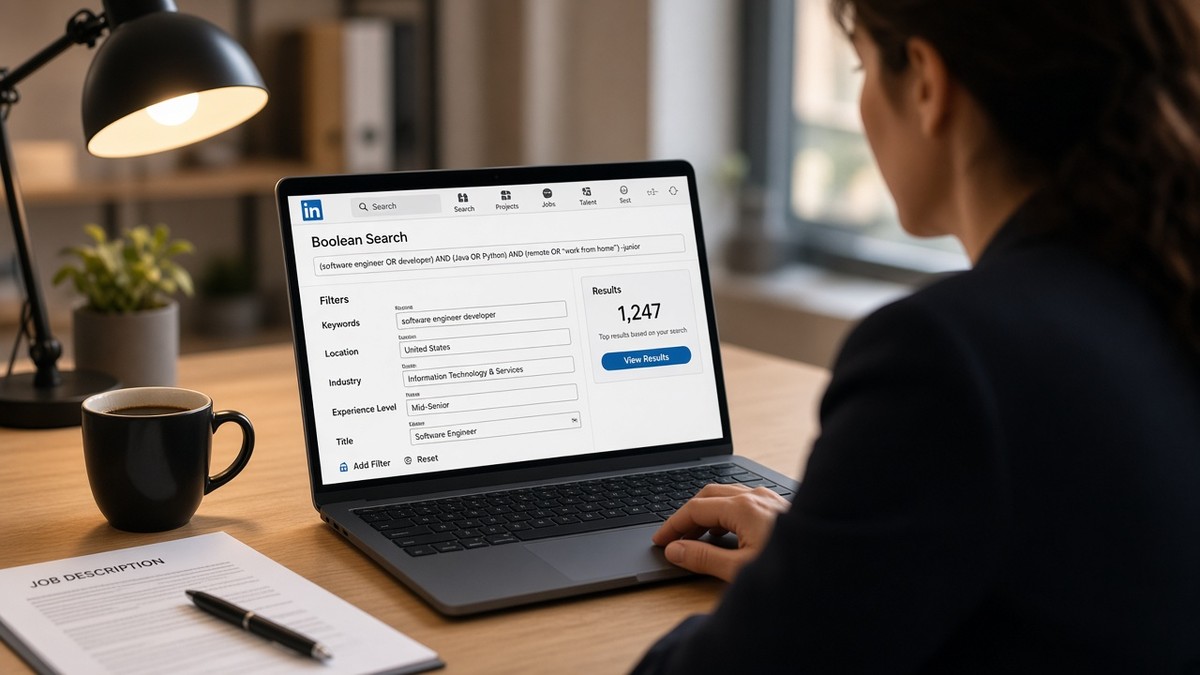
Go to LinkedIn search and switch to People. In the keywords box, stack title variants with OR inside quotes, then add NOT for levels you don't want. A mid-level search might look like this:
{`("Senior Revenue Operations Analyst" OR "Revenue Operations Analyst" OR "RevOps Analyst") NOT intern NOT junior`}
Then set Current company to the employer on the posting. Add location or "United States" if the role isn't remote. Recruiters tighten filters until the list is short enough to scan in one sitting. You're aiming for twenty to eighty profiles, not two thousand.
Step 3: Tell hiring manager profiles from recruiter profiles
Scroll the results. Recruiter profiles usually say Talent Acquisition, Technical Recruiter, or Sourcer, often with multiple companies in recent posts. Hiring managers show a team title on the same product or function: Director of Revenue Operations, VP Sales Operations, Head of GTM Systems.
Save two names: the likely hiring manager and the recruiter who posted the job if you can spot them. You'll reference one in a short note after you apply, not both in the same message.
Step 4: Mirror the title phrase in your headline
Click your own profile. Does your headline lead with the same title words you just searched? If you're targeting that Senior Revenue Operations Analyst role, your headline shouldn't still say "Business professional open to opportunities."
Before: Marketing professional | Creative thinker | Open to new challenges
After: Senior Demand Generation Manager | B2B SaaS | HubSpot & Paid Social
Before: Software engineer at tech company
After: Senior Backend Engineer | Python & AWS | Distributed Systems
Rewrite the first line to match the posting title, then add one domain tag. Recruiters ctrl-f the title string. Give them a hit in the first five words. Your About section gets two plain sentences with the same three keywords from the posting. No manifesto.
Copy-paste Boolean template (edit the bracketed fields):
{`("[EXACT TITLE FROM POSTING]" OR "[TITLE VARIANT 2]") AND "[COMPANY NAME]" NOT intern NOT junior`}
Paste that into People search keywords, then set Current company to the employer. Add United States or the metro from the posting if the role isn't remote. Save the search before you tweak. Recruiters lose good strings when they don't save.
Step 5: Save the search and turn on alerts
Hit Save on the People search. Name it after the company and title. Turn on weekly alerts. New hires and internal moves show up in that feed before the job gets reposted. Recruiters rerun saved searches when a req reopens. You should see the same names pop up twice if you're early.
Step 6: Align the resume, then reach out
People search won't fix a resume that never mentions the tools in the posting. Paste the job description into a job match score check. Rewrite bullet one under your current role so the same title terms and one must-have tool land in the first eight words. Upload that file to Workday or Greenhouse, then send a short LinkedIn note to the hiring manager or recruiter you saved. Reference the role title and one proof point. No essay.
If the portal asks for a cover letter and you've got ninety seconds left, generate a cover letter skeleton with the posting pasted in, then edit in the hiring manager's name and one metric from bullet one. Don't send the template raw. Do send something that names the same req you found in People search.
Order matters: find the name, tailor the file, apply through the official link, then message. Recruiters check the ATS timestamp. A note that arrives before the upload looks odd. A note that arrives two days after with the req title and your application date looks like follow-through.
Two searches that need a lighter touch
Stealth job search while you're still employed
Turn off "Share profile updates" before you change your headline. Use a saved search without connecting to half the company on day one. View profiles in private mode. Reach out after you've applied through the official channel so there's a record in the ATS if someone asks how you found them.
Common names and big companies
Add a second filter: function keyword from the posting plus office location. "Priya Sharma" alone won't help at a ten-thousand-person employer. "Priya Sharma" + "Supply Chain" + "Austin" usually does. Recruiters do the same when a Boolean dump returns three hundred matches.
Where job seekers waste time in LinkedIn search
Living in the Jobs tab only. Easy Apply without a name is a black hole. People search tells you who owns the decision. You can't personalize a follow-up if you never learned who'd read it.
Stuffing twelve skills into the headline. Recruiters filter on title first. Skills without a level read like noise. A headline that's only tools tells me you don't know what band you're in.
Connecting with no context. A blank invite from someone who isn't in your network gets declined. One sentence beats zero. Reference the open req or the team lane from the posting.
Ignoring the About section. Headline gets the search hit. About is where you paste the same three posting keywords in plain sentences so a human skimming after the Boolean pull sees proof. Two lines, not a manifesto.
Searching Jobs for companies that post on their own ATS only. Some employers syndicate every role to LinkedIn. Others post on Greenhouse or Workday and never touch the Jobs feed. If People search returns the hiring manager but Jobs shows nothing, apply on the company site. Your search still earned you a name for the note.
Using the same Boolean string for every industry. A title that reads "Manager" in retail isn't the same as "Manager" in enterprise software. Pull seniority and function words from each posting. Don't recycle last week's search because the company name changed.
Match the search string to your upload file
LinkedIn and your ATS upload are two different parsers. Headline alignment gets you found on People search. Bullet one alignment gets you past Workday and Greenhouse keyword screens. Run the same posting through both checks before you send a note to the hiring manager you found.
Run a free ATS check on the PDF or DOCX you're about to upload. If bullet one doesn't echo the title phrase you used in LinkedIn search, fix the file first. A warm intro dies fast when the attachment tells a different story than your profile.
Write the three terms you used in Boolean search on a sticky note beside your monitor: title phrase, company, one tool. Those same three should appear in your headline, bullet one, and the first sentence of any outreach note. When they drift apart, recruiters notice. The sourcer found you on title. The coordinator opens a file where bullet one says something else. That mismatch ends the thread.
Export a single-column PDF after edits. LinkedIn won't tell you if your upload scrambled in Workday. The checker will flag tables, headers, and missing searchable text before you attach the wrong version to a message that names a real person.
Run the search before you apply
How to use LinkedIn search like a US recruiter boils down to one habit: build the People query from the posting, find a name, mirror the title in your headline, then upload a resume that says the same thing in bullet one. That's ten minutes of work that beats refreshing the Jobs feed hoping something changes.
Tonight: open one target posting, copy the title into People search, filter by company, save two profiles, rewrite your headline, and run your file through a match check. You won't hear back from every note. You'll stop applying into a void where nobody knows your name.
Keep a spreadsheet with company, req title, hiring manager name, recruiter name, date applied, and date of follow-up note. US corporate searches stretch weeks. When the same req reposts, you'll already have the Boolean string saved and the headline half written. That's how candidates who look organized from the outside actually got organized on the inside.
Read more
Frequently asked questions
No. Free LinkedIn lets you run People searches with title, company, and keyword filters. Premium adds more InMail credits and deeper filters, but the Boolean title stack and company filter work on a free account. Build the search string from the posting first. Upgrade only if you hit InMail limits after you've sent three targeted notes, not before you've tested the search.
Send a short note after you've tailored the resume, not before. Reference the open role by title, name one proof point from your file, and ask who owns the req if the posting is vague. A blank connection request from a stranger gets ignored. A note that shows you read the posting and found the right person gets forwarded more often than a cold apply with no name on it.
Jobs search shows postings. People search shows humans tied to those postings. Recruiters live in People search because they need a name, title, and company before they InMail or add someone to a pipeline. You want the same view: who holds the title on the team that owns the req, not just the job ad sitting in a feed.
Lead with the exact title phrase from the posting, then one stack or domain term. Example: Senior Product Marketing Manager | B2B SaaS | Go-to-Market. That's three searchable chunks, not twelve skills jammed into one line. If your headline reads like a tag cloud, recruiters skip it because they can't tell what level you are.
LinkedIn and ATS are separate systems. Headline alignment helps you get found and referenced on a human screen. Your resume still needs the same title terms in bullet one under your current role for parser matching. Run both checks: headline for People search, resume for the upload. They should tell the same story with different depth.