11 min read · Fix the file before volume
You click submit and the status flips to not selected by morning. No email, no phone screen, no human name attached. That pattern usually means the stack rejected the packet on rules, not that a recruiter read your story and disagreed. The fix is boring: import order, required answers, and honest fit on must-haves. You're not imagining it when the timeline feels instant.
You're not failing because you lack ambition. You're failing because the file or form broke a gate you can't see. US corporate hiring runs through Workday, Greenhouse, Lever, Taleo, and iCIMS builds that differ by employer. The shared trait is automation first, humans second.
It isn't personal when the parser never builds a clean row. It's fixable when you treat submit like a lab test instead of a lottery ticket.
Most candidates don't hear back because nobody flagged the file. That's different from a recruiter who read and passed. You'll learn to tell the difference once preview paste tests become habit.
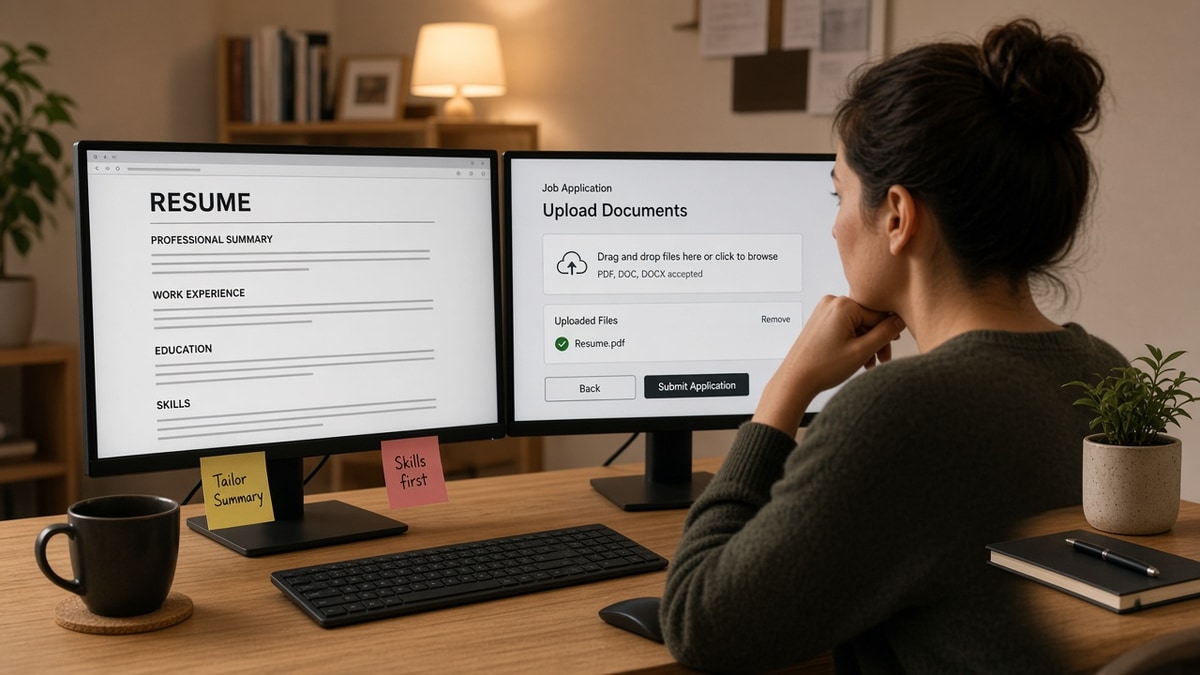
Before you mass apply again, check your resume for free on the exact export you'll upload. If the paste test scrambles employers and skills, more applications multiply the same failure. You won't fix a broken layout by sending it ten more times.
Below you'll see why auto-rejection happens, exceptions where filters still let strong files through, what to do on the next submit, before/after pairs by role type, mistakes that look like keyword gaps, and tools to run between rewrite and upload.
Job searching under pressure is exhausting. This page won't promise overnight offers. It will stop qualified files from dying on layout and blank fields while you still have energy to tailor the reqs that fit.
Quick Wins
- Paste test the resume in the portal preview before you click submit.
- Rewrite bullet one to mirror paragraph one on the posting.
- Align Workday job titles and dates with the file line for line.
- Answer work authorization and sponsorship questions literally.
Why US applications auto-reject before anyone reads them
Applicant systems were built for forms, not magazine layouts. They import your resume as a character stream. Tables, text boxes, headers repeated on page two, and image-only PDFs break that stream. When import fails, matchers work on garbage or nothing. Knockout questions and missing required fields fail the same way at submit time.
Parser failure looks like silence. You receive no feedback because the employer never assigned a recruiter row to a broken file. The status change is the only signal.
Completeness rules are strict. Work authorization, salary expectation, years of experience, and location fields often tie to auto rules. Skipping optional-looking questions that are actually required triggers the same outcome.
Must-have mismatch is honest rejection. Auto filters sometimes drop candidates who lack a license, clearance, or years in stack listed as required. No layout fix fixes a true gap. This guide won't help you apply to reqs you're not qualified for. It stops qualified files from dying in the parser.
When silence might be routing instead of filters, read why am I not getting interviews . When volume without fit is the driver, pair this page with stop wasting time on low-probability applications .
Edge case: internal referrals still require a parse-clean upload in many stacks. A forwarded name does not fix a two-column template that imports skills under the wrong employer.
Edge case: career pivot with honest gap. You may pass parse and still fail must-have years in stack. Spend tailoring time on pivot-friendly reqs, not on keyword stuffing a senior build you cannot defend in bullet one.
Multi-page application forms hide required asterisks on small screens. Scroll the full form on desktop before submit. A hidden mandatory question on page four fails completeness even when page one looked perfect.
Duplicate profile imports happen when you upload a new file but the portal keeps an older version attached. Delete stale attachments when the UI allows, then upload the tested file once. Two resumes on one profile confuse matchers and humans alike.
Veterans and career changers: translate military or academic titles into corporate equivalents in the headline and form title field. The parser does not infer equivalence. If the form asks for years in stack, count honest commercial years only.
Contract and C2C reqs sometimes add vendor questions. Answer entity type literally. Guessing W2 when you're structured differently can fail vendor rules before resume content is scored.
How to reduce auto-rejection risk in US applications on the next upload
Run this sequence per req, not as a Sunday batch of twenty identical files. Order beats intensity.
Step 1: Paste test the file in the portal preview
Upload once to preview or run a parse check on the exact PDF or DOCX. Copy imported text into a plain editor. If job titles sit above employers incorrectly, fix layout before keywords.
Before: Creative two-column template, skills imported under Education.
After: Single-column DOCX, standard headings, skills repeated only inside Experience bullets.
Step 2: Rewrite bullet one to mirror paragraph one
Highlight three must-haves from the posting intro. Rewrite the first bullet under your current role so one must-have lands in the first eight words. Honest scope only.
Before: Project coordinator bullet opened with coordinated meetings while posting asked for vendor RFP ownership.
After: Same role, bullet one opened with RFP timeline and vendor count before upload to iCIMS.
Step 3: Complete required fields to match the resume
Titles, employers, and Month Year dates on the form must match the file. Mismatch flags fraud checks or auto discard in strict builds.
I've screened Workday rows where the resume imported fine but the candidate left work authorization blank and the req auto-closed the profile before a recruiter saw the file.
Step 4: Answer knockout questions without guessing
Read sponsorship, clearance, and years-in-role questions literally. If you need visa sponsorship, say so when asked. Hiding it saves nothing when the rule rejects unsupported profiles automatically.
Copy-paste block: Workday field alignment checklist
Copy-paste checklist (per application)
- Resume file: single column, no tables, 11pt Calibri or Arial
- Paste test: employers + titles in correct order
- Bullet one: mirrors posting paragraph one must-have
- Job title on form matches resume headline
- Dates: Month Year format consistent everywhere
- Required uploads: resume + cover letter if marked required
- Work authorization answered explicitly
- Submit only after preview shows clean import
Before: Mid-level data analyst, weekend mass apply, Skills column swapped, Experience untouched.
After: Four reqs, four different first bullets naming SQL, Looker, or stakeholder scope from paragraph one.
Operations roles: if the posting names SOX or ITGC, put control language in bullet one, not only in a certification list the parser drops.
Healthcare and licensed roles: license type and state belong in plain text under Experience when the posting lists them as must-haves. A checkbox on the form without resume proof still fails human skim later, but missing license on the form fails automation first.
When the posting asks for a letter, open with the same proof line as bullet one. How to start a cover letter walks through matching scope without repeating the Skills column.
Parents and caregivers: shrink weekly caps before you drop parse checks. Three tailored submits with clean imports beat eight uploads that scramble on paste.
Employed search: run one forty-five-minute block midweek with preview test plus submit. Consistency on clean files beats heroic Saturday batches that skip required fields again.
Government and clearance reqs: answer clearance level questions before upload. A resume that parses but omits active clearance on the form still fails automation when the req marks clearance required.
Retail and hourly corporate roles still parse PDFs. Do not assume only tech roles use strict filters. Name of employer, title, and dates in plain text matter everywhere Workday hosts hourly and corporate reqs on one tenant.
Reapply rules vary. Some employers block reapply for six months after auto reject. Note the date in your tracker so you don't waste a good rewrite on a closed window.
Mobile upload often strips formatting worse than desktop. Submit from desktop when the req matters. If mobile is the only option, export a plainer DOCX without headers before you upload.
Salary fields: answer with a researched range when the form requires numbers. Blank salary on a required field fails completeness the same way blank authorization does.
Exceptions and traps that look like keyword problems
Assuming PDF is always safer. Some builds strip PDF headers. Preview proves which format wins for that employer.
Treating Easy Apply as low stakes. Easy Apply still parses your profile PDF. A broken export fails there too.
Adding page two before page one is dense. Must-have skills pushed to page two import late or drop after breaks. Compress duplicates before you expand length.
Before: Added keywords to Skills while leaving bullet one generic.
After: Moved must-have terms into bullet one under current role, trimmed duplicate Skills block.
Ignoring confirmation email. Some portals reject on file type with a generic confirmation anyway. Save the confirmation and re-open preview if status never moves.
This won't open reqs you're underqualified for. It stops qualified candidates from training the system to ignore their stack on broken layout alone.
When a friend asks why you're tweaking fonts instead of applying more, tell them parsers don't care about design awards. They care whether employer and title stayed paired after import.
Tools between rewrite and submit
Run tools in this order: job match check, bullet rewrite, parse check, portal submit. Do not batch ten uploads before the first parse check.
Paste the posting into score your job match before you edit bullet one. Gaps in level mean skip, not a longer Skills list.
After export, run the free ATS checker on the file you will upload. Parse errors belong in the apply block, not after silence sets in.
When the posting requires a letter, use the cover letter generator after bullet one is honest, so the letter repeats proof instead of a generic Skills list.
Do this now: Open your last rejected application. Re-run preview paste test on that file. If order scrambles, rebuild layout before you submit another req.
Run one clean submit tonight
Pick one high-fit req. Paste test, rewrite bullet one, align Workday fields, then submit once with preview proof saved. Volume comes back only after that sequence passes twice in a row.
Auto-rejection feels personal. Most of the time it's mechanical. Fix mechanics first and you'll finally see human stages on reqs you were always qualified to interview for.
Save the imported text snippet in your tracker next to the req ID. Next week you'll spot repeat failures, like phone lines dropping on Greenhouse uploads, faster than guessing from status colors alone.
When you pass preview twice on different employers, keep those two files as templates. One for Workday-heavy employers and one for Greenhouse-heavy employers. You'll stop rebuilding from a decorative master every night.
Knockout failures feel harsh. They're also transparent: read the question again, answer literally, resubmit only when the req allows reapply. Chasing reqs you're disqualified for burns energy you need on roles where bullet one is honest.
Referrals help after the file parses. Send your referrer the same PDF you tested so their forward doesn't attach an old template. Misaligned attachments recreate cause three on the US side even when someone vouched for you.
Finally, log time of submit. Overnight batch jobs sometimes flip status while you sleep. Morning panic isn't proof you failed interview bar. Check preview first, then decide whether to rewrite or move on.
Read more
Frequently asked questions
Auto-rejection is when your submission fails before a recruiter reviews it. Common triggers include a resume file the parser cannot read, missing required answers on the portal, knockout questions answered in ways that fail rules, or a profile that clearly misses must-have requirements. It feels instant because the system applies rules at submit time or during overnight batch processing.
No. Stuffing skills without proof in Experience can still fail when the file imports out of order or required fields stay blank. Match must-have terms in bullet one under your current role in plain text first. Keywords in a sidebar the parser drops do not help. A readable single-column DOCX or PDF that pastes cleanly beats a dense Skills list.
Follow the posting. When both are allowed, test the exact file in the employer preview or a parse check. Some Workday builds strip PDF contact blocks. Others accept PDF fine. When preview shows scrambled order, switch to DOCX with standard headings Experience, Education, Skills. Never upload image-only files or scans unless the form explicitly asks for them.
Sometimes. When the portal requires a letter, an empty upload or a generic paste can fail completeness checks. When optional, a tailored letter rarely fixes a broken resume import. Fix the resume and required fields first. If you submit a letter, reuse proof from bullet one instead of repeating the Skills column.