11 min read
You've uploaded a polished PDF to a US startup req and Lever's preview dropped half your stack or stuck your internship where your staff engineer role should sit. That mismatch is common on tech hiring, and it's usually layout, not talent.
Short answer: To optimize resume for Lever ATS US tech roles, export a single-column PDF with standard Experience headings, put employer | title | Month Year dates on one line per role, write skills as plain text, and confirm parsed preview before you submit. Lever reads text in file order, not your sidebar design. Fancy templates reorder blocks so filters won't see your current employer.
Check your resume for free after you fix layout, not while you're re-uploading the same two-column Canva file. If Notepad paste shows Kubernetes before your latest company name, they've already lost your Experience block even when the attachment icon looks fine.
Below: why Lever misreads tech resumes, the exceptions that still parse, what to change tonight, and copy-paste blocks you can drop into Word. You won't need a new design subscription. You'll need a boring file the importer can search. Job searching in US tech is draining enough without a parser that hides your last three years.
Quick Wins
- Export single-column PDF from Word at 11-point Calibri or Arial.
- Rename sections Experience, Education, Skills with no icons.
- Paste PDF text into Notepad and confirm employers read top to bottom.
- Open Lever parsed preview before knockout questions on the req.
Why Lever misreads US tech resume layouts
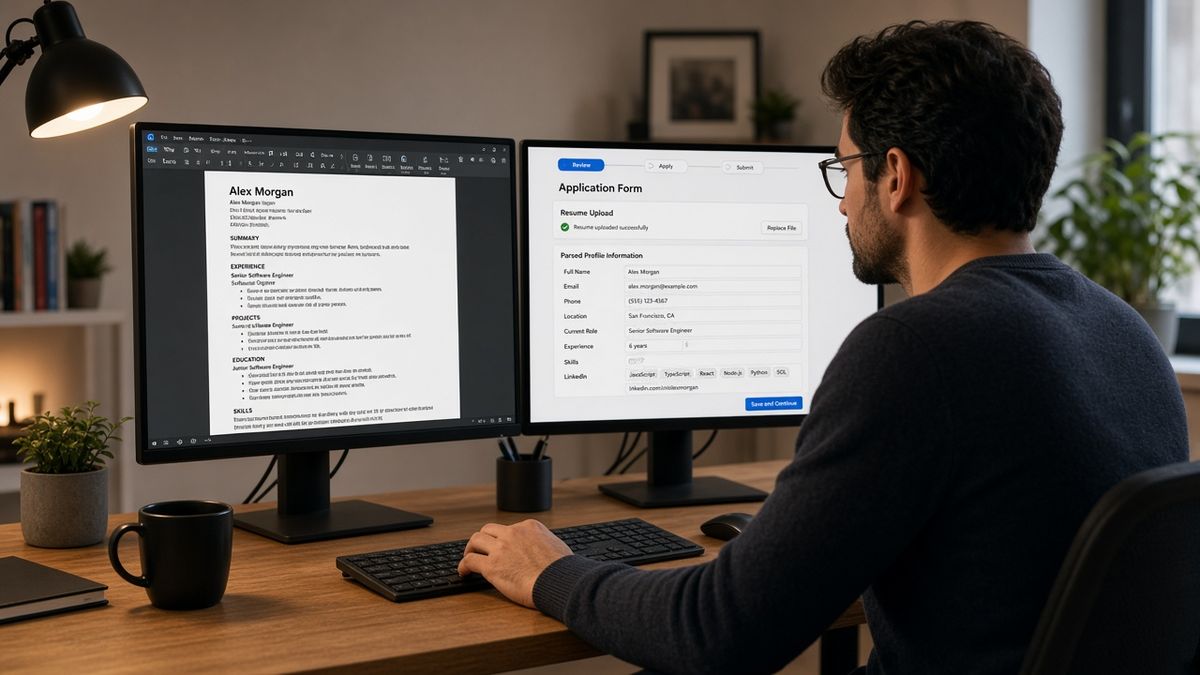
Lever stores your attachment and runs an import pass that maps employer, title, dates, education, and skills into searchable fields. US tech companies from seed-stage startups to late-stage SaaS shops use those fields for keyword filters and name searches. Upload success only means the file landed. Parse success means your current role shows where recruiters expect it.
The parser reads plain text in order, not your visual design. A two-column template with skills on the left often imports skills before employers. Recruiters filtering on Python plus five years of backend work see an empty Experience pane while your bullets sit orphaned below a sidebar.
Tech resumes add extra failure modes: GitHub links in headers, icon skill rows, project tables, and multi-page portfolios embedded in one PDF. Lever is not scoring your aesthetic. It is trying to build a profile row your hiring manager can grep. When that row is wrong, you fail filters you would pass on a plain export.
Edge case: the req asks for LinkedIn instead of a file. That is a different workflow. This page covers file uploads on Lever reqs that still want a PDF or Word attachment for engineering, product, and data roles.
Edge case: you're applying through a referral link that pre-fills your email. Swap the resume anyway and open preview again. Old parsed profiles can linger until the new file imports cleanly.
Edge case: the posting wants a portfolio URL plus resume. Portfolio sites do not replace parse quality on the PDF. Recruiters still filter on imported Experience. Keep dated roles on the resume even when GitHub links are optional fields.
A composite backend engineer kept a skills column with Docker, Kubernetes, and Terraform listed above employers. Lever preview showed tools but no company names. Moving skills below Experience fixed recruiter search without changing a single metric bullet.
Read how to preview your resume like an ATS in the US when you want a parse check outside the employer portal. Same logic, less pressure while the req timer runs.
How to optimize resume for Lever ATS US tech roles: parsing fixes
Work top to bottom on one column. You'll know you're done when Lever preview and Notepad paste agree on employer order and your current title sits under the right company name.
Rebuild as single column with standard headings
Rename creative sections. My Stack, Engineering Journey, and Selected Work confuse importers. Use Experience, Education, and Skills as plain words. Remove emoji headers and icon bullets. Tech culture loves minimal design, but minimal text beats minimal icons when parsers are involved.
Before: Frontend developer resume in a two-column Canva layout; skills and frameworks fill the left rail; Lever preview imports React and TypeScript but lists zero employers.
After: Single-column Word file at 11-point Calibri; preview shows Northwind Apps | Frontend Engineer | Mar 2022 to Present with four bullets attached.
Put employer, title, and dates on one line
Parsers treat line breaks as weak hints. Dates floating in a right margin detach from titles. Write Harbor Labs | Senior Software Engineer | Jan 2021 to Present, then bullets below. Use Present once on your primary W-2 role.
Before: Data engineer resume lists company names left and years right in a table; Lever maps 2020 to 2023 on a contract row with no dates in the left cell.
After: Single column with Signal Analytics | Data Engineer | Jun 2020 to Feb 2023 on one line; bullets follow immediately with Snowflake and dbt in the first eight words.
Write skills as text, not graphics
Skill bars, star ratings, and logo grids import as empty space or stray characters. List tools comma-separated under Skills and prove must-haves again inside dated bullets. If the posting requires Python and AWS, one bullet under your current job should open with those terms in context, not in a colored chip row.
A composite DevOps candidate replaced icon rows with plain text and moved Kubernetes into a bullet about cluster upgrades. Lever search began returning the profile on infra reqs without changing years of experience.
Strip tables, text boxes, and header contact duplication
Project tables split cells across import blocks. Text boxes reorder content after footers. Headers should hold name, city, phone, and email only. Do not repeat old jobs in a top banner timeline. Experience owns employment history.
Read Lever ATS resume upload issues and fixes when the portal rejects the file before preview loads. Upload failures and parse failures need different fixes.
Run Notepad paste and Lever preview together
Export PDF, select all, paste into Notepad on Windows or TextEdit in plain text mode on Mac. Each employer name should appear before its dates. Upload once, open parsed preview, and compare. Mismatch means layout still wins over content. Do not submit years-of-experience questions until preview shows your current employer.
If preview still drops sections after inline dates, convert Word text boxes to plain paragraphs. Hidden boxes often import last and pair with footers instead of titles. Split promotions so each title change gets its own Month Year range when you moved from engineer to tech lead at the same company.
Exceptions that still parse cleanly
One Present role. Month Year dates on the employer line. A single GitHub or portfolio URL in the contact block. Project subsections under one employer when each project uses plain bullets, not nested tables. Those patterns work when the rest of the file stays linear.
Before: Staff engineer resume uses two Present labels on consulting clients plus a full-time role.
After: One primary employer marked Present; consulting clients show Mon YYYY end dates with contract in the title line.
Copy-paste Lever-safe tech resume block
[Full Name]
[City, ST] · [phone] · [email] · [github.com/handle if used]
Experience
[Company] | [Job Title] | [Mon YYYY] to Present
• Built [system] with [posting tool] serving [metric] weekly active users
• Led [scope] across [team size] engineers using [second must-have from posting]
[Prior Company] | [Title] | [Mon YYYY] to [Mon YYYY]
• [Bullet proving stack from posting]
Education
[Degree], [School], [Mon YYYY]
Skills
[Comma-separated tools already proven in bullets above]
Tech resume layouts that break Lever import
Re-uploading the same Canva PDF after preview failed. Lever already read what it could from that layout. A tenth upload does not rewrite the parser.
Trusting the attachment icon over parsed fields. Recruiters search imported Experience. A stored PDF nobody mapped is invisible in keyword filters.
Stuffing keywords into white text or tiny footer lines. Some imports strip footers entirely. Terms need to live in dated bullets recruiters can open.
Using image-only scans of printed resumes. OCR in employer systems is uneven. Typed PDF exports beat phone photos for engineering reqs.
Listing every framework you touched in a sidebar. Long skill clouds without employer context do not attach to job blocks. Prove tools in bullets under real roles.
Applying on mobile with a cloud-stored Pages export. Unsupported formats and weak signal cause hard failures before parsing starts. Finish attach and preview on desktop Wi-Fi when you can.
Embedding charts or architecture diagrams inline. Graphics often import as blank lines that push text out of order. Link heavy visuals in a portfolio field when the req allows it.
Submitting before preview finishes loading. Slow connections sometimes let you continue while import still runs. Wait until employer lines appear or refresh once.
Test the file before Lever maps it wrong
Paste the posting into the free ATS checker after you fix layout. It will not replicate Lever field maps, but it flags missing must-have terms and layout edges before you burn a referral on a broken export.
Rebuild in the free resume builder if your template uses columns, icons, or text boxes. Export plain PDF, run Notepad paste, then return to Lever for one clean upload.
If the req also wants a letter, draft structure in the cover letter generator, then upload the resume only after preview shows Experience populated. Cover letters do not repair parse failures on the attachment.
What to do now
To optimize resume for Lever ATS US tech roles, make the file boring: single column, standard headings, inline Month Year dates, skills as plain text, preview confirmed. Parsing and formatting errors usually trace to layout habits, not missing keywords. Fix the structure once, then tailor bullets to the posting.
Open your latest PDF tonight. Rebuild the worst section first, usually the sidebar skills column. Re-export, paste into Notepad, upload, preview. I've screened stacks of these in Lever-backed reqs, and the file that wins is plain and specific, not the one with the prettiest icon row.
Pick the US tech req with the closest deadline on your list. Fix that export before you mass-apply with the same broken template. Lever will not wait while you perfect a portfolio PDF nobody can search.
Read more
Frequently asked questions
Lever imports left-to-right text, not your visual columns. Sidebar skills, icon headers, and table layouts push Python or Kubernetes into blocks that read before your current employer. Recruiters filter on parsed Experience, not the PDF thumbnail. Rebuild single column with standard headings and Month Year dates on the employer line.
PDF from a plain Word export is the safer default when the posting allows either format. DOCX works on simple templates but styled files sometimes drop headings. Avoid Canva exports, password-protected PDFs, and image-only scans. Run Notepad paste on whichever format you choose before you submit knockout questions.
Yes when icons replace words or skills live in a separate column. Write React, AWS, and PostgreSQL as plain text in Skills and repeat must-have tools once in dated Experience bullets. Graphic skill meters and progress bars often import as empty space while the sidebar text jumps ahead of employer names.
No when Experience is empty or employers map to wrong rows. Keywords in a sidebar do not attach to the job block recruiters search. Fix layout first: Experience, Education, Skills headings, inline dates, no tables. Then mirror three terms from the posting inside bullets under your current role.
Upload once, open the parsed or autofill preview before you answer application questions. Compare employer order to a Notepad paste of the same PDF. If preview shows Skills but no Experience, change the file, not the browser. Re-upload only after paste order matches what you intend recruiters to search.