11 min read
Put every credential in a labeled Certifications section: full name, issuing organization, and Month Year earned on one plain-text line per bullet. That's the answer. Don't tuck AWS, PMP, CPA, or RN license strings into Skills or a sidebar table. Parsers in Workday, Greenhouse, Lever, and iCIMS read that dedicated block as searchable credentials. When the line never forms, the filter recruiters run on PMP or AWS often returns zero even though you're qualified.
You're not failing because you lack the cert. You're failing because the parser never saw issuer plus date on the same line. Before you rewrite bullets, check your resume for free with the posting pasted in. You'll likely see tools matched while the credential filter stays empty.
Job searching with licenses and stack certs on the line is draining. This page is about moving lines on the page, not pep talks. If you've got fifteen minutes tonight, you can rebuild the section and export a single-column PDF before the next upload.
Below: why sidebar and Skills placement drops credentials, the exceptions for in-progress and expired certs, and the exact lines to paste tonight.
Quick Wins
- Add a header spelled Certifications in plain text, not icons.
- One line per cert: name, issuer, Month Year earned.
- Move acronyms out of Skills into that section tonight.
- Export single-column DOCX or PDF and ctrl-f PMP in the pasted text.
Why parsers drop AWS and PMP when certs hide in Skills
Most templates push credentials into a left rail or a comma-separated Skills footer. Visually tidy. Structurally wrong for US corporate ATS imports. The importer reads visual order, not your intent. A two-column layout often parses the sidebar before Experience, so PMP lands in a generic skills field with no issuer and no date.
Recruiters filter on credential strings tied to dates. When you write PMP in a skills cloud next to Excel and stakeholder management, the system may store PMP as a soft skill, not a certification row. Human reviewers ctrl-f the posting's required cert and find it buried on line forty-two of a paragraph they won't scroll to on a first pass.
Skills sections answer what you use daily. Certifications answer what a third party awarded after an exam or audit. Mixing them tells the parser both are optional keywords. Dedicated section headers train the import map: these lines are credentials.
I've screened cloud and program manager reqs where the attachment listed AWS Certified Solutions Architect in a sidebar table with logo icons. Workday search found nothing. The same file with one plain bullet under Certifications showed up on the credentials filter the hiring manager ran before phone screens.
Tables make it worse. Canva and Word table cells split issuer from date across columns. Greenhouse imports the left cell as the cert name and drops the right cell into an unrelated field. Single column, round bullets, no shading.
Read Month Year vs year-only on resume dates when you're unsure how to write earned dates on cert lines. Month Year earned is the US default parsers expect on credential rows.
How to list certifications on a US resume for ATS line by line
You're building one section, not sprinkling acronyms. Each line needs three parts in plain text: credential name, issuing organization, Month Year earned. Optional fourth part: expiration or renewal when the posting or license board requires current status.
Line format every parser can map
Write the full credential name first, then issuer, then date. Commas or pipes both work if you're consistent. Avoid line breaks between issuer and date.
Before: Skills row lists PMP, AWS, Scrum, Python, SQL, stakeholder management in one paragraph.
After: Certifications section with two bullets: Project Management Professional (PMP), Project Management Institute, March 2023 · AWS Certified Solutions Architect – Associate, Amazon Web Services, November 2022.
Spell the acronym once on the cert line
Postings search PMP and Project Management Professional interchangeably. Your line should carry both once: Project Management Professional (PMP), issuer, date. Don't repeat the acronym six times in Skills without the issuer anywhere on the file.
Before/after: cloud engineer (AWS and Azure)
Before: Sidebar table with badge icons lists AWS SAA and AZ-104 under Technical Skills with no dates.
After: Certifications · AWS Certified Solutions Architect – Associate, Amazon Web Services, June 2023 · Microsoft Certified: Azure Administrator Associate, Microsoft, January 2024.
Before/after: healthcare RN with BLS and ACLS
Before: BLS and ACLS mixed into Skills below Epic and ventilator management with no renewal dates.
After: Certifications · Registered Nurse (RN), State of Texas Board of Nursing, License #123456, April 2019 · Basic Life Support (BLS), American Heart Association, renewed February 2025 · Advanced Cardiovascular Life Support (ACLS), American Heart Association, renewed February 2025.
Before/after: finance candidate (CPA and CFA progress)
Before: CPA mentioned once in summary, CFA Level II in Education footnote, no issuer lines.
After: Certifications · Certified Public Accountant (CPA), Texas State Board of Public Accountancy, August 2021 · CFA Level II passed, CFA Institute, expected charter August 2026.
Copy-paste certification line template
Copy-paste skeleton: "[Full Credential Name (ACRONYM)], [Issuing Organization], [Month Year earned]" with optional ", renewed [Month Year]" or ", expected [Month Year]" for in-progress or renewing certs.
Example block you can paste under a Certifications header:
Certifications
• Project Management Professional (PMP), Project Management Institute, March 2023, renewed March 2026
• AWS Certified Solutions Architect – Associate, Amazon Web Services, November 2022
• Certified ScrumMaster (CSM), Scrum Alliance, May 2024
Section placement on a one-page file
When the posting lists required certs in the first screen, put Certifications immediately after Experience or after a two-line summary. When degree matters more, place it before Education. Never duplicate the same cert in three places. One section line plus optional summary echo beats triple listing.
Order lines by relevance to this posting, not chronological ego. If the req leads with PMP, PMP sits first even if your AWS cert is newer.
Edge case: stacked or expired credentials
List only current certs the posting accepts unless an expired credential is explicitly allowed. When you hold three AWS levels, lead with the highest relevant to the req, not every badge you ever earned. Clutter dilutes the filter hit.
Before: Twelve Amazon cert acronyms from 2018 to 2025 in a footer with no issuers.
After: Three lines: Solutions Architect Professional and DevOps Engineer Professional with Amazon Web Services and Month Year earned on each; drop associate-level duplicates unless the posting asks for them.
Edge case: license numbers and state boards
Nursing, teaching, CPA, and PE licenses often need state board name and license number on the same line for human verification. Keep the number plain text, not inside a text box. Write RN, Texas Board of Nursing, License 1234567, April 2019 on one bullet.
If the posting says do not include license number until offer stage, omit the number but keep board and Month Year earned. Honesty beats guessing recruiter preference.
Exceptions: when Education carries a cert
One credential tied to a degree program can sit under Education when it's the only cert and the role is entry level. Example: CompTIA Security+ earned through a college capstone with the degree line. Once you hold a second industry cert or the posting lists PMP or AWS as must-have, move everything to Certifications.
Federal and defense contractors sometimes want cert numbers in a separate portal field. Your resume still needs the readable line; the portal field is additive, not a substitute.
After your pass, open the exported file in Notepad or Preview search. Ctrl-f each posting must-have. If PMP only appears inside Skills, move it tonight. Healthcare ATS passes depend on license lines parsing as cleanly as cloud certs do.
Where certification listings still break in Workday
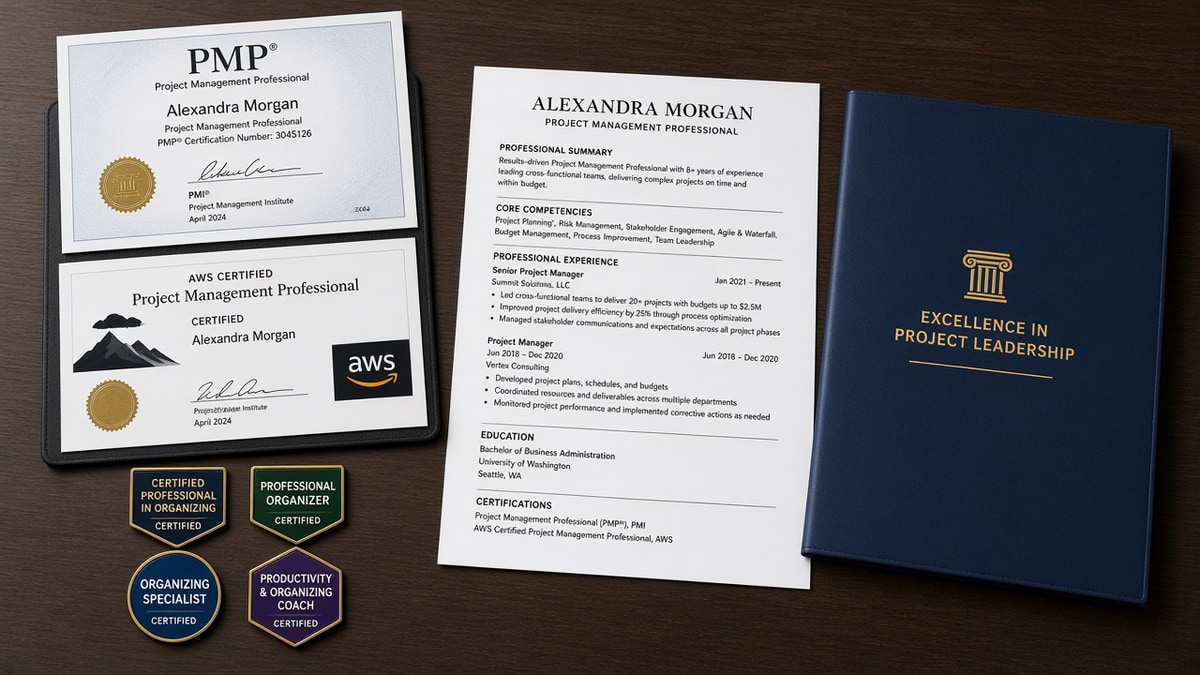
Logo grids and badge graphics. Credential badges as images import as empty boxes. The parser cannot search pixels for PMP. Plain text only on the cert line.
Issuer missing. Writing PMP, 2023 without Project Management Institute loses the field mapping many corporate configs use. Always name the awarding body spelled the way the issuer prints it.
Year-only dates. 2023 alone splits differently than March 2023 across SAP and Workday builds. Month Year earned on the same line as the cert name keeps imports consistent.
Skills stuffing. Repeating AWS seven times in Skills without a Certifications section looks like keyword padding. One cert line with issuer and date plus one natural mention in a bullet about the project you certified for beats a footer cloud.
Two-column Canva exports. Sidebars read first. Your Certifications header ends up below contact icons and the parser attaches cert names to the wrong employer block. Single column, 11-point Calibri or Arial.
Listing exams you haven't finished. Writing AWS Certified Solutions Architect without sitting the exam fails human review fast. Use in progress or exam passed, credential pending until the issuer lists awarded.
See how many keywords a resume should have in 2026 when you're tempted to compensate for a missing cert section by doubling Skills repeats. Coverage in the right section beats density in the wrong one.
Confirm certs parsed before you upload
Export the same file you'll submit. Paste plain text into a notes app or run a free checker with the job description. You're checking whether each must-have cert appears as readable text with issuer and date, not whether Skills looks full.
When PMP still misses, rebuild the Certifications header in Word, not the PDF designer you used last year. When AWS parses but date doesn't, put Month Year on the same line as Amazon Web Services, not on the next row in a table cell.
Run a free ATS check with the description pasted, then score your job match on the same export before Greenhouse or iCIMS tonight.
Rebuild the section tonight, then apply
How to list certifications on a US resume for ATS comes down to one labeled section, issuer on every line, and Month Year earned inline. Skills is for tools. Certifications is for credentials third parties awarded. Sidebar tables are why parsers drop AWS and PMP from search even when you earned them.
Open your master file. Add Certifications in plain text. Move every acronym out of Skills into a line with issuer and date. Export single-column DOCX or PDF. Ctrl-f each posting must-have in the pasted text before you upload again.
This won't fix applying to roles that require a credential you don't hold. It does stop qualified candidates from losing to a layout choice. When the portal asks for a letter, generate a cover letter that names the same cert and earned date from your new section line.
And if you're targeting both program manager and cloud architect reqs this week, reorder cert lines per posting. PMP leads for PM ads. AWS leads for architect ads. Same credentials, different line one under Certifications.
Read more
Frequently asked questions
Give them a labeled Certifications section with plain bullets. Skills rows are for tools and methods you use daily. PMP, CPA, AWS Certified Solutions Architect, and RN license strings belong with issuer and Month Year earned on one line each. When you bury the acronym in a comma list, Workday and Greenhouse often fail to map it to the credentials filter recruiters search.
Include Month Year earned on every line. Add expiration or renewal only when the credential lapses and the posting cares about current status. Write PMP, Project Management Institute, March 2023, renewed March 2026 when renewal matters. For one-time certs with no expiry, earned date alone is enough.
Yes, with honest status. Write CPA, American Institute of CPAs, expected May 2026 or AWS Solutions Architect Associate, Amazon Web Services, in progress. Do not list passed exams as full credentials until the issuer shows awarded on your profile. Recruiters verify license numbers on nursing and finance screens.
After Professional Experience when the posting lists required credentials near the top. Before Education when certs matter more than degree for the role, such as cloud engineer or project manager reqs. Never in a left sidebar table. Single column, header spelled Certifications, each entry on its own bullet.
Mirror one must-have cert in the summary when the posting repeats it in the first three lines. The dedicated section still carries the full line with issuer and date. Summary echo plus section line beats repeating PMP six times in Skills without either line showing Month Year earned.