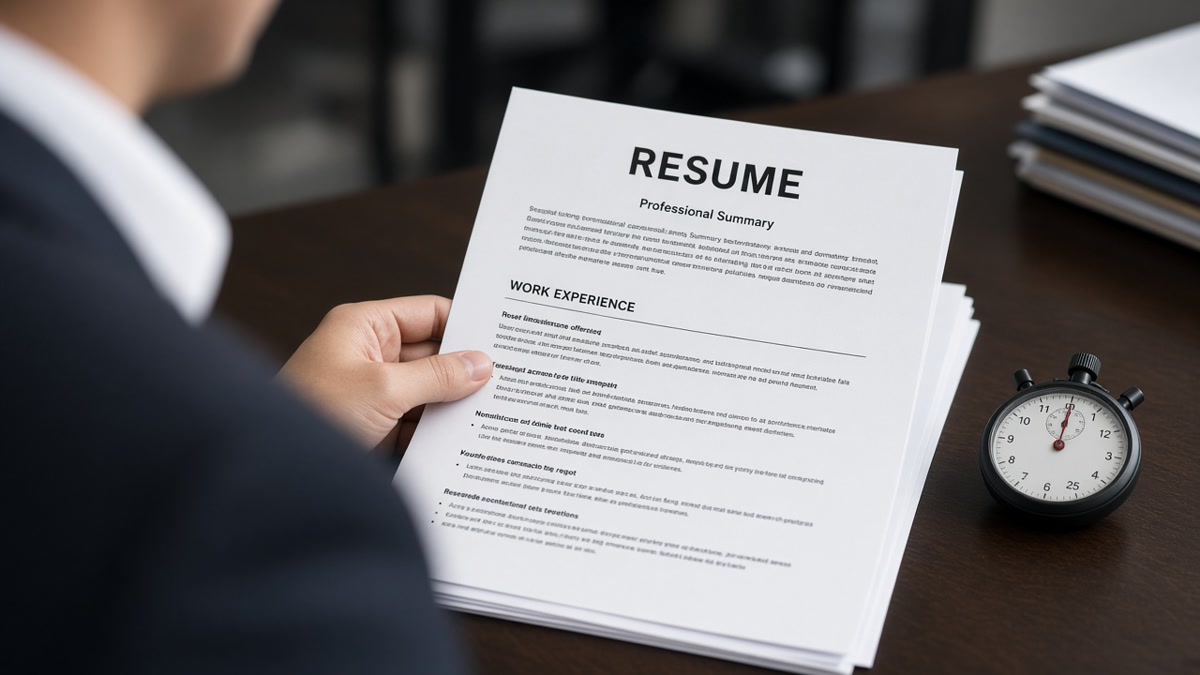
Recruiters spend an average of 7 seconds reviewing each resume before deciding whether to move a candidate forward or reject them outright. This isn't laziness—it's a necessary triage mechanism in a system overwhelmed by applications. Understanding how recruiters decide in 7 seconds is critical for job seekers because it reveals what actually matters on your resume and what doesn't.
In this guide, you'll learn:
- Why the 7-second rule exists and what happens during those crucial moments
- The specific elements recruiters scan first and why they matter
- How ATS systems and human judgment combine to make screening decisions
- Common mistakes that cause instant rejection
- Best practices to maximize your chances of passing the initial screen
Why the 7-Second Rule Exists
The 7-second resume review isn't arbitrary. Research from TheLadders eye-tracking studies shows that recruiters spend an average of 6-7 seconds on an initial resume scan. During high-volume hiring periods, this time shrinks even further. Why? Volume. A mid-sized company receives 200+ applications per open role. A recruiter screening 50 resumes per day has roughly 7 minutes total—making the math unavoidable.
This constraint forces recruiters to develop pattern recognition skills. They're not reading your resume word-by-word; they're scanning for specific signals that indicate fit. Your job is to make those signals unmissable. This is where understanding how recruiters decide in 7 seconds becomes actionable—you can structure your resume to align with their scanning patterns rather than fighting against them.
Key Elements Recruiters Scan First
Your Name and Contact Information
The first 1-2 seconds go to your name and contact details. Recruiters verify they can reach you before investing time in your qualifications. A missing phone number, outdated email, or LinkedIn URL that doesn't match your resume creates friction. Include a professional email address, phone number, and LinkedIn profile URL. Skip the objective statement—it wastes prime real estate.
Most Recent Job Title and Company
Seconds 2-4 focus on your current or most recent role. Recruiters instantly assess whether you're in the right ballpark. A software engineer looking at a Senior Engineer role will pass quickly. Someone transitioning from an unrelated field faces a steeper burden of proof. Your job title and company name should be prominent and easy to find—no creative formatting that obscures this information.
Years of Relevant Experience
Recruiters quickly calculate whether you meet the experience requirement (usually listed as "3+ years" or "5-7 years"). They scan dates to confirm you have the minimum threshold. If the job requires 5 years and you have 4, you're already at a disadvantage—though not automatically rejected. Make your dates clear and chronological. Gaps are noticed but not always deal-breakers if addressed.
Key Skills and Technologies
Seconds 5-7 are spent scanning for must-have skills mentioned in the job description. If the role requires Python, AWS, and Kubernetes, recruiters look for these terms. A dedicated Skills section helps here. However, skills scattered throughout your experience descriptions also register. The key is visibility—recruiters use visual scanning, not careful reading, so skills must stand out through formatting or placement.
The ATS-to-Human Pipeline: How Both Systems Decide
Before a human recruiter ever sees your resume, it passes through an Applicant Tracking System (ATS). The ATS parses your resume, extracts data, and assigns a score based on keyword matching and other factors. Only resumes that clear the ATS threshold reach human eyes. Understanding this two-stage process is essential because a recruiter's 7-second decision is only possible if your resume survived the ATS filter first.
The ATS doesn't "read" your resume the way humans do. It extracts text, matches keywords to the job description, and evaluates structure. A resume that looks beautiful in PDF but uses complex formatting may fail ATS parsing entirely. Creating an ATS-compliant resume means using clean formatting, standard fonts, and relevant keywords—but not keyword stuffing. Once the ATS ranks your resume, recruiters see the top candidates and apply their 7-second scan to differentiate among qualified applicants.
Common Mistakes That Cause Instant Rejection
- Unrelated job titles or companies at the top: If your most recent role doesn't signal relevance to the target position, recruiters move on. Lead with your strongest, most relevant experience.
- Missing or unclear dates: Recruiters can't quickly assess experience level without dates. Always include month and year for each role. Gaps are less damaging than ambiguity.
- No dedicated Skills section: Recruiters expect a Skills section for quick scanning. Burying skills in job descriptions forces deeper reading, which won't happen in 7 seconds.
- Excessive formatting or graphics: Fancy fonts, colored text, and logos look good in Word but break ATS parsing and distract from content during human review. Keep formatting minimal and professional.
- Generic or vague bullet points: "Responsible for project management" tells recruiters nothing. Specific achievements ("Led cross-functional team of 8 to deliver $2M project 3 weeks early") stand out even during a quick scan.
- Misaligned keywords: If the job requires specific technologies and your resume doesn't mention them, you're rejected—even if you have the skills. Mirror language from the job description.
Best Practices to Pass the 7-Second Screen
- Lead with relevance: Put your most relevant, recent role first. If you're career-switching, lead with experience that transfers, not your oldest job.
- Use a clean, single-column layout: Two-column layouts and complex designs break ATS parsing and slow human scanning. Stick to a simple, readable format.
- Quantify achievements: Numbers catch the eye. "Improved performance by 40%" or "Managed $5M budget" are more memorable than vague statements.
- Mirror job description language: Use the same terminology and keywords as the job posting. If they say "full-stack development," use that phrase—not "comprehensive development" or "end-to-end engineering."
- Keep it to one page (when possible): For early-career professionals, one page forces prioritization. Senior roles can justify two pages, but recruiters still spend 7 seconds on the first page—so front-load your strongest content.
- Use a consistent, readable font: Arial, Calibri, or Times New Roman at 10-12pt. Fancy fonts are hard to scan and may not parse correctly in ATS systems.
- Include a professional headline: Below your name, add a one-line headline ("Senior Product Manager | B2B SaaS | 8 Years Experience"). This speeds up the relevance assessment.
- Prioritize the top third: Recruiters spend the most time on the top third of your resume. Put your strongest achievements, most relevant skills, and clearest job titles there.
Step-by-Step Guide to Optimize for the 7-Second Screen
- Audit the job description: Identify 5-8 must-have skills or qualifications. These are your target keywords.
- Reorganize your experience: Move your most relevant role to the top, even if it's not your most recent. Recency matters less than relevance.
- Rewrite your headline: Create a one-liner that signals fit (e.g., "Data Engineer | Python, Spark, AWS | 6 Years").
- Add or refine your Skills section: List 8-12 skills, prioritizing those from the job description. Group them by category if you have many.
- Revise bullet points: Use the format "Action Verb + Task + Quantifiable Result." Example: "Reduced API response time by 35% through database optimization, improving user satisfaction by 28%."
- Check formatting: Save as PDF, open in a plain text editor, and verify it's readable. If the text is garbled, your ATS will struggle too.
- Test with ATS simulators: Use free tools like ATS resume scoring tools to check parsing and keyword density.
What Recruiters Ignore in the First 7 Seconds
Understanding what doesn't matter in the initial screen is as important as knowing what does. Recruiters typically ignore:
- Objective statements: "Seeking a challenging role in a dynamic environment" wastes space. Recruiters assume you want the job you applied for.
- Personal interests or hobbies: Unless directly relevant (e.g., "Open-source contributor" for a developer role), hobbies don't factor into the 7-second decision.
- References: "References available upon request" is understood. Don't include actual references on your resume.
- Detailed descriptions of old roles: A role from 10 years ago gets minimal attention. Keep older experience brief; focus on recent roles.
- Soft skills without context: "Team player" and "hard worker" are assumed. Only mention soft skills if paired with evidence ("Led team of 5" shows leadership).
Conclusion: Make Every Second Count
Understanding how recruiters decide in 7 seconds transforms how you approach resume writing. It's not about tricking the system or gaming ATS algorithms—it's about respecting the constraints recruiters face and making their job easier. By leading with relevance, using clear structure, quantifying achievements, and matching job description language, you dramatically improve your chances of passing the initial screen.
The 7-second rule isn't fair, but it's real. Your resume must work harder in those seconds than most job seekers realize. Focus on clarity, relevance, and impact. Remove clutter. Lead with strength. Make your qualifications impossible to miss. When you do, you're no longer fighting the system—you're working with it.
Ready to optimize your resume further? Review your current resume against the best practices above, audit the job descriptions you're targeting, and restructure your content to align with how recruiters actually scan. Small changes in formatting and emphasis can mean the difference between a rejection and an interview.
Frequently asked questions
Recruiters use a predictable eye-tracking pattern: name and contact info (1-2 seconds), current role and company (1-2 seconds), experience dates and years (1 second), skills and keywords (2-3 seconds). They're not reading sentences; they're scanning for signals. Your resume structure should guide this scan by placing the most important information where their eyes naturally go first.
Both matter, but in sequence. The ATS acts as a gatekeeper—if you don't pass the ATS threshold, no recruiter sees your resume. Among candidates who pass the ATS, recruiter judgment (informed by that 7-second scan) determines who gets contacted. So optimize for ATS first (clean formatting, relevant keywords), then optimize for human scanning (clear structure, quantified achievements).
Rarely. Most recruiters don't read cover letters during the initial screen—they're too time-constrained. Cover letters matter more as a tie-breaker between two similar candidates or when you have a direct referral. Focus your energy on optimizing your resume for the 7-second scan. If a cover letter is required, keep it brief and specific to the role.
Lead with transferable skills and relevant projects, not your job title. Use your headline to bridge the gap ("Product Manager → UX Designer | 5 Years Product Experience + Design Certification"). In your experience section, emphasize roles or projects that demonstrate skills needed in your target role. The first 7 seconds are harder for career-switchers, so make every word count.
Yes. A one-page resume forces clarity and prioritization, making the 7-second scan more effective. A two-page resume isn't disqualifying, but recruiters spend the same 7 seconds on the first page regardless of length—so your most important information must be visible immediately. If you're early-career, aim for one page. Senior roles can justify two pages, but don't assume recruiters will read the second page.
Job titles are one of the first signals recruiters assess. A "Senior Engineer" title registers differently than "Junior Developer," even if experience levels are similar. If your title doesn't match the role you're targeting, use your headline to clarify your seniority level. You can also reframe your title in your resume if your actual title is vague (e.g., "Consultant → Senior Data Analyst" if that's what you actually did).