12 min read
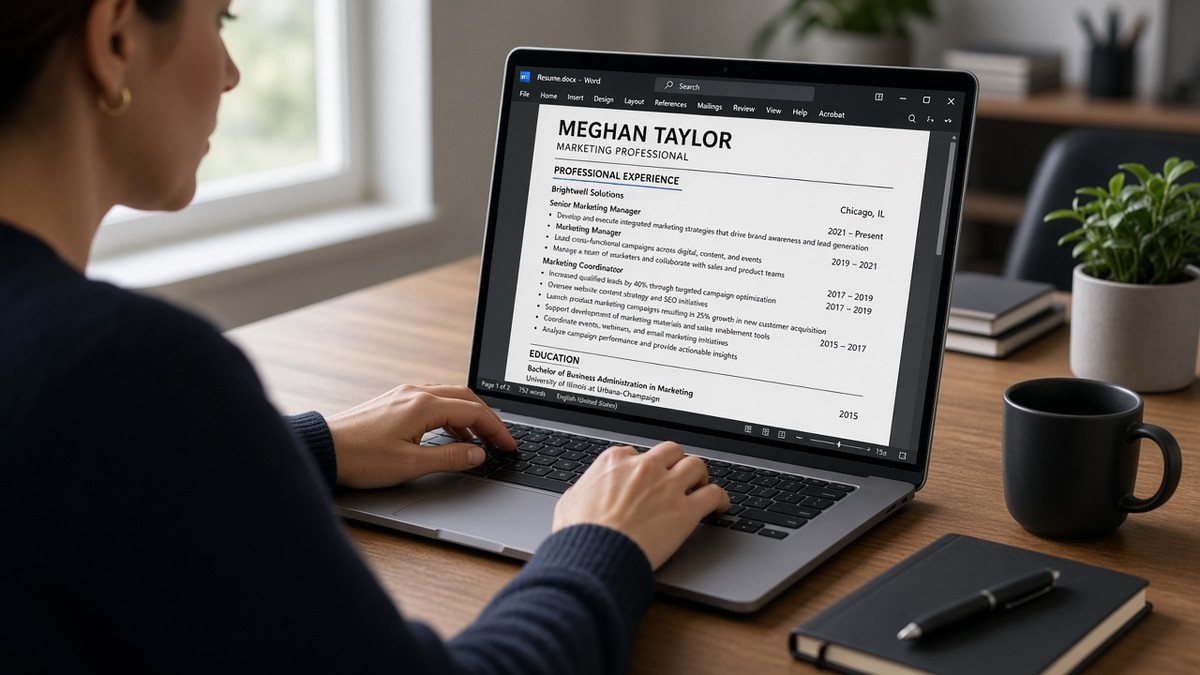
You earned two promotions at the same employer and now the resume looks like a formatting puzzle. List them wrong and the parser thinks you changed companies three times. List them right and the skim shows steady growth without wasting lines.
If you're updating tonight, don't split one employer into three duplicate headers. Stack titles, date each level, and put your strongest bullets under the most recent title. You'll save vertical space and won't confuse tenure math.
This isn't about hiding that you grew in place. It's about making promotions readable in six seconds and in plain text after upload. Recruiters reward tenure when the ladder is obvious.
Check your resume for free after you reformat. You want company name once, titles reading top to bottom with dates attached, and no merged lines in the imported text.
When the application asks for a cover note, name the promotion arc once in the cover letter generator . The letter should match the stacked titles on the resume, not invent a different employer count.
Below you'll get five steps for same-company promotions, two before-and-after layouts, a copy-paste title block, and traps that break parsers.
Quick Wins
- One company header, multiple titles with separate dates below it.
- Lead bullets under the most recent title; trim older rows to two lines max.
- Paste test after formatting to confirm titles did not merge into one line.
How ATS reads multiple titles at one employer
Employer first, then title ladder. Parsers group lines under the nearest company header. When you stack Senior Analyst, then Analyst, then Associate under Acme Corp with dates on each line, the import usually keeps chronology and ties bullets to the title above them.
When you repeat Acme Corp three times as separate jobs, some systems treat each block as a new employer stint. Recruiters see fake job hopping. Others merge all bullets under the last title and drop the earlier promotion signal entirely.
I've reviewed internal promotion resumes in Workday imports for years, and the clean stack always reads faster than three duplicate company rows. The recruiter sees tenure at one firm plus rising scope. That's the story you want parsers to preserve.
For how recruiters weigh titles in skim, read how recruiters interpret job titles . This procedure is the formatting side of that judgment.
Format multiple titles at one company: five steps
Work on a copy of your master resume. These steps assume US corporate uploads in Word or Google Docs exported to PDF.
Step 1: Write one employer header
Company name and city, state on line one. No dates on the company line itself. Dates belong on each title row beneath the header.
Step 2: Stack titles newest first with date ranges
Before: Three blocks: Acme Corp 2019 to 2024, Acme Corp 2019 to 2024, Acme Corp 2019 to 2024 with different titles buried in bullets.
After: Acme Corp, Chicago IL. Senior Financial Analyst, Jan 2022 to Present. Financial Analyst, Jun 2019 to Dec 2021. Each title on its own line with month and year.
Step 3: Assign bullets to the title where the work happened
Put current-scope bullets under the current title. Move pre-promotion work under the earlier title. Two to four bullets under the senior role, one to two under the junior role is enough.
Before: All bullets listed once at the bottom after three title lines with no spacing.
After: Senior title: led close calendar for 3 entities, mentored 2 analysts. Analyst title: built Excel models for monthly variance reports. Clear ownership per level.
Step 4: Combine trivial title changes
If you went from Analyst to Analyst II with the same duties for three months, use one title line with the higher title and full date span. Save vertical space for promotions that changed team size, budget, or scope.
Step 5: Paste test and trim repetition
Copy imported text into Notepad. Company name should appear once. Titles should read in order with dates. If two titles merged onto one line, add a line break or simplify formatting. Delete duplicate bullets that say the same outcome under both titles.
Copy-paste stacked title block
ACME CORP, Chicago IL

Senior Financial Analyst                    Jan 2022 – Present
• Led month-end close for 3 entities, cutting review cycle by 2 days
• Mentored 2 analysts on variance reporting standards

Financial Analyst                           Jun 2019 – Dec 2021
• Built Excel models tracking $12M opex variance vs plan
• Supported audit requests for SOX control testing
Step 6: Align summary and headline with your current title
Your summary line one should reflect the most recent stacked title, not an old level you outgrew three years ago. If the posting asks for Senior Analyst and that's your current row, summary line one says Senior Financial Analyst, not the Analyst title you held in 2020.
LinkedIn headline can mirror the same current title for consistency. Mismatched headline, summary, and top resume title force recruiters to guess which level you're selling.
Edge case: leave and return to same employer
If you left Acme and came back two years later, use two employer blocks with gap explained in one line or in the interview. That is two stints, not a promotion stack. Dates should not overlap.
Edge case two: concurrent titles like Player-Coach. Pick the payroll title, note dual role in bullet one: Acting Team Lead while retaining Individual Contributor quota at 110% of plan.
Contract and consulting titles at one client
If you were a contractor and the client name is the only employer on the resume, stack roles the same way: Client Name as header, contract titles beneath with dates. If your payroll employer was a staffing firm, list the firm as employer and name the client in bullets: Embedded at Acme Corp as Senior Developer, 18 months.
Do not list the client three times as separate full-time jobs when W-2 history shows one staffing agency. Verification paths matter as much as parser order.
Academic and clinical title ladders
Hospital systems often promote Instructor to Assistant Professor on paper while duties shift gradually. Stack titles with honest dates from faculty affairs letters. Clinical ladders from RN to Charge Nurse to Nurse Manager follow the same one-employer rule: health system name once, each license-appropriate title dated, bullets scoped per level.
Before: Three duplicate hospital headers with overlapping years and identical patient care bullets.
After: One health system block, Charge Nurse 2021 to Present with staffing and triage bullets, Staff RN 2018 to 2021 with unit metrics. Progression reads without repetition.
For career progression signals beyond titles, see how ATS interprets career progression . Formatting carries the story; bullets prove it.
Multiple title traps that scramble ATS and recruiter skim
Duplicate company headers. Looks like three jobs, reads as instability, and confuses tenure math.
Dates only on the company line. Parsers cannot tell how long you held each title. Put dates beside every title row.
Tables for title layout. Cells import out of order. Use plain lines and bold title text instead.
Inflated titles not on payroll. Background checks use HR records. Clarify scope in bullets; do not rename the title to match the posting.
Same bullets copied under every title. Recruiters notice repetition. Show different scope per level or combine titles.
Listing only the final title. Hiding earlier roles saves space but erases promotion signal. Stack at least two levels when scope changed materially.
Overlapping date ranges. Senior Analyst 2022 to Present and Analyst 2020 to Present on the same stack confuses tenure. End the earlier title the month the promotion started.
Putting company location on every title row. Location belongs on the employer header once. Repeating city and state on each title wastes lines and sometimes imports as duplicate employers.
Read month-year vs year-only on resume dates when you're choosing date granularity for stacked promotions.
Paste test your title stack before every upload
Upload or paste into a checker after you stack titles. You're confirming company name once, titles in order, and bullets still attached to the right level.
Compare the plain-text import to your Word doc side by side. Title lines should not run together. Dates should stay attached to the correct title. If the senior role's bullets appear under the junior title in plain text, add a hard line break or remove nested formatting.
Save a screenshot of the paste test for your records when you tailor for a dream employer. If a callback comes six weeks later, you'll know exactly which title stack they saw.
Run a free ATS check on the PDF export. Merged title lines mean simplify bold and line breaks before you apply.
Build a plain resume if your template keeps breaking title stacks. A single-column base is easier to maintain across future promotions.
Stack titles tonight
Open your current employer block. Collapse duplicate company headers into one. Stack titles with dates, move bullets under the right level, and paste test the export.
How ATS handles multiple job titles is only as good as your formatting. One company, a clear title ladder, and proof under each level beats three copy-paste employer rows every time.
- Newest title first with the strongest bullets attached.
- Combine cosmetic title tweaks that did not change scope.
- Run the checker before you upload to a corporate portal.
Promotions are a strength when the ladder is obvious. Format them once, paste test every time you tailor, and let tenure plus rising scope do the selling.
Read more
Frequently asked questions
Use one employer header with the company name and location, then stack each title with its own date range and bullets underneath. Most recent title first. Do not repeat the company name as if you worked at three different employers unless you left and returned.
Show promotions that changed scope, level, or team size. Combine short lateral moves or title tweaks that did not change duties into one line with the final title and full date span. Recruiters want progression signal, not a title history museum.
Parsers handle stacked titles when each title sits on its own line with dates and plain bullets below. Tables, text boxes, or duplicate company blocks often merge or drop the older title. Run a paste test after formatting.
Use the payroll title HR will verify, then clarify scope in bullet one if the market title differs. Example: Analyst I (promoted to Senior Analyst, 2023) with bullets showing the senior work you actually did after the promotion date.