6 min read
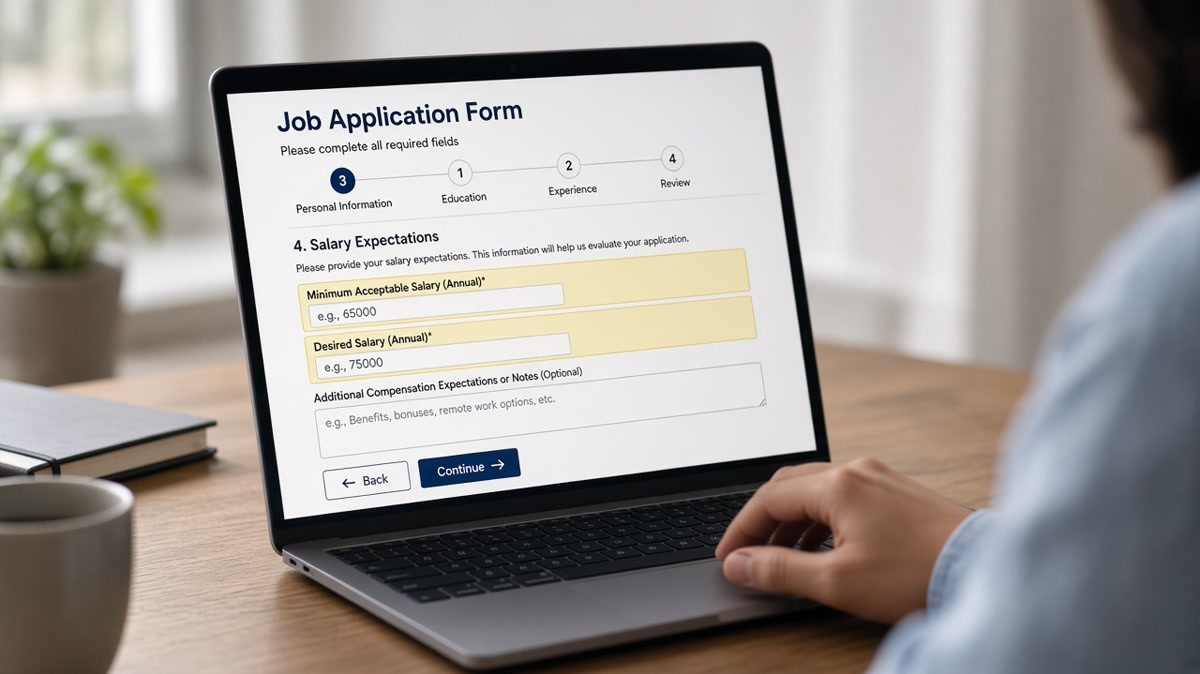
You filled out every field, uploaded a clean resume, and still got a rejection in minutes. Sometimes it's not your bullets. It's the salary line. Applicant tracking systems compare what you entered against a band the hiring team configured before the req went live.
If you're not sure whether your file even parses, check your resume for free first. Salary flags won't matter if your titles never made it out of a table layout.
Here's how ATS flags salary mismatches, where the data comes from, and what to put in the box so you don't get filtered before a recruiter opens your application.
Quick Wins
- Read the posted range before you type a number.
- Remove compensation figures from your resume body.
- Skip reqs where your floor sits above the band by a wide margin.
Where the salary flag comes from
Application fields are the main trigger. Workday, Greenhouse, Lever, and similar platforms let recruiters set an acceptable pay band per req. When you enter an expectation above the ceiling or below a configured floor, the system tags a mismatch. Some setups auto-reject. Others surface a warning on your row for the recruiter.
Resume text can add a second signal. Candidates sometimes list current pay in a summary line or header. Parsers pull that string into the same candidate record as your form answer. If the two disagree, you look inconsistent before anyone calls you.
Title and level filters stack on top. A senior title on a junior band req raises flags even when your salary number looked fine. The ATS is doing triage, not negotiation. Read total compensation vs base salary so you're comparing the same number type the posting uses.
State and city matter on the same title. A band configured for a Midwest market will flag a coastal expectation on the same job code. Remote reqs sometimes use a national band with a wide spread. Narrow your target list to postings where your floor overlaps the geography on the req.
Recruiters see the flag even when you're not auto-rejected. A yellow mismatch icon on your row means they'll ask about pay on the first call or skip you for someone in band. Entering a honest number that fits saves both sides a wasted screen.
What to enter on the form
When the posting shows a range
Before: Expectation set at the top of your personal range regardless of the posted band.
After: Enter a figure inside the posted min and max, usually near the midpoint unless your experience clearly supports the high end.
When the posting is silent
Before: "$200,000+" on a coordinator-level title because you won't move for less.
After: A tight band that matches title and market for the city on the req, or leave optional fields blank and discuss in the screen.
Copy-paste block: salary field decision tree
{`Posted range shown?
  Yes → Enter number inside min–max (midpoint if unsure)
  No → Optional field? Leave blank OR enter realistic band for title + city
Required field with no range?
  → Research level, enter honest floor you'd accept
Your floor above posted max by 20%+?
  → Skip the req; don't lowball the form to get in`}
I've screened applications where the salary field matched the band but the summary line on the resume listed a different figure. Recruiters notice the conflict in the preview pane. Strip pay from the resume. Keep numbers for the conversation after you've passed the filter.
When you're borderline on fit, pair a clean upload with a short note via the cover letter generator only if the portal has a free-text field. Don't repeat a salary figure there unless asked.
Salary answers that backfire
Entering $1 or $0 to dodge the question. Required fields with nonsense values get flagged or block submit. Use a real number or skip optional fields.
Lowballing to get past the filter, then negotiating up. Recruiters anchor on what you typed. A mismatch at offer stage wastes everyone's time.
Listing pay history in the resume header. Parsers surface it next to your form answer. Remove compensation lines from the file body.
Applying to every req when your floor is fixed. Volume won't fix a band mismatch. Target postings where your range overlaps. See how to negotiate salary without competing offers for the conversation after you pass the screen.
Check the rest of your file
Salary flags are one filter layer. Run your resume through HireFlow's free ATS resume checker to confirm titles, dates, and posting terms survived parsing before you worry about the pay field.
Use job match score on the same posting to see whether experience gaps would block you even with a perfect salary answer.
Bottom line
ATS flags salary mismatches when form answers sit outside recruiter-configured bands or contradict pay text on your resume. Align with the posted range when you have one. Skip reqs you're far outside of. Keep compensation off the resume and save the real talk for the phone screen.
Fix parsing tonight, enter an honest in-band number, and apply where your range actually overlaps the role. One tailored upload with a clean file and a matched salary field beats ten spray applications that die on the filter.
When the posting is silent, research title and city before you type. Optional fields can stay blank. Required fields need a real band you'd accept on an offer call, not a placeholder to get past the submit button.
Read more
Frequently asked questions
Many platforms apply a filter when your stated expectation falls outside the band recruiters configured for the req. That can mean instant rejection before resume review. Some portals only flag a mismatch for recruiter review instead of hard rejection.
If the field is optional and the posting gives a range you fit, leaving it blank sometimes avoids a false flag. If the field is required, enter a number inside the posted band or your honest floor. Blank required fields often block submission entirely.
If your resume lists a current compensation figure or a title band that implies senior pay, parsers can surface that text alongside application fields. A coordinator title with executive-level stated pay raises a flag even when the form looked fine.
Research the role level and enter a realistic band based on title and location, or use a midpoint you'd accept. Wild outliers on either side get flagged more often than a tight range that matches the job family.