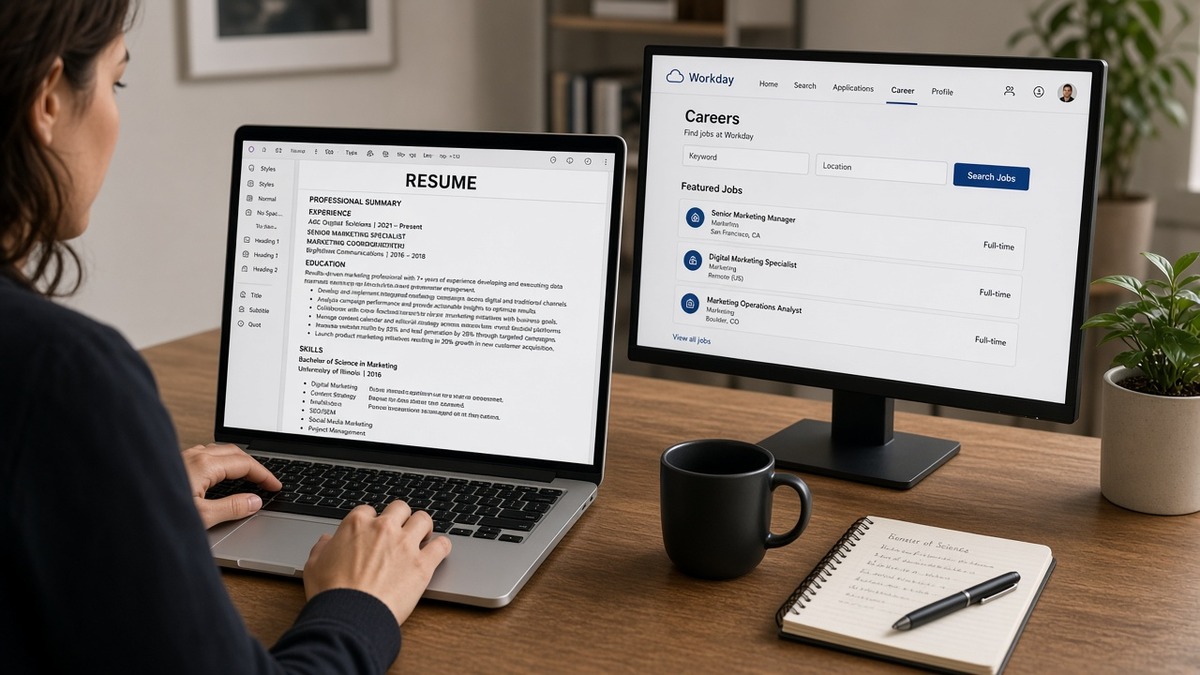
10 min read
The three Workday resume errors for US marketing roles that kill your file are sidebar columns hiding campaign metrics, MarTech tool grids the parser skips, and portfolio links formatted as buttons instead of plain URLs. Before upload, rebuild single column, move every number into dated bullets, run the Notepad test, and check Workday's parse preview. You won't need another template. That's the whole fix.
You've got the numbers. Your Q3 nurture hit 34% open rate on a 210k list. Workday imports "managed email campaigns" and drops the proof. The recruiter ctrl-f for CTR, finds nothing, and moves on. That's not a keyword gap. It's a layout error you can fix tonight, and you don't need a designer to do it.
If you're not sure what's importing, check your resume for free with the marketing manager posting pasted in. You'll likely see HubSpot and Google Analytics flagged as matched while conversion metrics never appear in Experience. Fix the file before you spend another hour tailoring Skills.
Job searching in US marketing is competitive enough without your strongest campaign win living in a right rail Workday never reads. Below you'll see why those three errors happen, when the rules shift for agency or brand-side files, the three fixes to run before upload, and a copy-paste block for campaign bullets.
You don't need another keyword list. You need metrics inside dated bullets, MarTech spelled in plain text, and portfolio URLs a recruiter can copy without clicking a designed button. Boring files win Workday screens.
Quick Wins
- Move every campaign metric out of sidebars into the dated bullet for that campaign.
- List MarTech tools as plain text, not icon grids or two-column tables.
- Put portfolio URLs on their own lines as plain text, not buttons.
- Paste the file into Notepad and confirm metrics appear inside employer sections.
Why Workday drops your campaign metrics
Workday reads the main column first and often never reaches the sidebar. Marketing resumes look sharp with metric callout boxes, colored CTR badges, and a MarTech logo strip down the right. The parser imports left to right through the document body. Numbers in a right rail import after Education or get skipped. Your 4.2% CTR never reaches Experience.
Recruiters screening US marketing roles in Workday search imported profiles, not your PDF design. They ctrl-f for ROAS, list size, or channel names. When bullet one says supported digital marketing initiatives while the proof sat in a sidebar, the screen ends in seconds even when you ran the campaigns.
MarTech stacks make this worse. HubSpot, Salesforce Marketing Cloud, Marketo, and Google Analytics 4 often appear in icon grids or skill tables with logos. Workday matches text strings, not images. Tools listed in a sidebar Skills column may import. Tools trapped in a designed grid may not.
Portfolio links follow the same rule. Creative marketers embed Behance, campaign deck, and case study URLs as hyperlinked buttons or QR-style graphics. Workday strips or misplaces those links. Plain URLs on their own lines in the header block import reliably. Designed buttons do not.
For how section headings affect parsing across ATS platforms, read best resume section headings for ATS recognition . Marketing files fail on layout before headings become the problem, but non-standard titles like Campaign Highlights instead of Experience still cost you searchability.
Before: Two-column Canva resume with open rates in a right rail and HubSpot shown as a logo icon.
After: Single-column Word file with Month Year dates and each metric inside the bullet for that campaign.
Edge case: agency marketers with six clients on one page. Workday needs employer names and dates per client, not a project grid without company labels. Edge case: brand-side growth marketers with one employer. One column with channel-specific bullets still beats a designed dashboard layout.
This won't fix applying to roles where you lack channel ownership. It stops a qualified marketing file from dying because the parser never saw your Q3 win.
Three fixes to run before every Workday upload
Fix one: rebuild as a single column with metrics inside dated bullets. Open your file in Word. Turn on gridlines to expose hidden tables. Delete sidebars and callout boxes. Move every open rate, CTR, ROAS, and list size into the bullet under the employer and date range where you earned it.
Before: Right rail lists Q3 email 34% open, 4.1% CTR, 180k sends with no employer attached.
After: Bullet under Acme Corp, March 2023 to Present: Ran Q3 nurture in HubSpot to 180k list, 34% open rate, 4.1% CTR, $1.2M pipeline influenced.
Fix two: spell MarTech tools in plain text inside Experience and Skills. Drop logo grids. Write the tool name where you used it with one result when possible. Mirror posting language: if the req says GA4, write Google Analytics 4 once, then GA4 in parentheses if you need both forms.
I've screened marketing pipelines in Workday where the candidate's Salesforce and Marketo lines imported fine but every campaign metric sat in a footer the recruiter never opened; ctrl-f for conversion rate returned nothing while Skills looked perfect.
Fix three: portfolio and deck URLs as plain text, then run the Notepad test. Put links on their own lines under contact info: https://yourportfolio.com/campaign-deck not a View Portfolio button. Export PDF from Word. Select all, copy, paste into Notepad. If metrics and URLs appear in employer sections in reading order, the file is ready. If numbers cluster at the bottom, fix layout before upload.
Open Workday's parse preview on the application page. Confirm your most recent title, email, and at least one campaign metric landed in Experience. Submit only when the preview matches what you'd defend on a phone screen.
Copy-paste block: campaign metric bullets
EMAIL / NURTURE:
Ran Q3 lifecycle nurture in HubSpot to 210k list, 34% open rate, 4.2% CTR, $890k pipeline influenced.

PAID SOCIAL:
Managed Meta and LinkedIn paid social, $420k spend, 3.8% CTR, 2.1x ROAS on lead-gen campaigns.

SEO / CONTENT:
Grew organic sessions 28% YoY via GA4 content clusters; published 24 pillar pages tied to product launches.

PORTFOLIO (plain URLs, not buttons):
https://yourname.com/campaign-samples
https://yourname.com/brand-deck-2025
For keyword placement after layout is clean, read email marketing resume keywords for US ATS . Keywords inside bullets that imported beat keywords trapped in a sidebar that did not.
Before: Uploaded designed PDF, parse preview showed Skills only, no metrics in Experience.
After: Plain Word export, preview showed three dated bullets with CTR and list size under current employer.
Date format: pick Month Year or MM/YYYY and stay consistent. March 2023 to Present beats mixed 03/23 and March 2023 on the same file. Workday uses dates to sort roles; mixed formats scramble order.
Contact block belongs in the body, not the header/footer region. Phone, email, city, and plain portfolio URLs at the top in plain text. Headers and footers often drop on import.
Standard headings still matter after layout is fixed. Use Experience, Education, and Skills exactly. Creative labels like Growth Wins or Channel Impact read well to humans and map poorly in Workday search. Save the branding for your portfolio site, not the file heading row.
Bullet structure: lead with channel and tool, close with metric. Paid social managers should name Meta or LinkedIn in the first eight words, then spend and ROAS. Content marketers should name the content type and organic lift. Demand gen should tie nurture or webinar programs to pipeline influenced. Same pattern, different channel proof.
If you manage both brand and performance channels, split bullets by channel instead of one vague digital marketing bullet. Recruiters hiring for email depth search imported text for nurture and list size. A blended bullet buries the signal they need.
When the usual rules shift
Posting says Word only. Upload DOCX even if your PDF looks fine. Some enterprise Workday configs parse DOCX more reliably for marketing files with heavy bullet lists.
Posting says PDF only. Export from Word, not Canva. Run the Notepad test. If text jumbles, rebuild in Word and export again.
Creative director or brand roles. You still need parseable text for the first screen. Plain URL to portfolio is fine. A resume that is only images fails before a human sees the deck.
Freelance and agency stints. List each client as employer with dates, not a single Agency Work section with a project table. Workday maps employers to Experience rows. Unlabeled project grids import as noise.
Before: One section titled Selected Campaigns with a four-column table of clients and metrics.
After: Four employer blocks with Month Year ranges and two bullets each, metrics inside bullets.
Keyword stuffing in Skills. Thirty MarTech tools with no dated proof still lose to a file with eight tools named inside campaign bullets. Workday may import a long Skills list. Recruiters search Experience for results.
Scanned PDFs. Phone photos and image-only exports produce zero searchable text. Workday cannot score what it cannot read.
Edge case: marketing ops roles heavy on SQL and attribution modeling. Lead with the systems you queried and one metric outcome, not a tools wallpaper. Edge case: product marketing with launch calendars in a Gantt graphic. Replace the graphic with three dated launch bullets and pipeline or adoption numbers in text.
Edge case: re-applying to the same company after a rejected file. Rebuild from Word, do not re-upload the same designed PDF. Parse errors repeat when the layout repeats.
Multi-page resumes. Marketing leaders sometimes attach case studies as page two. Workday often parses page one only. Put your strongest metric on page one bullet one. Move supporting detail lower on the same page if you must, not to an appendix the parser ignores.
International campaigns on US reqs. US employers still want US-relevant proof when the role targets this market. Name the market in the bullet when metrics are region-specific: EMEA launch vs US product-led growth. Ambiguous geography makes recruiters guess which numbers apply to their req.
Verify the import before Submit
Run your export through the free ATS checker with the marketing manager posting pasted in. Confirm campaign metrics appear in Experience, not only in Skills. Parsers drop fields that messages and cover letters still claim.
Paste the posting and resume into score your job match to find must-have channel terms missing from bullet one. Add them to the dated bullet for that channel, then re-run the checker. Layout first, keyword mirror second.
Order matters: single-column rebuild, Notepad paste test, HireFlow parse check, Workday preview, then Submit. Skipping preview is how qualified marketers end up with empty Experience rows while Skills lists twelve tools.
When the posting asks for a cover letter, generate a cover letter that repeats metrics already in your imported bullets, not new numbers the PDF does not contain.
Do this now: Rebuild one column, paste into Notepad, run the checker, open Workday preview on your next application.
Run the three fixes tonight
Workday resume errors for US marketing roles are almost always layout problems. Sidebar metrics, MarTech icon grids, and portfolio buttons strip the proof recruiters search for. Rebuild single column, move numbers into dated bullets, spell tools in plain text, and confirm on parse preview before Submit.
- Delete sidebars and move every CTR, ROAS, and list size into dated bullets.
- Replace MarTech logo grids with tool names inside Experience.
- Put portfolio URLs as plain text, then pass the Notepad test.
- Open Workday preview and confirm metrics landed in Experience.
Open your current marketing file. Turn on gridlines. Move one campaign metric from a callout box into bullet one under your current role. Paste the export into Notepad. If the number appears in the right employer block, you're ready for the next Workday application. If it doesn't, keep rebuilding before you tailor another posting.
Boring wins here. The recruiter who finds your 34% open rate in Experience moves you forward. The recruiter who sees managed campaigns with no numbers does not. Fix the file once, reuse it across postings with bullet-one tweaks per channel.
Save a plain Word master and a PDF export from that master only. When a new posting opens, duplicate the Word file, adjust bullet one for channel fit, re-run Notepad and parse preview, then submit. You'll spend less time fighting Workday and more time on interviews where those metrics actually get discussed.
Marketing job searching is slow. A file that imports cleanly won't skip the line when five hundred people apply. It stops your proof from disappearing before a human ever opens the profile. That's the bar. Hit it once per master file, then tailor with intent instead of panic.
Read more
Frequently asked questions
Because most marketing resumes put open rates, CTR, and ROAS in a sidebar column or metric callout box that Workday reads after Education or skips entirely. The parser imports left to right through the main body. Numbers trapped in a right rail never reach Experience. Move each metric into the dated bullet for the campaign it belongs to, then confirm on Workday's parse preview before Submit.
Read the upload tooltip on that posting. Many US Workday portals accept both. Default to a text-selectable PDF exported from Word when both are listed. Choose DOCX when the site says Word only or when your PDF fails the Notepad paste test. Avoid Canva exports and designed templates that flatten campaign proof into graphics recruiters cannot search.
Spell tools as plain text inside Experience bullets and a simple Skills list, not icon grids or two-column tables. Write HubSpot, Salesforce Marketing Cloud, and Google Analytics 4 where you used them, with one campaign result beside each tool when possible. Workday cannot match a logo image to a job description keyword. Text in the main column imports. Icons in a sidebar do not.
A portfolio helps humans after the profile imports. It does not repair a garbled candidate profile where your email win imported under Certifications. Put creative portfolio and campaign deck URLs as plain text on their own lines, not buttons or hyperlinked graphics. Fix the resume file first, confirm metrics appear in Experience on the preview, then add links in application fields where Workday asks for them.