By Peter Miller · Published August 11, 2026 · Last updated: October 4, 2026
10 min read
You're not failing because a website gave you 62 instead of 90. You're staring at a score without knowing whether it measured parsing, keywords, or both. That confusion wastes nights rewriting the wrong layer, and it doesn't have to.
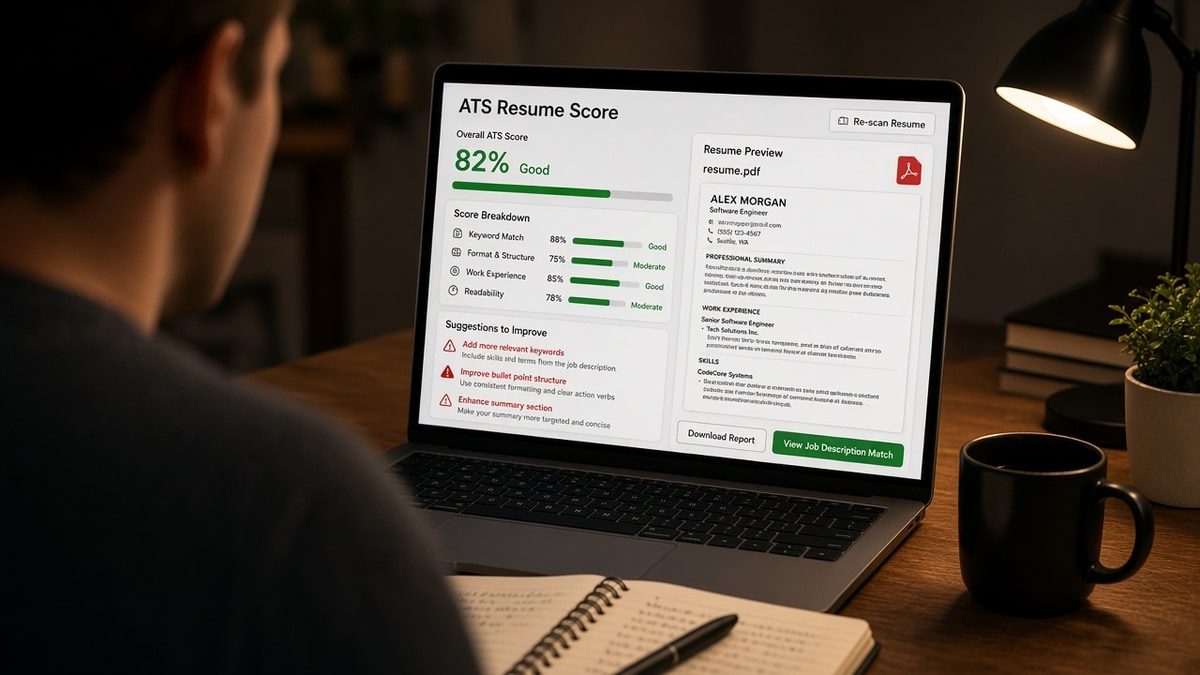
ATS resume score explained for job seekers should start with what the tool can see after upload, not what you wish hiring managers felt reading your summary. Most scores are diagnostic, not destiny, and they're most useful when you treat them like a lint check.
Paste your resume and a target req, then check your resume for free so you'll know which bucket your score falls into before you change another font. If you've never pasted into Notepad, that's step zero, and it beats guessing.
Quick Wins
- Fix parse errors before chasing keyword density.
- Put missing req tools in bullet one under current role.
- Re-score only after layout or tailoring changes.
- Save checker notes beside each tailored PDF so you don't repeat the same fixes.
- Apply once parse is clean; don't delay for a vanity number.
ATS resume score explained: parts of the number
Think of the score as a pre-upload X-ray, not a grade on your career. Checkers typically flag missing sections, unreadable columns, and terms from the job description that never landed in parsed Experience or Skills.
Live employer ATS may weight factors differently or ignore keyword scores entirely. Recruiters still search parsed text and read PDFs. Your checker score approximates readiness, not the employer's secret algorithm.
When scores and silence conflict, read why your resume score is high but you still get rejected .
Parse quality and keyword overlap can move independently. A beautiful keyword match on a two-column file still fails if dates import under Skills. Fix structure first, then tailor language.
Recruiters rarely see your checker score. They see parsed fields and PDF. The score is your rehearsal, not their dashboard.
Soft skills and culture fit don't appear in keyword lists. Scores won't measure them. Bullets that show collaboration with named teams still matter for human reads after parse passes.
Procedure: raise score without gaming the system
Step 1: Baseline parse check
Before: Chasing 95 while Workday shows your phone under Education.
After: Single-column PDF, headings spelled Experience and Skills, paste test clean, then re-run score.
Step 2: Map missing keywords to roles
Export a missing-term list from the checker. For each must-have, decide which job you used it in. If nowhere, add honestly or skip the req rather than inventing exposure you can't discuss in a screen.
Before: Salesforce only in Skills.
After: Bullet under 2024 role: Administered Salesforce CPQ rules for 120 enterprise quotes with finance audit trail.
Step 3: Tailor top bullets, not every line
Rewrite bullet one and two under current role plus summary if you use one. Diminishing returns hit fast when you rewrite ten old jobs for one posting.
Prioritize tools repeated three times in the req. Secondary nice-to-haves can live in Skills row two if they're true but not central to your last role.
Career changers should swap project bullets to foreground transferable systems even when job title differs from the posting. Score tools reward that overlap when it's dated and specific.
Step 4: Match title language carefully
If the req title differs slightly from your HR title, mirror the posting in a headline line or first bullet while keeping truthful employer records in parentheses when needed.
Scores sometimes flag title terms missing from Skills even when title sits in Experience header. Add the posting title phrase once in bullet one if it's accurate for your duties.
Step 5: Re-export and re-score
Save a named PDF per posting, run checker again, confirm missing list shrank and parse view still ordered. Stop when parse is clean and must-haves appear in Experience.
Copy-paste block: score improvement loop
1. Upload master PDF + paste job description
2. Fix parse flags (column, header, section names)
3. List top 5 missing must-have terms
4. Add each to a dated bullet you can defend
5. Re-upload, confirm terms show under Experience
6. Apply; keep master separate from tailored export
Step 6: Know when to stop tuning
If parse is clean and must-haves appear in Experience, extra keyword repeats hurt readability and may trigger human skepticism. Apply and spend time on networking or portfolio instead of chasing a perfect number.
What different score bands usually mean
Low band with parse warnings: fix layout before keywords. Mid band with clean parse: tailor bullets for missing must-haves. High band with clean parse: apply if human story holds; don't mass apply solely because the number glows.
Scores tied to one posting aren't portable. A file tuned for data engineer req may score low on product manager paste until you branch exports.
Internship and new-grad reqs often emphasize coursework tools. Move relevant class projects into Experience bullets with dates so scores see them outside a generic Skills dump.
Executive resumes may score lower on keyword density while still winning screens on scope and employer names. Use scores to catch parse bugs, not to second-guess decades of leadership narrative.
Portal-specific reminders
Workday and Greenhouse re-parse on upload. A checker preflight reduces surprises but doesn't guarantee identical import. Still run paste test on the exported PDF you attach.
Some employers ask you to retype Experience after upload. Your score can't fix that labor; keep a plain-text master with dates ready to copy when forms autofill wrong fields.
Mobile uploads from phone photo PDFs often score low on parse before a human ever judges content. Export from source doc on desktop when possible.
Score myths that waste job-search time
I've seen candidates delay applications a week to raise a checker number while the req closed. The score mattered less than the deadline.
Treating score as hire probability. No checker sees recruiter intake meetings or headcount freezes.
White font keyword stuffing. Parsers and humans both flag invisible text. Use real bullets instead.
Comparing scores across different checkers. Scale and weighting differ. Track your own file against the same tool over time.
Deleting experience to shorten file. Shorter isn't always safer. Missing years create fit questions that hurt more than a second page with old roles trimmed to one line each.
Assuming cover letters change resume score. Most resume checkers score the resume file only. Letters matter for humans; tune them separately.
Chasing score without posting paste. Generic scores without a job description compare your file to nothing useful. Always paste the req you plan to submit.
Ignoring human skim. Scores don't measure writing clarity. Pair fixes with will a high ATS score get me an interview .
Use HireFlow scores as a gate, not a goal
Start with the free ATS resume checker for parse view plus keyword gaps against the pasted posting.
Layer the job match score when you're choosing which reqs deserve a forty-minute tailor pass this week.
Don't run ten checks on identical files out of anxiety. Re-score when content or layout changes, or when you pivot to a new posting family with different must-have tools.
Score the file, then tell the story
ATS resume score explained for job seekers boils down to readable structure plus honest keyword placement in dated roles. Nail those, apply on time, and let humans judge fit in the screen call.
Log checker results in a spreadsheet with posting URL and date if you're iterating weekly. Patterns show whether you're stuck on parse or on keyword placement across a job family.
When score won't budge but you're qualified, widen target reqs or fix title alignment before you rewrite bullets for the tenth time on the same master.
Treat a stable, clean parse as the permanent win. Keyword scores will swing with every posting; structure should stay boring and reliable across the whole search. That's the part you control completely.
Draft a matching letter in the cover letter generator so keywords in the resume don't stand alone in the packet.
Frequently asked questions
Most checker scores combine parse quality, section detection, and keyword overlap with a pasted job description. They estimate how completely your file imports and how many req terms appear in Experience and Skills, not whether a recruiter will like your story.
No. A high score means the file is readable and aligned on paper. Recruiters still reject strong keyword matches when titles, seniority, or industry fit are off. The score is a pre-flight check, not an offer predictor.
Extra pages sometimes introduce headers, footers, or columns that parsers read out of order. Scores drop when contact info, skills, or dates scramble in the imported view even if the PDF looks fine.
Fix parsing first: single column, standard headings, text PDF. Then tailor keywords in bullets under the last two roles. Rewriting design from scratch rarely moves the score as much as one aligned bullet under your current job.
Run a check when you change layout, when you target a new job family, or when a posting lists unusual must-have tools. You don't need a new score for every identical req if the master file unchanged.