11 min read
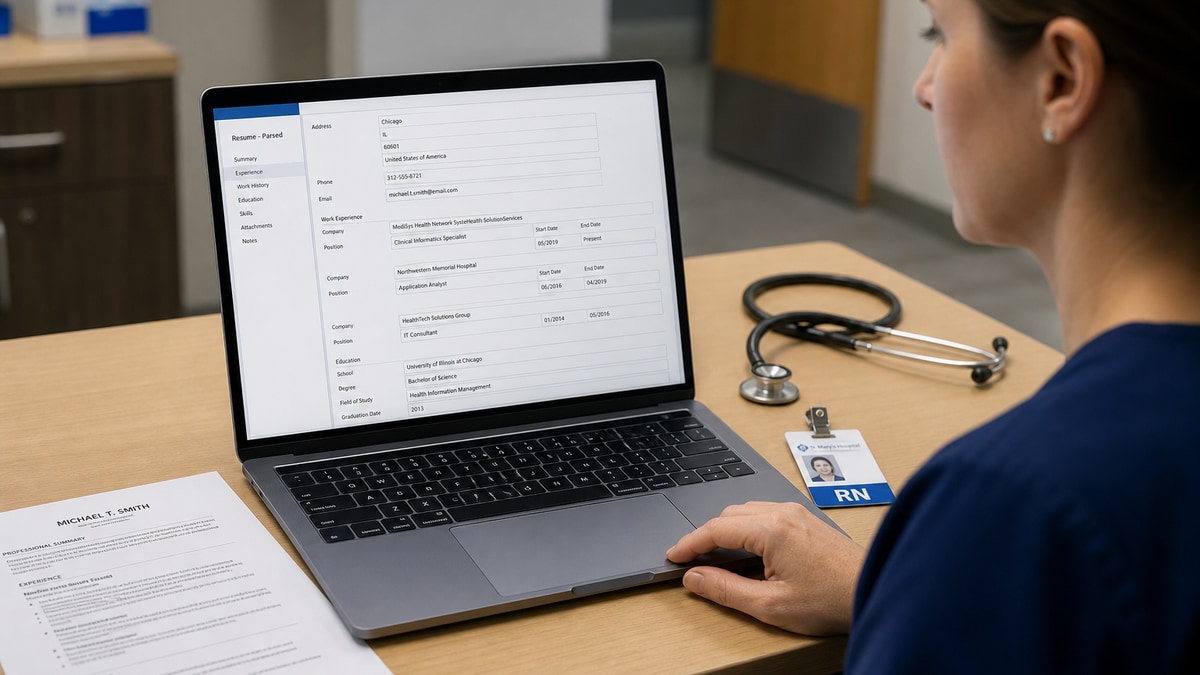
You've uploaded a strong file. Keywords matched. Silence anyway. For US hospital and clinic roles, that's usually a parsing problem, not a missing skill. The portal imported your RN license, BLS date, and Epic line as one mashed string, so recruiters search California RN and won't find anything next to your name.
Check your resume for free with the posting pasted in. You'll often see green hits on Skills while Certifications imported as gibberish on Workday. Healthcare files carry more structured lines than corporate resumes. When those lines sit inside tables or side columns, the parser treats them like body text.
Below: the symptom you'll see in a preview, three causes that show up on nurse, allied health, and admin files, how to tell which one's yours, and fixes you can run before the next apply. Job searching in healthcare is already stressful. This isn't a lecture on tailoring. It's a layout and line-break edit you can finish tonight.
If you're applying tonight, export your current PDF and paste it into Notepad first. Don't tweak keywords until employer order and license lines read clean in plain text. You won't fix a mashed license block by adding Epic to Skills again.
Quick Wins
- Paste your PDF into Notepad and read license lines aloud.
- Move each credential out of tables onto its own plain text line.
- Put Month Year dates on the same line as employer and title.
- Open the post-upload preview after apply when the site offers one.
The symptom: credentials look fine on your screen, wrong in the portal
A composite med-surg RN whose PDF shows a tidy two-column credential table is the file type I see every week. On screen: California RN, BLS, ACLS, Epic Cadence in neat cells. In the applicant profile: one block that reads RN CA 123456 BLS 2024 ACLS Epic with no dates attached to the right employer.
Recruiters do not read your Canva layout. They search the parsed profile for state license, unit type, and EMR inside dated jobs. When those strings land in the wrong field, you look unlicensed or underqualified even though the PDF was perfect.
The tell: you get auto-rejects on roles you clearly match, or a recruiter asks for a license you already listed because their search field is empty.
Read your resume passed parsing but still failed screening when the preview looks clean but callbacks still vanish. Parsing fixes come first. Proof in bullets comes second.
Three Workday parsing failures that hit US healthcare files
Cause 1: Credential tables collapse into one line
Nursing and allied health resumes love grid layouts: license number in column one, state in column two, expiration in column three. Parsers read across the row and spit out a single token. Hospital recruiters filter on license state. If California never imports as its own field, you drop out before a human opens the PDF.
Before: Table with columns State | License # | Exp | Cert. Row reads CA | 123456 | 03/2026 | BLS.
After: Registered Nurse, California, License #123456, expires March 2026. Basic Life Support (BLS), expires January 2027. Each item on its own line, no table borders.
Fix: Delete the table. Rebuild Certifications and Licenses as stacked plain lines. Spell the state fully once. Keep abbreviations in parentheses after the full credential name.
Cause 2: Clinical employer blocks merge with dates
Travel and per-diem histories stack three hospital names on one line with en-dash separators. Float pool roles list eight facilities in a bullet without dates per site. The parser attaches every date it finds to the first employer name in the block, so your current hospital looks like a six-month stint from 2019.
Before: Staff RN, Mercy / St. Luke's / County General, 2019 to Present. One bullet for all sites.
After: Staff RN, Mercy Hospital, San Diego, March 2022 to Present. Staff RN, St. Luke's Medical Center, January 2020 to February 2022. Each employer gets its own title line and Month Year dates on the line below.
Fix: One hospital per employer block. Month Year on the line under the facility name. Travel contracts get the agency or hospital as the employer, not a comma list of every unit you touched.
Cause 3: Skills and EMR grids dump out of order
Sidebar templates park Epic, Cerner, and Meditech in a left column while Experience sits on the right. Some imports read the sidebar between job one and job two, so Epic lands under your 2018 CNA role instead of your current hospital job. Keyword checkers still flag Epic. Recruiters ctrl-f inside the current employer and see nothing.
I've opened profiles where ACLS imported under Education and Epic under an old internship. The PDF looked professional. The searchable record was unusable.
Before: Left rail Skills: Epic, Cerner, wound care, IV therapy. Right column jobs with generic bullets.
After: Single column. Bullet one under current hospital: Managed Epic Cadence scheduling for 32-bed med-surg unit; precepted 4 orientees on admission workflow in Q2 2025. Skills section after Experience echoes Epic Cadence once.
Fix: Move EMR names into bullet one under the hospital where you used them. Rebuild as single-column 11-point Calibri or Arial. Paste into Notepad and confirm Epic appears next to the right employer name.
How to tell which failure is yours
Export PDF. Paste into Notepad or plain TextEdit. Read top to bottom without formatting. If license lines run together with no line breaks, you're in Cause 1. If multiple hospitals appear on one line with one date range, Cause 2. If EMR or cert names sit between unrelated jobs, Cause 3.
When the employer offers a post-upload preview, treat that screen as ground truth. Compare it to your Notepad paste. If both look wrong the same way, layout is the problem. If Notepad is clean but preview is not, try DOCX instead of PDF on the next apply.
Edge case: compact one-page resume for new grads. Stacking six rotations in a table triggers Cause 1 even on a short file. List clinical rotations as plain employer blocks with Month Year dates, not a rotation grid.
Edge case: multi-state compact license. Write Registered Nurse, Multistate (Compact), Arizona primary, License #XXXX, instead of a matrix of every member state in a table cell.
Copy-paste license block for healthcare resumes
Copy-paste and replace with your real credentials: Registered Nurse (RN), California, License #123456, expires March 2026. Basic Life Support (BLS), American Heart Association, expires January 2027. Advanced Cardiovascular Life Support (ACLS), expires June 2026. Certified Emergency Nurse (CEN), expires 2027. One line per item. No tables. No text boxes.
For allied health, same structure: Radiologic Technologist (ARRT), California, License #XXXX. BLS expires Month Year. CT registry if applicable on the next line. Lab roles: Medical Laboratory Scientist (MLS), ASCP, plus state license on separate lines.
Healthcare admin files: list CHFP, CPPM, or relevant cert on plain lines. Put HIPAA or Epic credential only where you used it in a dated bullet, not alone in a footer icon row.
Before and after: respiratory therapist travel history
Before: RRT, Travel Assignments, various CA/NV hospitals, 2021 to Present. Skills table with vent modes and Epic.
After: Registered Respiratory Therapist (RRT), Valley Medical Center, Las Vegas, June 2024 to Present. Staff RRT, Central Coast Hospital, March 2022 to May 2024. Bullet one names ventilator management scope and Epic Rover workflows under the current site only.
Before and after: clinic medical assistant
Before: MA, Family Practice, duties included vitals and scheduling. CMA BLS in footer.
After: Certified Medical Assistant (CMA), Riverside Family Clinic, April 2023 to Present. Roomed 22 to 28 patients daily in Epic; supported vaccine clinic averaging 45 shots per session in flu season 2024. Certifications section lists CMA and BLS on separate lines with expiration months.
Wrong fixes that waste a healthcare application cycle
Stuffing license keywords into Skills. California RN in a Skills cloud without a plain license line still won't import as a license field. Fix layout first, then echo the state in Skills if needed.
Shrinking font to keep a table on one page. Tiny type in cells parses worse, not better. Drop older rotations or shorten bullets before you shrink credentials into a grid.
Using icons for BLS and ACLS. Heart icons and badge graphics become blank squares or random characters in plain text. Spell the cert name every time.
Assuming PDF is always safer. Designed PDFs from online builders often hide layers parsers skip. A boring DOCX beats a pretty PDF when credentials are the issue.
Listing every state license when you only need one. Apply with the license matching the job state plus compact notation if true. A wall of state numbers in one cell triggers Cause 1 again.
Rewriting bullets before fixing employer order. A perfect med-surg bullet attached to the wrong hospital year still fails recruiter search. Order and dates before keyword polish.
Edge case: charge nurse titles embedded in a header graphic. The title never imports. Put Charge Nurse, Med-Surg on the same text line as the hospital name.
Edge case: per-diem at two systems concurrently. Split into two employer blocks with overlapping dates instead of one line with an ampersand between hospital names.
Read how to prepare for a recruiter screening call after the file parses clean so you can cite the same license line you fixed on the page.
Test the file before the next hospital upload
Paste the job description into Score your job match after you rebuild license lines. You're checking whether must-haves sit under the current employer, not chasing a perfect percentage on Skills alone.
Run a free ATS check on the exported file and confirm parse order matches your Notepad paste. If license and EMR lines still scramble, switch to single-column DOCX before you apply again.
When the posting asks for a letter, generate a cover letter that names the same unit type and license state from bullet one. Letter and resume should tell one story, not two versions of your clinical scope.
Export and verify before the next hospital apply
US healthcare rejections in Workday usually trace to credential tables and license lines the parser reads as one block. Fix layout, then tune bullets. A readable license line beats a tenth keyword in Skills when recruiters filter on state and cert fields first.
Open your file tonight. Paste into Notepad. Rebuild credentials as plain stacked lines. Split every hospital into its own employer block with Month Year dates. Move Epic or Cerner into bullet one under the site where you used it. Run a free check. This won't fix applying to roles where you're missing a required license. It stops qualified clinicians from looking unlicensed because a table collapsed on import.
Save a screenshot of the post-upload preview beside your fixed license section. When a recruiter calls, you'll read the same line they see in the system, not a prettier PDF they never opened.
Read more
Frequently asked questions
Tables, text boxes, and multi-column layouts make the parser read left to right across the page instead of top to bottom. A credential grid that looks clean in Word often imports as one run-on line: RN California 123456 BLS ACLS Epic. Split each license onto its own plain line with the state spelled out, and drop the table wrapper before you upload.
Follow the posting. When the portal accepts both, a simple single-column DOCX usually survives healthcare credential blocks better than a designed PDF. If you only have PDF, export from Word with standard fonts and no embedded icons. After upload, open the Workday preview when the employer shows one. That preview is the file recruiters search, not your original layout.
Use a dedicated Certifications and Licenses section below Experience, one credential per line, full name then abbreviation in parentheses. Put the active license for the state you are applying in on line one. Repeat the license number only once per state. Do not hide credentials in a footer table or a sidebar column that parsers read out of order.
Parsing is only the first gate. Open the posting and ctrl-f your license state, unit type, and EMR name inside dated Experience bullets. A readable preview with generic bullets still loses to a file that proves med-surg scope in bullet one. Read your-resume-passed-parsing-but-still-failed-screening when the preview is clean but silence continues.
Export single-column PDF, paste plain text into Notepad, and confirm employer names and license lines stay in order. Paste the job description into a free ATS check and confirm must-haves appear under the right employer block, not only in Skills. Re-upload only after the plain-text paste matches what you intend a recruiter to search.