11 min read
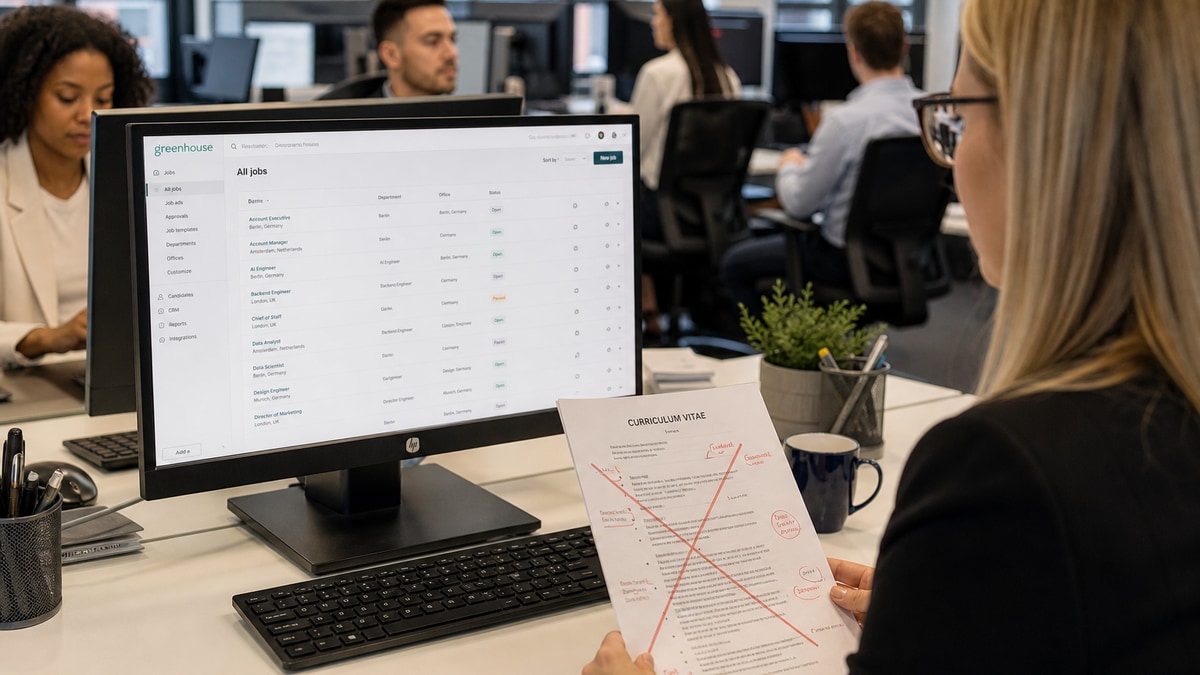
You're applying with a CV that looks polished on screen. Greenhouse still stores a different person. Columns split employer from dates. Photo headers swallow phone numbers. Icon rows become garbage characters in Skills. Skill bars turn into random percentages. None of that means you're underqualified. It doesn't mean your experience is weak. It means the upload parser read design before content.
Check your resume for free after you rebuild one role block. Paste plain text beside the Greenhouse preview. If company names land under Skills while your photo caption becomes employer, you've found the failure before a recruiter does. Job searching across borders is already slow. Format fixes come first, keyword tweaks second.
You don't need to drop European CV customs everywhere. You need a portal-safe export when Greenhouse sits between you and the hiring team. That's not abandoning local style. It's choosing the file shape the parser can read. Below: the plain standard European CV habits are judged against, six before/after pairs across roles and countries, what weak uploads share, a copy-paste section block, and FAQ rules you can act on in ten minutes.
Quick Wins
- Export plain text. If dates appear before employer names, rebuild single column.
- Remove photo header band from the Greenhouse upload file. Keep body contact line.
- Replace icon skill rows with comma lists echoed from Experience bullets.
- Save DOCX without text boxes. Upload once and read preview before second apply.
The standard your European CV is judged against
Multinational teams using Greenhouse in Europe still want readable evidence, not design flex. The parser scorecard is dull on purpose: single-column body text, contact details in the main flow, plain section headers on their own lines, Month Year dates glued to the employer row, no tables for alignment, no icon bands, no photo block above the name.
European human norms and ATS norms diverge. A CV that wins a local hiring manager in Milan or Munich often carries photo, two columns, language bars, and flag icons. Greenhouse upload does not reward that file. Keep a human version for direct email if local custom expects it. Upload a boring version to the portal.
I've screened stacks of these in Workday and Greenhouse, and the European CV that survives portal upload looks like US plain text with British or continental Month Year spelling. One column. Arial or Calibri 11. Employer, title, city, March 2019 to June 2023 on one line, then bullets. Everything else is decoration that becomes noise in preview.
Edge case: UK candidates skipping photos already align with upload rules. Edge case: long continental CVs with publications stay fine when section headers stay plain and entries are single column. Length is not the usual breaker. Column layout is.
Greenhouse tenants across Dublin, Berlin, and Barcelona share the same parser habits even when local CV culture differs. A multinational posting in English still uploads through the same preview pane. Your file competes with US plain-text resumes on structure, not on design awards.
Before you touch keywords, run plain-text export. Word Save As plain text or copy all from PDF into Notepad. Read top to bottom. If phone numbers sit where a company should be, stop. Structure first.
Candidates sometimes assume Europass is safer because it is government-standard. Europass is human-readable. Greenhouse still reads columns. Treat Europass as content source, not upload format. Rebuild the text in single-column Word before portal apply.
Read Workday parsing errors for UK finance CVs when the employer runs Workday instead of Greenhouse. The column and date failures rhyme even when the portal logo changes.
ATS resume optimization for Greenhouse: six before/after pairs
Each pair shows a European CV fragment as Greenhouse often misreads it, then the single-column fix. Composite employers and cities. The parsing pattern is what you paste against your own file.
Pair 1: Two-column layout (Amsterdam, product marketing)
Before: Left column: name, photo, contact icons. Right column: Profile paragraph, then Experience with dates in a inner narrow table.
Greenhouse preview: Employer names attach to language levels. Dates merge into Skills.
After: Name, phone, email, Amsterdam NL on line one. Profile as three plain sentences. Product Marketing Manager, NorthSea SaaS, Amsterdam | January 2021 to Present on one line, bullets follow.
Before bullet: Managed campaigns across channels.
After bullet: Owned ABM campaigns in HubSpot across DACH and Benelux, sourcing €2.1M pipeline in two quarters on a 40-account target list.
Fix pattern: move every contact field into body line one. Kill inner date tables. Repeat employer before each role block even when the template uses horizontal rules only.
Pair 2: Photo header band (Munich, mechanical engineer)
Before: Full-width photo banner under name. Phone and email in white text on image. Address in Word header.
Greenhouse preview: Blank contact fields. First parsed employer is a JPEG artifact string.
After: No photo in upload file. Line one: Jonas Weber | +49 phone | email | Munich, Germany. Mechanical Engineer, Bayerische Maschinenbau GmbH | March 2018 to Present.
Before bullet: Worked on CAD models and tolerance checks.
After bullet: Led CAD tolerance reviews for 12 production lines in SolidWorks, cutting rework tickets 14% across 800 monthly parts.
Fix pattern: maintain a photo CV for local customs if needed. Export a no-photo DOCX for Greenhouse. Never put phone or email on image layers.
Pair 3: Icon skill row (Barcelona, UX designer)
Before: Skills section uses Figma, Sketch, and Adobe icons in a four-column table with star ratings.
Greenhouse preview: Skills field shows empty stars and odd unicode. Figma never matches job description search.
After: Skills: Figma, Sketch, Adobe XD, Design Systems, User Research. Figma named in bullet one under current role.
Before bullet: Designed mobile screens for fintech clients.
After bullet: Shipped mobile onboarding flows in Figma for a 6-person squad, lifting trial activation 11% on 120k monthly installs.
Fix pattern: delete icon tables entirely. Skills header plus comma list. Tools must appear in dated bullets before they appear in Skills.
Pair 4: Skill bars and percentages (Dublin, data analyst)
Before: Python 90% bar, SQL 85% bar, Power BI 80% bar inside shaded table cells.
Greenhouse preview: Skills store numbers 90, 85, 80 without tool names. Recruiter search for Python misses.
After: Skills line: Python, SQL, Power BI, dbt, Snowflake. Bullet proves Python and SQL in dated work.
Before bullet: Built dashboards for sales leadership.
After bullet: Built Python and SQL pipelines in dbt feeding Power BI dashboards for 40 regional sales leads, cutting manual Excel pulls from weekly to daily.
Fix pattern: no percentages in Skills unless they are outcomes inside bullets. Recruiters search tool names, not self-rated bars.
Pair 5: Europass date column (Warsaw, project manager)
Before: Europass PDF with left date column 01/2019 to 09/2023 separated from employer cell on the right.
Greenhouse preview: End date reads 2099 or blanks. Employer line missing. Duties dump into Education.
After: Project Manager, Vistula Logistics SA, Warsaw | January 2019 to September 2023. Month spelled out. Dates on employer row only.
Fix pattern: spell months. Keep numeric-only dates out of narrow columns. One employer block at a time with title, company, city, and range on the same line.
Pair 6: Sidebar contact table (London, compliance analyst)
Before: Narrow sidebar table with LinkedIn icon, email icon, phone icon. Main column starts with Profile inside a text box.
Greenhouse preview: LinkedIn URL parses as employer. Profile text lands in Skills.
After: Compliance Analyst, Thames Mutual, London | June 2020 to Present. Contact lines above Profile without icons. Profile unboxed plain text.
Before bullet: Supported AML reviews and filing prep.
After bullet: Owned monthly AML alert reviews for 1,200 retail accounts in Actimize, filing SAR packages within 48 hours of escalation.
Fix pattern: sidebar contact tables become body lines. Unbox Profile text. LinkedIn URL can sit on its own plain line if needed, not inside icon cells.
Copy-paste European upload block
Name | phone | email | City, Country
Profile: [three plain sentences, no icons]
Work Experience
[Title], [Company], [City] | [Month Year] to [Month Year or Present]
- [bullet with tool from posting and scope marker]
Skills: [comma list echoed from bullets, no bars or stars]
Education: [degree], [school], [year]
Languages: English C1, German B2 [plain text, no flags]
Upload file: single-column DOCX, no photo, no tables
Paste the block into Word, rebuild one role, export plain text, then compare to Greenhouse preview before you reformat the rest. Keep a designed PDF for humans who request it. Upload the plain twin to Greenhouse every time. Read how to list language skills without clutter when you're tempted to add flag icons back in for human readers.
What weak Greenhouse uploads share
Design-first, text-second. Every failed file prioritizes template marketplace layout over field order. Fix order once, reuse the boring master for portal uploads.
Contact trapped in headers, footers, or sidebars. Greenhouse reads body flow. If it is not in the body, it is not reliable.
Skills as graphics. Bars, stars, and icons do not parse as skills. Plain words in Experience plus one comma list beat a design showcase.
Keyword pass before structure pass. Adding GDPR or Agile to a scrambled column file does not fix employer mismatch. Plain text export first every time.
Same file for local HR email and portal. Reasonable for humans. Risky for parsers. Maintain two exports when customs differ.
Ignoring preview. Candidates upload once and assume success. Spend sixty seconds on Greenhouse preview fields before submit. Correct employer and Month Year manually when upload fails.
Mixing languages without structure. Multilingual CVs are fine when headers stay plain in each language block. Do not nest translated sections inside table cells. Start a new plain header per language if you must include two versions.
Validate the boring file before the next portal apply
Run the rebuilt DOCX through the free ATS checker with the posting pasted in. You want employer names and tools showing under Experience, not orphaned in Skills after icon strips. If three required tools still miss in bullets, keywords are not your first problem.
Use the free resume builder when you need a clean single-column spine without rebuilding Word styles from scratch. Export, plain-text check, then upload to Greenhouse once.
If the req asks for a motivation letter and your CV structure changed, outline with the cover letter generator, then swap generic lines for the same employer and Month Year rows you fixed in the upload file.
Upload order tonight
ATS resume optimization for Greenhouse in Europe is mostly subtraction. Drop columns, photo headers, icon skills, and bars from the portal file. Rebuild one employer row with Month Year dates on the same line. Plain-text export. Preview. Then tune keywords.
You can keep a designed CV for humans who expect photos and bars. You need a boring twin for Greenhouse. Same career, two exports. Upload the one parsers can read.
Open your last Greenhouse application preview. If employer is wrong, fix structure before you send another continental apply wave. Format failures waste good experience every day. Yours doesn't have to.
Read more
Frequently asked questions
Start with a single-column DOCX unless the advert specifies PDF only. Greenhouse imports vary by tenant, but European Canva and Europass PDFs with columns and icon bands break more often than plain Word body text. If employer names scramble after PDF upload, rebuild as DOCX without tables, re-upload, and compare preview fields line by line before you submit.
Photos are common in Germany, France, and parts of Central Europe for human readers. Greenhouse parsers treat photo headers as image blocks. Contact details beside the photo often land in wrong fields or disappear. Keep a photo version for email networking if you want. Upload a photo-free single-column file to Greenhouse. Put name, phone, email, and city on line one in body text.
No. Bars, stars, and percentage widgets are graphics or table cells. Parsers read them as noise or attach random numbers to Skills. Replace each bar with a plain comma list or one line per tool inside bullets where you used the tool. Name SAP, Python, or Figma in Experience first, then echo once under Skills.
They fail often. Europass puts dates in a narrow column and duties in a wide column. Greenhouse merges columns out of reading order. Your latest employer can appear under Education while language levels show up as company names. Rebuild Europass content into a single-column Word file with employer, title, city, Month Year on one line before bullets.
Paste plain text from your export beside the Greenhouse preview and correct employer, title, and Month Year manually in the application form. Save a corrected master without tables. Run the same file through a free checker with the posting pasted in before the next multinational req. Format first, keywords second.