10 min read
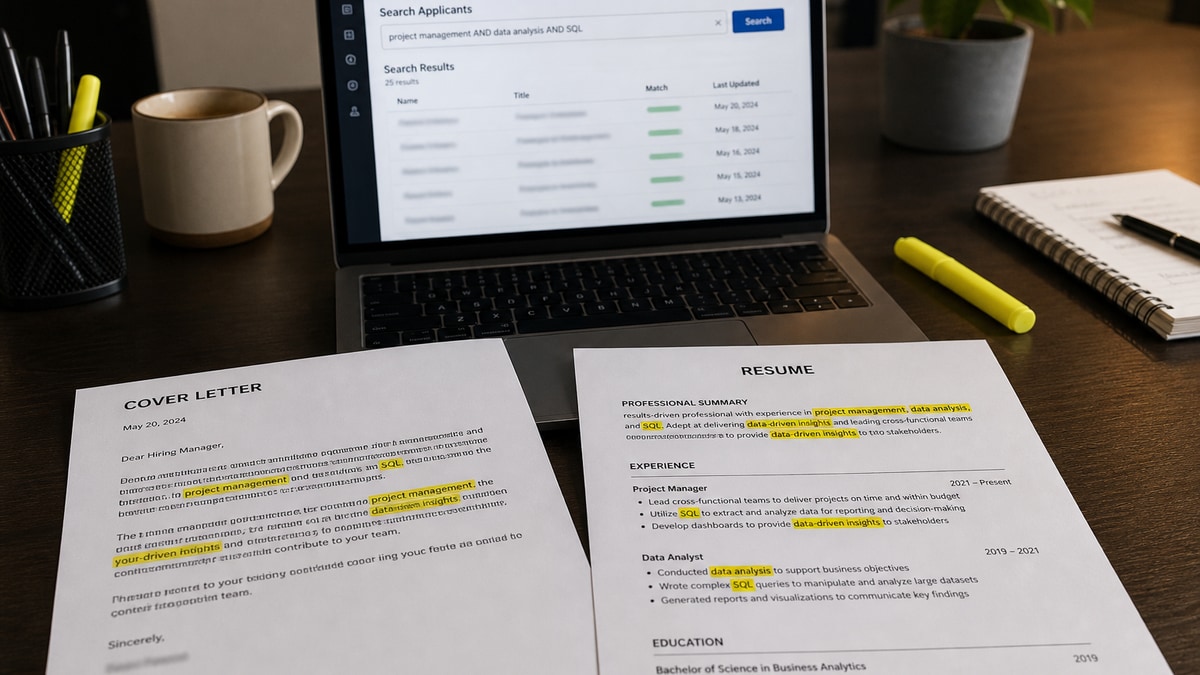
You tailored the cover letter for keywords and still got no callback. That's common when the resume never carried the must-have terms in the first place. A cover letter may be searched for keywords on Greenhouse, Lever, and some iCIMS setups, but Workday often stores the letter without folding it into the primary match score.
Check your resume for free before you spend another hour on letter wording. If Tier 1 skills don't parse from the resume PDF, letter text won't rescue the application. You're not doing anything wrong if the portal felt like it ignored your letter. It probably ranked the resume file and treated the letter as searchable backup text.
Below you'll see the symptom recruiters notice, three causes that look alike from the outside, how to tell which one is yours, and the fix for each channel: resume PDF, letter attachment, and paste box. For whether the letter matters at all on a given posting, read do cover letters still matter for ATS . For pulling terms from the ad fast, see how to pull keywords from a US job description fast .
Quick Wins
- Put every must-have skill on the resume with a bullet proof before touching the letter.
- Use the letter for one posting phrase plus one metric the resume can't fit in one line.
- Paste boxes index literally; PDF letters depend on parse quality. Don't assume both match.
The symptom: keyword-heavy letter, silent inbox
The application looked thorough. You pasted posting language into the cover letter, attached a PDF, and hit submit. Weeks pass. No rejection email, no interview.
Symptom one: the letter names twelve tools but the resume bullets still say "data projects" with no tool names. Symptom two: you repeated the same keyword block in the Workday paste box and the PDF while the resume stayed generic. Symptom three: you uploaded an optional letter full of praise with zero posting terms while the resume missed a required certification.
All three feel like keyword optimization. All three fail for the same reason: the scored file didn't change. Recruiters screening in Workday open the resume first. They search letter text only when the resume is borderline or when they need a niche term the bullets didn't surface.
A composite data analyst applied to a Greenhouse req last month. Her letter said "Python, SQL, Tableau" in paragraph one. Her resume skills line listed "Microsoft Office." The letter was searchable. It didn't move her rank because the matcher weighted resume evidence, not letter repetition.
Paste boxes behave differently from PDF uploads. Plain text in a Greenhouse or Workday textarea indexes character by character. A designed PDF with columns or a contact block trapped in a header may drop keywords before search runs. That's why channel matters as much as word choice.
I've screened stacks of these in Workday and Greenhouse, and the packet that wins puts searchable terms on the resume first. The letter confirms one match phrase when the resume already cleared the filter.
Three indexing behaviors show up often enough to plan around. Indexed and ranked: letter text can affect sort order on some Lever and Greenhouse configs. Indexed, not ranked: searchable by recruiters but not scored, common on Workday. Stored only: attachment saved with no text extraction on older builds or optional uploads.
A finance candidate listed SOX compliance only on her letter. The resume bullets said "audit support" with no acronym. A recruiter searching "SOX" in the candidate record would miss her if the letter wasn't indexed or wasn't opened. The fix wasn't more letter keywords. It was moving SOX into the first bullet on the resume with a concrete control example.
When a cover letter may be searched for keywords: three causes and fixes
Match your packet to a cause below. The fix is always channel-first: resume, then letter, then paste.
Cause 1: Skills live on the letter, not the resume
This is the most common failure. The letter lists Python, SQL, and Tableau. The resume bullets describe outcomes without naming the tools the posting required.
Before: Cover letter lists Python, SQL, Tableau, Power BI, Excel, R, Hadoop, Spark, AWS, Azure with no metrics. Resume bullets say "built data dashboards for leadership."
After: Resume skills and bullets name Python, SQL, Tableau with outcomes. Letter: "Your posting asks for mid-market SaaS analytics. I built the Tableau churn dashboard the team still uses for QBRs."
Fix: highlight must-haves in the ad. Every Tier 1 term lands on the resume with proof. The letter repeats one term only when you can attach a metric in the same sentence.
Cause 2: Paste box and PDF indexed different strings
When a portal offers both attachment and paste, you're feeding two indexes. PDF uploads pass through a parser that may strip headers and text boxes. Paste fields store exactly what you type, including truncation at the character cap.
Before: Same keyword block pasted into Workday and attached as a two-page PDF. Resume unchanged from the last application.
After: Tailored resume with req-specific title and skills. One-page PDF; paste box holds paragraphs 1–2 only (about 280 words). Keyword density lives on the resume.
Fix: write the paste version first, count characters, then build the PDF so both channels stay aligned. If paste truncates mid-word, the ATS may index incomplete keywords like "Salesforce CP" instead of "Salesforce CPQ."
Copy-paste block for a letter opener when the field is required:
Dear Hiring Team,

Your posting asks for [exact phrase from ad]. At [Company], I [verb] [metric] using [one Tier 1 tool from resume].

[One sentence on referral, pivot, or clearance if relevant.]
Cause 3: Optional letter with no new context
Optional fields tempt keyword dumps. A generic praise paragraph doesn't get searched usefully and can signal template spam to a human who does open it.
Before: Optional letter uploaded: "I am a hard worker passionate about your innovative culture." No posting terms. Resume missing HubSpot proof the ad named.
After: Optional field left blank. Time spent adding HubSpot and Salesforce proof to resume bullets instead. Letter added only when the field is required or you have a referral name.
Fix: skip optional letters unless you carry Tier 3 context: referral name, clearance line, career-change bridge, or title mismatch the resume can't fix in one bullet.
How to tell which cause is yours
Open the posting and highlight every must-have. Open your resume. If a Tier 1 term appears only on the letter, you have cause 1. Export the letter PDF and select-copy every paragraph. If copy fails or paste text differs from the PDF, suspect cause 2. If the letter field was optional and your letter could apply to any company, that's cause 3.
Edge case: career pivots where the resume title doesn't match the posting. The letter can bridge "project manager" to "product owner" using the ad's exact phrase, but the resume still needs bullets that prove product work. Edge case: niche certs like active Secret clearance when the resume has no natural section. One line on the letter is fine. The cert acronym still belongs on the resume skills line.
Portal quick read: Greenhouse and Lever often merge letter text into the candidate profile when the field is required. Workday frequently stores the letter for download without folding it into the primary relevance score. iCIMS parses attachments when the employer enabled it. Score the portal before you move skills off the resume.
Split terms from the posting into three tiers before you write. Tier 1 must-haves live on the resume with bullet proof. Tier 2 differentiators (preferred skills, industry phrases like B2B SaaS or HIPAA) mostly stay on the resume; the letter carries one phrase your employer called something else internally. Tier 3 context (referral names, clearance, pivot bridge) belongs on the letter and paste box only.
When Greenhouse requires a letter, duplicate one proof sentence in the paste box, not the entire skills section. When Workday stores the letter but ranks the resume, treat the letter as a tie-breaker for recruiter search, not a second keyword engine. When only a paste box exists with no upload, that paste is the only letter index. Choose words carefully and stay under the character cap.
Email applications follow paste rules: body text is fully searchable. Attach the same one-page PDF for humans who print files, but assume search runs on the email body if that is what gets read first. Keep the posting phrase in paragraph one of both channels.
Where letter keywords backfire
Myth: doubling every resume keyword on the letter raises your match percentage. Reality: most matchers weight resume evidence higher than letter repetition. Identical skill blocks on both files can flag templates without adding score.
Layout kills searchability more often than weak word choice. Headers and footers trap contact info outside the body index. Two-column PDFs put skills in a sidebar the parser skips. Bullet icons break into garbage on copy-paste. Tables used as skill grids parse out of order.
Before: Letter uses a two-column Canva template with tools in a colored sidebar. Keywords look perfect on screen.
After: Single-column 11-point Calibri PDF. Select-copy confirms every posting term is readable plain text.
Don't paste the job description into the letter field. Don't bold every tool name. Don't move skills off the resume because the letter box feels easier to edit. Don't add keywords to an optional letter with no story behind them.
Recruiters search letters to confirm fit, not to discover skills missing from the resume. One posting-specific term woven into a proof sentence beats a keyword paragraph every time.
Synonym sprawl hurts manual search. Recruiters type exact strings from the ad: "CPQ," not "configure-price-quote solutions." Use the posting's wording once in a proof sentence on the letter. Keep synonyms on the resume where space allows.
Four situations justify letter keywords beyond the default. Title mismatch: your resume title differs from the posting; the letter uses the posting title with proof you did that work. Referral: naming the referrer is Tier 3 context recruiters search by name. Niche cert or clearance: one line when the resume has no natural section. Career pivot: bridge language connects past role to new title using the ad's exact phrase.
Tools for keyword placement checks
Run the resume through HireFlow's ATS checker first. That is the file most systems score. Confirm Tier 1 terms appear in extracted text before you tailor the letter.
When the resume is locked and you need a matching letter fast, use the cover letter generator to draft one proof paragraph around a single posting phrase. Don't generate a second skills list. Feed it the metric you already put on the resume.
Tonight's placement check
Highlight must-haves in the ad. Confirm every Tier 1 term sits on the resume with a bullet proof. Only then open the letter field.
If the portal is Workday and the letter is optional, skip it unless you have a referral or pivot story. If Greenhouse requires a letter, add one posting phrase and one metric. Write the paste version first when both paste and PDF exist.
Export the letter PDF and select-copy test every paragraph. Run the resume through an ATS resume check before upload. A cover letter may be searched for keywords, but the resume is what gets ranked. Fix that file first and the letter stops being a guessing game.
Job searching is already exhausting. Channel discipline takes ten minutes and removes one silent failure mode you can actually control.
Run this five-point audit before the next submit. Resume parse test through the checker. Letter copy test: select-all from the PDF. Paste character count under the portal cap. Duplicate check when paste and PDF differ. Human skim: one role, two proofs, one posting term, no skills grid.
Standard corporate applications with aligned titles and required skills on the resume rarely need letter keywords beyond one metric sentence. That is normal. It is not a reason to invent a keyword block when the optional field adds nothing new.
Read more
Frequently asked questions
Some do, but not all. Greenhouse, iCIMS, and Lever can index cover-letter text when the field is required or when a PDF is attached and parsed. Workday often stores the letter without folding it into the primary match score. Treat the resume as the keyword engine; use the letter for context keywords the resume cannot hold in one bullet.
Cover the must-have terms on the resume first. Repeat on the letter only when you can attach proof: a metric, tool, or project the posting named. Duplicating the skills block word-for-word wastes letter space and can look like stuffing to a human reader.
Yes. Paste boxes feed plain text directly into the ATS index, so every character is searchable. PDF uploads depend on parsing quality; headers, columns, and text boxes can drop terms before search runs. When both fields exist, put must-have keywords on the resume PDF and use the paste box for two proof sentences, not a second keyword list.
Rarely, and it can hurt after a human opens the file. Modern matchers weight keyword density against resume evidence. A letter that lists fifteen tools without outcomes does not replace missing resume bullets. Fix the resume, then add one or two contextual terms on the letter.
Only when you have new context. Optional plus keyword-only is worse than skipping. Upload a short letter when you have a referral, gap explanation, or pivot story, and weave in one posting term naturally. Otherwise invest the time in resume tailoring.